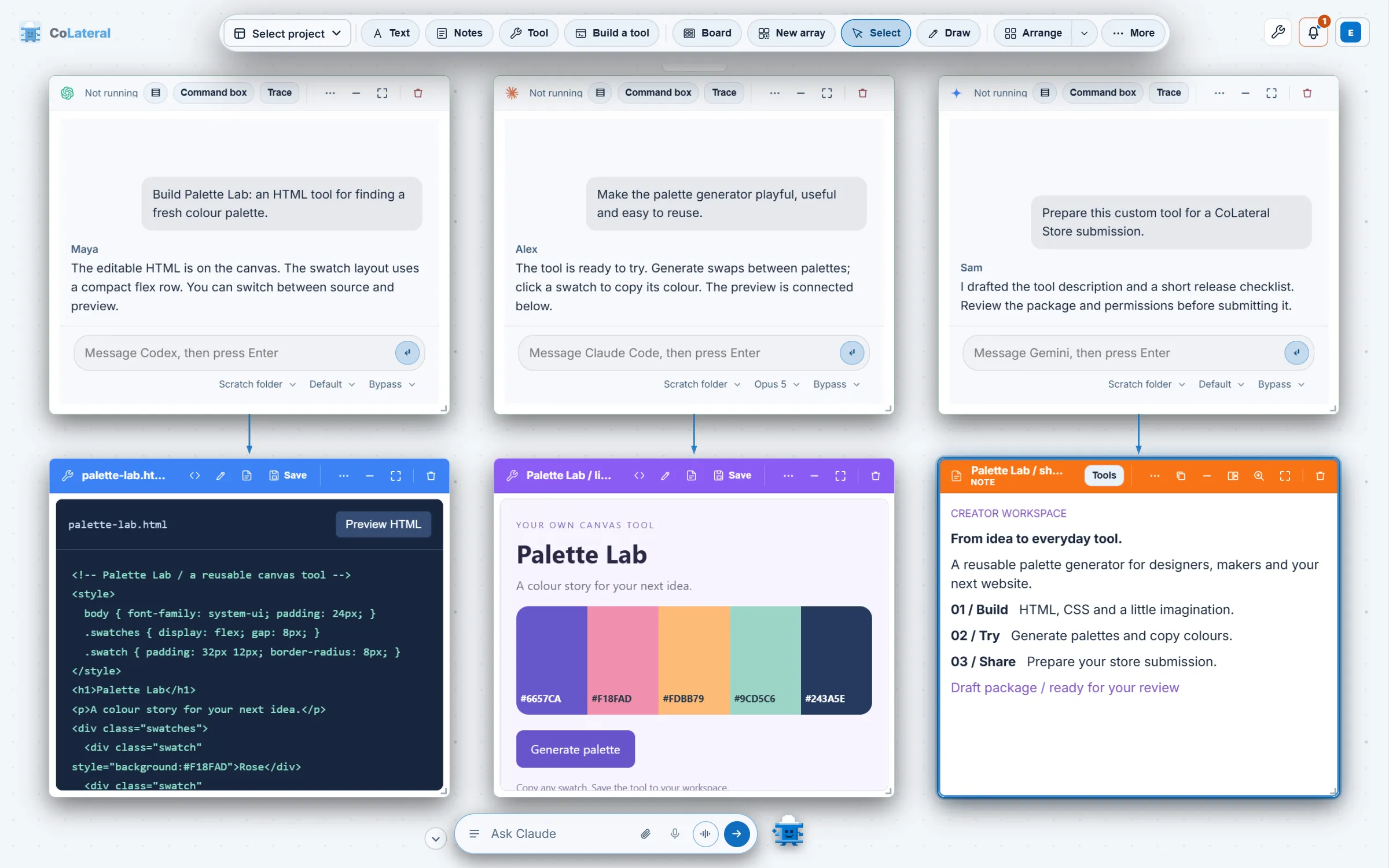
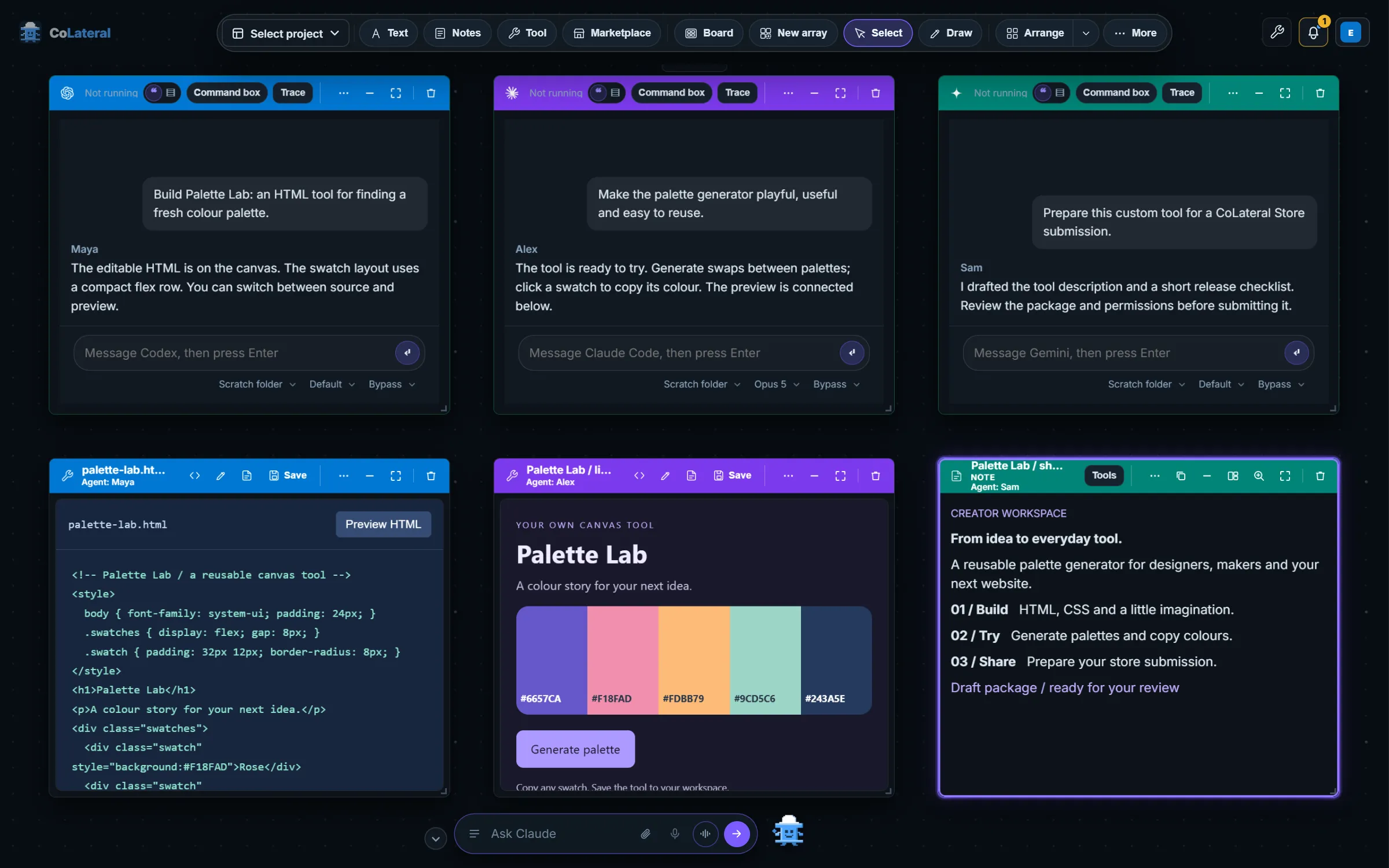
The first agents arrived in July 2026 and the rest followed in a run of releases through October 2026. Every one of them changed something visible: the agent card, the Terminal Card, the bottom-bar orchestrator, the Command Centre, the model pickers, the usage bar and the agent limit. This is the formal record of which agents CoLateral supports, when each one arrived, and what its arrival did to the interface.
Key takeaways
- CoLateral runs nine local coding agents on the Project Canvas: Claude Code, OpenAI Codex, GitHub Copilot, Google Gemini, Grok Build, Kiro, Cursor, OpenCode and DeepSeek, which runs through Claude Code.
- CoLateral supplies no model credits. Every agent runs on a provider account you already hold, and provider subscriptions and API charges are separate from the CoLateral licence.
- The first live agents, Claude Code and Codex, arrived as Terminal Cards in July 2026. Seven more local agents followed in August 2026, and cloud agent cards for ChatGPT, Claude Code, Gemini and Jules arrived in October 2026.
- The CoLateral bottom bar became an orchestrator on 30 July 2026. It runs typed requests on whichever signed-in CLI you choose, and it manages the agents in your Terminal Cards.
- Each agent release changed CoLateral's own interface: a shared provider table behind every picker, a model chip on each agent card, a subscription usage bar, per-provider accounts and an agent limit with sleeping cards.
Which AI agents does CoLateral run today?
CoLateral is a desktop workspace where files, notes, tools, terminals and coding agents share one visual canvas. It does not ship a model of its own. It runs the agents you already use, and it checks each one against an explicit allowlist in its local bridge before it will start a process. The website's list of supported providers is checked against that same allowlist, so the table below is the supported set as of 8 October 2026.
| Agent | Provider | How it runs in CoLateral | What you bring | First arrived |
|---|---|---|---|---|
| Claude Code | Anthropic | Local CLI in a Terminal Card | Your own Claude account, signed in to Claude Code | July 2026 |
| OpenAI Codex (Codex CLI) | OpenAI | Local CLI in a Terminal Card | Your own ChatGPT account, signed in to Codex | July 2026 |
| GitHub Copilot CLI | GitHub | Local CLI in a Terminal Card | A GitHub Copilot seat you already have | August 2026 |
| Gemini CLI and Antigravity CLI | Local CLI in a Terminal Card | A Google account (Antigravity CLI), or an AI Studio key or Vertex AI (Gemini CLI) | August 2026 | |
| Grok Build | xAI | Local CLI in a Terminal Card | A SuperGrok or X Premium subscription | August 2026 |
| Kiro CLI | AWS | Local CLI in a Terminal Card | A Kiro account (AWS Builder ID, Google or GitHub) | August 2026 |
| Cursor CLI | Cursor | Local CLI in a Terminal Card | Your own Cursor subscription | August 2026 |
| OpenCode | Open source | Local CLI in a Terminal Card | Whichever account you sign OpenCode in to | August 2026 |
| DeepSeek | DeepSeek | Claude Code pointed at DeepSeek's Anthropic-compatible endpoint | Your own DeepSeek API key | August 2026 |
| ChatGPT and Claude Code (full apps) | OpenAI, Anthropic | Cloud: the provider's own site in a private Browser Card | Your own account, signed in by you in the card | October 2026 |
| ChatGPT Workspace Agents and Claude Code routines | OpenAI, Anthropic | Cloud: optional API workflows on a controller card | Your own account and the provider's trigger token | October 2026 |
| Gemini Deep Research and Jules | Cloud: hosted research and coding sessions through provider APIs | Your own Google API keys, which are separate from each other | October 2026 |
What is an agent card, a Terminal Card and an orchestrator?
Four terms carry most of this story. The repository defines them as follows, and the rest of this post uses them in these senses.
One earlier use of the phrase is worth noting. On 2 July 2026 CoLateral added a different "Agent Card", a workflow card that generated prompts and turned pasted answers into reviewable cards. Once "agent" came to mean a live terminal, that card kind was retired on 3 August 2026, and each saved one was converted into a note in place so no connection or layout was lost. Today's agent card is the live one.
How did each agent arrive in CoLateral?
The dates below come from the repository's commit history. Where a date is a month, the month is the earliest evidence we hold. The same story, told from the product side, runs through the history of CoLateral and the 2026 release notes.
Live Terminal Cards for Claude Code and Codex
The first commit to put a real CLI session on the canvas. The Local Bridge was loopback-only and token-paired, with a strict command allowlist and no "run anything" path, and the first task was typed in but not submitted, so you read it and pressed Enter.
Terminal Cards become first-class
A Terminal button on the canvas dock, a real Windows pty, and a Look panel with themes and layouts.
ChatGPT through Codex
A Terminal Card could now run your ChatGPT sign-in through the Codex CLI, with a CLI picker in the card.
The bottom bar becomes the orchestrator
The command bar became the application's intelligence layer. It first ran on a realtime speech model on your own API key, and the same day moved typed requests onto your own Claude Code or Codex subscription.
The Command Centre reaches the canvas
The Command Centre card arrived, and desktop release 1.0.8 was cut so it shipped to the desktop. It was later rebuilt as a console and given a chief of staff.
Copilot, Gemini and Grok Build
Three agents joined on one shared provider table, so every picker, palette entry and card title follows a single list. The same day the agent card was redrawn as a chat instead of a console.
Kiro, Cursor and OpenCode
Three more agents through the same table, each checked against the real CLI.
DeepSeek and the chief of staff
DeepSeek arrived as a ninth agent card provider, running through Claude Code. The Command Centre gained a chief of staff that writes a short brief from what each agent last did.
Antigravity CLI for Google sign-in
Gemini CLI's personal Google sign-in stopped working, so CoLateral launches Antigravity CLI for Google-account sign-in and keeps Gemini CLI for an AI Studio key or Vertex AI. Desktop 1.0.31 carried it.
The agent limit
A resource guard limits how many agents run at once and sleeps the rest, so opening a project with many agents does not start them all.
The subscription usage bar
A slim strip in the canvas corner shows how much of each supported subscription window has been used and when it resets, where the provider records it.
Canvas Browser and browser agents
An interactive Canvas Browser with scoped local agent control, followed on 14 September by the Browser Card's Chrome-style interface and agent-spawned browsers.
Model pickers read the installed CLIs
Pickers began reading model names from the installed Claude Code, Codex and Gemini CLIs, so a new model can appear without a CoLateral release. Sonnet 5.5 appeared through the same route on 29 September.
Cloud agent cards
Native ChatGPT and Claude cloud agent cards, Gemini and Jules cloud workflows, and full provider apps on the canvas with optional API workflows.
Isolated local accounts
Isolated local AI accounts and per-terminal account selection, moved on 7 October into one Settings card per provider.
How do local CLI agents, cloud agents and browser agents differ?
CoLateral uses three execution paths, and the page you read for one does not apply to the others.
- Local CLI agents run as a process on your own computer, started through the Local Bridge. Your prompts and any material the agent reads go to its model provider, so a local agent is not local inference. This path covers the nine agents in the first part of the table.
- Cloud agents run on the provider's infrastructure. The bridge is a local relay that keeps credentials on your machine while prompts and execution go to the hosted agent. A full provider app opens in a private Browser Card where you sign in yourself; the API workflows are separate controller cards.
- Browser agents are local agents that drive a Browser Card. A canvas arrow means the card exists and is the target, but it does not grant control. You grant a live agent control by connecting it in the card, and you can pause or take control back.
Accepting a task is not completing it. A queued request, a hosted session link or a delivery receipt is not the finished work. The longer account of the hosted path is cloud agent cards for ChatGPT, Claude, Gemini and Jules.
How do you run Claude Code and Codex side by side on one canvas?
Open two Terminal Cards, set one to Claude and the other to ChatGPT through Codex, and give each its own task. They are separate sessions with separate folders and separate accounts, and you can draw an arrow from either one to the note, sheet or tool it should read. The Terminal Card gained its CLI picker on 29 July 2026, and the whole design is told in running Claude Code and Codex side by side.
What did the orchestrator and Command Centre change?
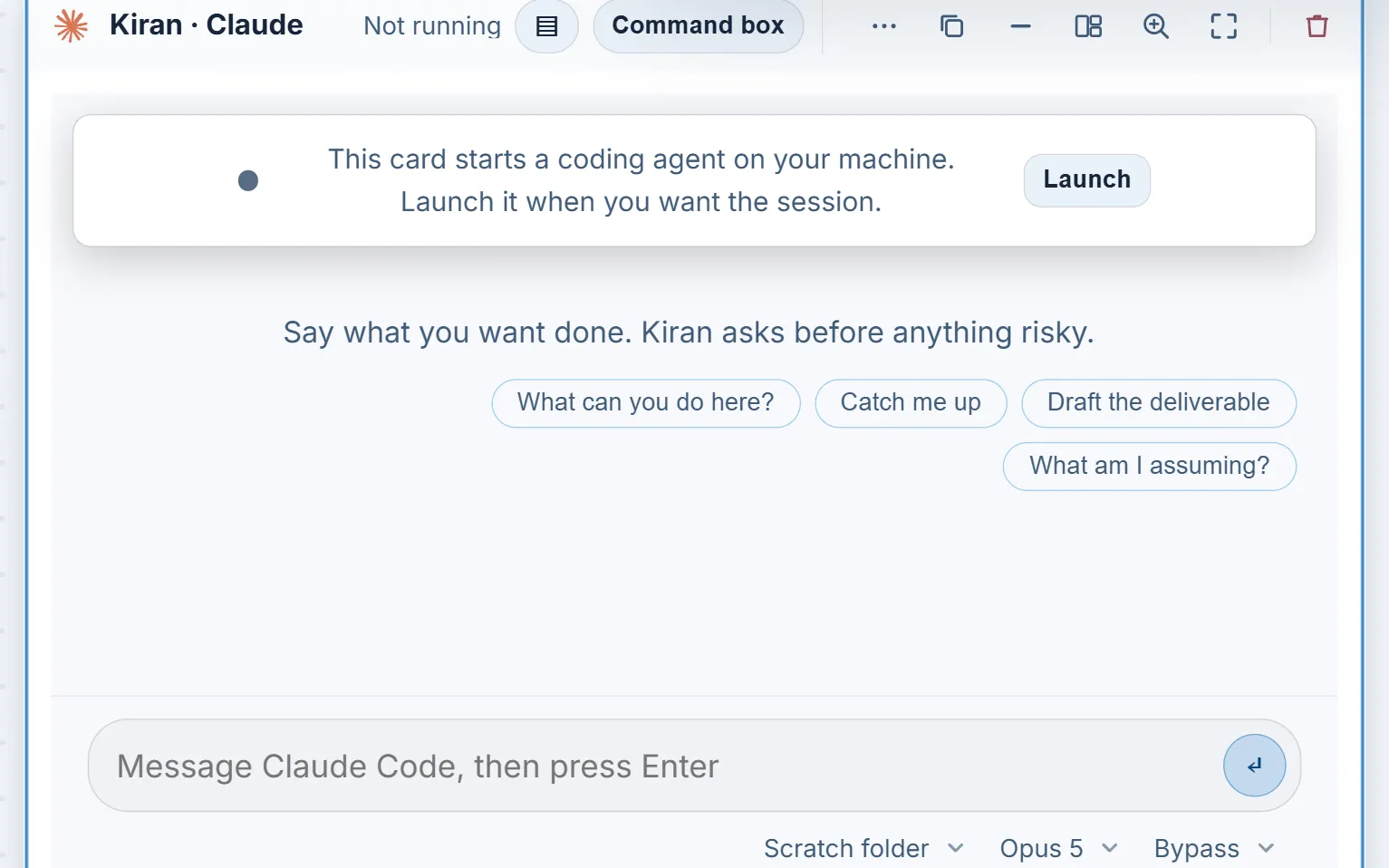
It is a Terminal Card without the terminal.
Before 30 July 2026 you used agents by opening cards. After it, you could ask the bottom bar to open one, brief it and report back, and later releases let it answer an agent's question, stop it without ending its session, and close it. The orchestrator runs on the CLI you choose in Settings, including Claude Code, Codex, Copilot, Gemini, Grok Build, Cursor and OpenCode. The Command Centre then gave the same orchestrator a full-size place to stand, with a chief of staff pinned first on its rail. The chief of staff is not a second agent; the bar and the card are two doors onto one conversation. The full account is in the orchestrator, the Command Centre and the chief of staff.
Voice is a separate choice. Dictate types what you say into the box and sends nothing, and voice mode holds a spoken conversation with the orchestrator, either through a signed-in ChatGPT subscription via Codex or on a realtime model (GPT Realtime 2.1, GPT Realtime 2.1 Mini or Grok Realtime Voice). The realtime route needs an OpenAI key, or a SuperGrok or X Premium sign-in for Grok. The interface says Grok Build whenever it means the coding agent.
How do model releases change the CoLateral interface?
Each agent card carries a model chip beside the folder and permission chips. It arrived on 22 August 2026, because which model a card ran had been pinned in a settings panel where nobody watching the card could see it. The Claude Code picker later grew to carry the exact names Claude Code's own model menu prints, and today it lists Opus 5.5, Sonnet 5.5, Haiku 4.5 and Fable 5.1 as written-down names, refreshed from the installed CLI when it can read them.
An alias keeps working when the model behind it is replaced, so a card stores the alias and the visible name is read from the installed CLI. For most other agents the list is decided per account or plan, so CoLateral asks the CLI rather than writing models down. How new model releases change the model picker tells that story in order.
Can you use more than one account for the same agent?
Yes, for the providers that support it. On 6 October 2026 CoLateral added isolated local AI accounts, and a day later moved the control into Settings, where each provider has one account card. Claude Code, Codex, Copilot, Gemini, Grok Build, Cursor, OpenCode and DeepSeek support separate profiles. Kiro keeps your computer default because its credential storage has not been verified for separate profiles.
A new profile starts empty and the next agent you start for that provider opens the provider CLI's own sign-in. The bridge removes inherited authentication from named-profile launches, so one account does not quietly borrow another's sign-in. Account names are labels you type, not evidence of an identity or a plan, and selecting another account changes the next launch only.
How do you see how much of your subscription is spent?
The subscription usage bar, a slim strip in the bottom-left corner of the canvas, arrived on 9 September 2026. Before it, the first sign that a five-hour window was gone was a CLI refusing halfway through a task, on a surface where a refusal can look like a CoLateral fault. The bar reads figures from the sources the providers expose: Claude Code's own usage endpoint, the rate limits Codex records on disk, and credit usage Grok Build logs locally. It never estimates a percentage.
Where a provider records nothing, the bar says so and names the kind of account. It reports the computer-default account only, not named profiles.
How many agents can run at once?
The Resources setting under Account and Settings limits how many agents run at once, from one to twelve, with a default of twelve. A card claims a seat before it launches. An agent that starts automatically past the limit opens asleep with a Wake button, and one you ask for at the limit opens a chooser so you decide which session sleeps. Starting, working, waiting and reconnecting agents are protected, and every agent in the current project stays awake. The guard began on 1 September 2026 with a default of four and later moved to twelve. Sleeping cards do not use a seat.
Optional Docker isolation for Terminal Card agents arrived on 26 September 2026. It is off by default and needs Docker.
Can you watch this being built?
The product history is also a video history. Nic streams the work on YouTube, and the Day 51 stream is titled "BEST MODEL IN THE WORLD". The repository records that title and shows the video first listed on the website on 8 September 2026. It does not record which model the title refers to, so we do not claim one here. More about the streams is in building CoLateral in public.
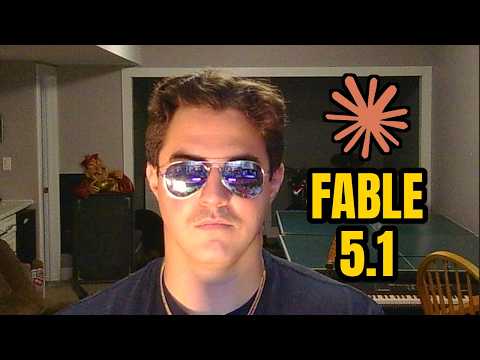 Watch on YouTubeBEST MODEL IN THE WORLD, Day 51 of the CoLateral build-in-public livestreams
Do you need your own AI account to use CoLateral?
Yes, to run an agent. CoLateral supplies no model credits and does not resell model access. Supported agents use your own provider accounts, and provider subscriptions, usage limits and any API charges are separate from the CoLateral licence and from optional modules. The licence is a one-time purchase, and current pricing lives on its own page because prices change. The setup answers cover installation and sign-in.
You can use the Project Canvas, notes, files and tools without any AI account. An agent only needs the account for the path you choose: a local CLI needs that CLI installed and signed in, a cloud agent needs its provider account or API key, and DeepSeek needs a key. If you want the full picture of how to bring one in, download the desktop app and start with a small invented project.
What should you check before trusting an agent in CoLateral?
Treat agent output as a draft. Permissions and confirmation behaviour depend on the selected agent and action. Some actions in CoLateral stop and show you the exact action first, and others do not, so read the permission chip before you start and review the result afterward. A fluent summary is not evidence that a file was changed correctly. Compare important output with its source. The guide to AI agents and your files explains what to check, and the launch post introduces this blog.
Two more posts complete the picture: what CoLateral looked like through time, and the expansion packs.
FAQ
Frequently asked questions
Which AI coding agents does CoLateral support?
CoLateral runs Claude Code, OpenAI Codex, GitHub Copilot CLI, Google Gemini (through Gemini CLI or Antigravity CLI), Grok Build, Kiro CLI, Cursor CLI and OpenCode as local agents, plus DeepSeek through Claude Code. It also opens ChatGPT and Claude Code as full cloud apps and supports Gemini Deep Research and Jules workflows. Each one needs your own provider account.
Does CoLateral include AI model credits?
No. CoLateral supplies no model credits. Agents run on accounts you already hold, and provider subscriptions, usage limits and API charges are separate from the CoLateral licence. Read the provider's own terms before connecting an account.
Can Claude Code and Codex run on the same canvas?
Yes. Each is a separate Terminal Card with its own session, folder and account, so you can give them different tasks and link either one to the cards it should read. The Terminal Card picker has offered both Claude and ChatGPT through Codex since 29 July 2026.
When did CoLateral add each agent?
Claude Code and Codex arrived in July 2026, and Copilot, Gemini, Grok Build, Kiro, Cursor, OpenCode and DeepSeek in August 2026. Cloud agent cards followed on 1 October 2026. The bottom-bar orchestrator dates from 30 July 2026 and the Command Centre from 11 August 2026.
Does running an agent locally mean my data stays on my computer?
Not necessarily. A local agent runs as a process on your computer, but it can send your prompts and the material it reads to its model provider. Review the connected account's terms and the files you allow an agent to access before using sensitive material.
Can I use two Claude or ChatGPT accounts in CoLateral?
Yes for supported providers. Settings holds a separate profile list for each, and a new profile starts empty and opens the provider's own sign-in. Cloud app cards can also hold their own account each. Labels are descriptions you type, not verified identities or plans.