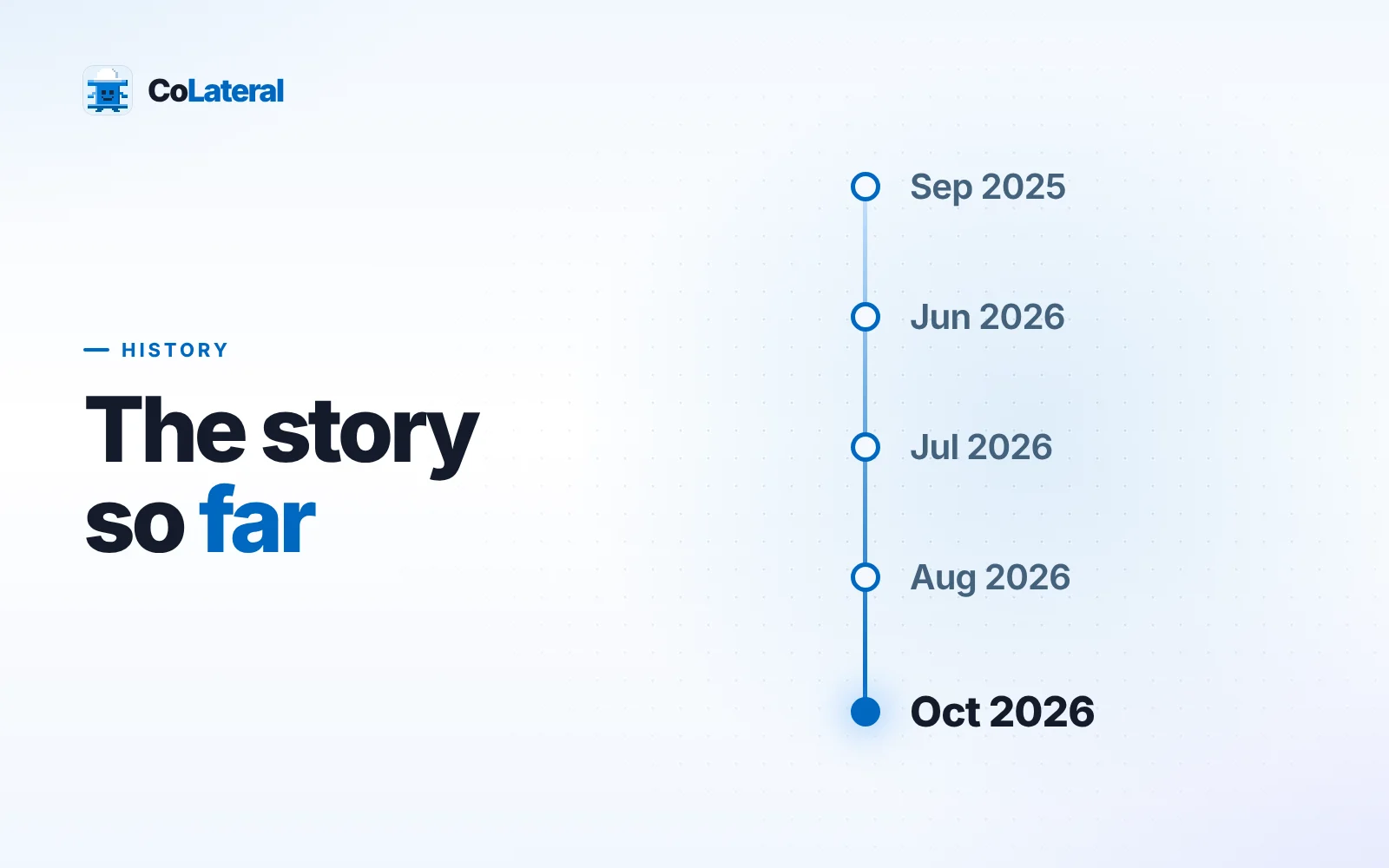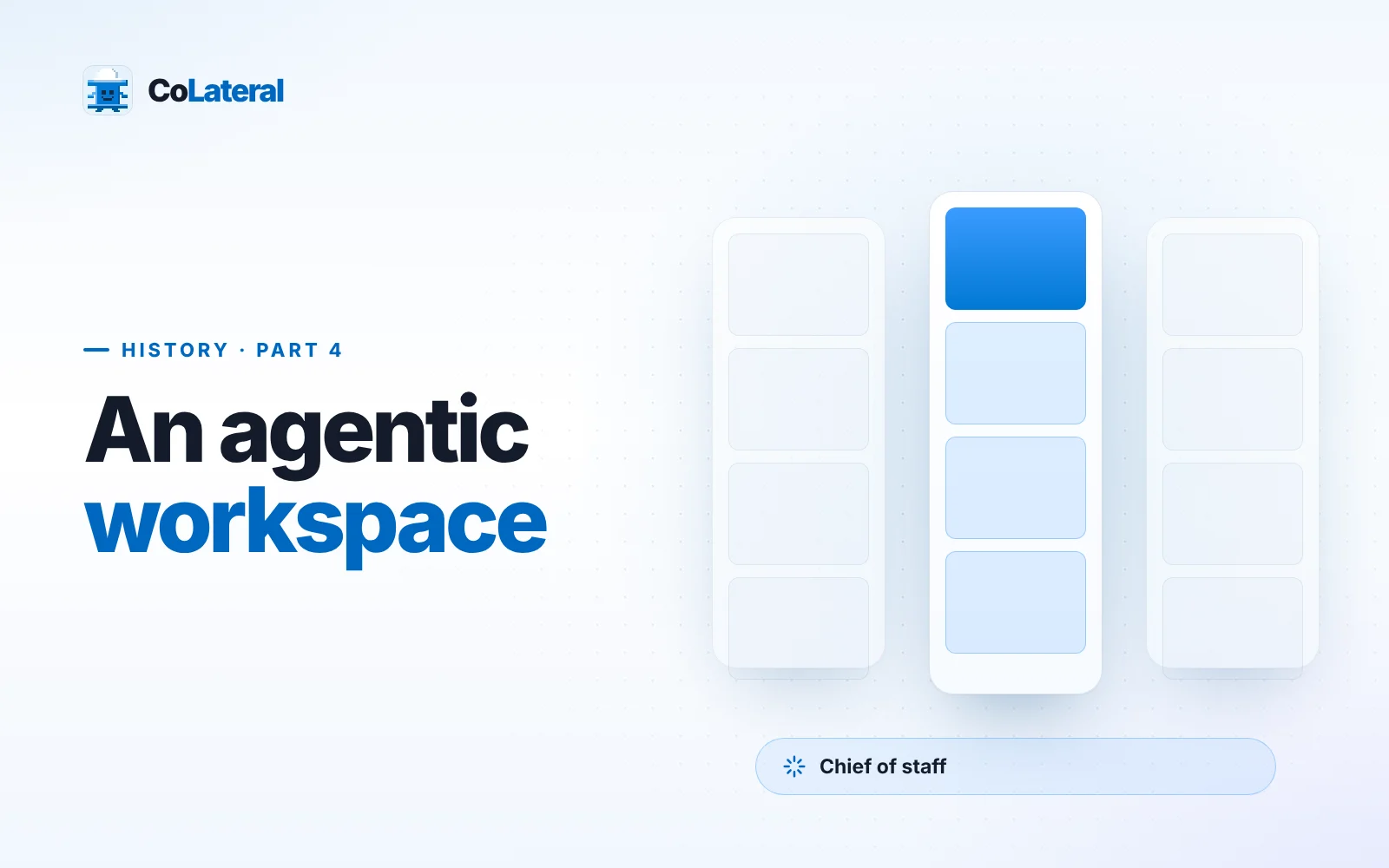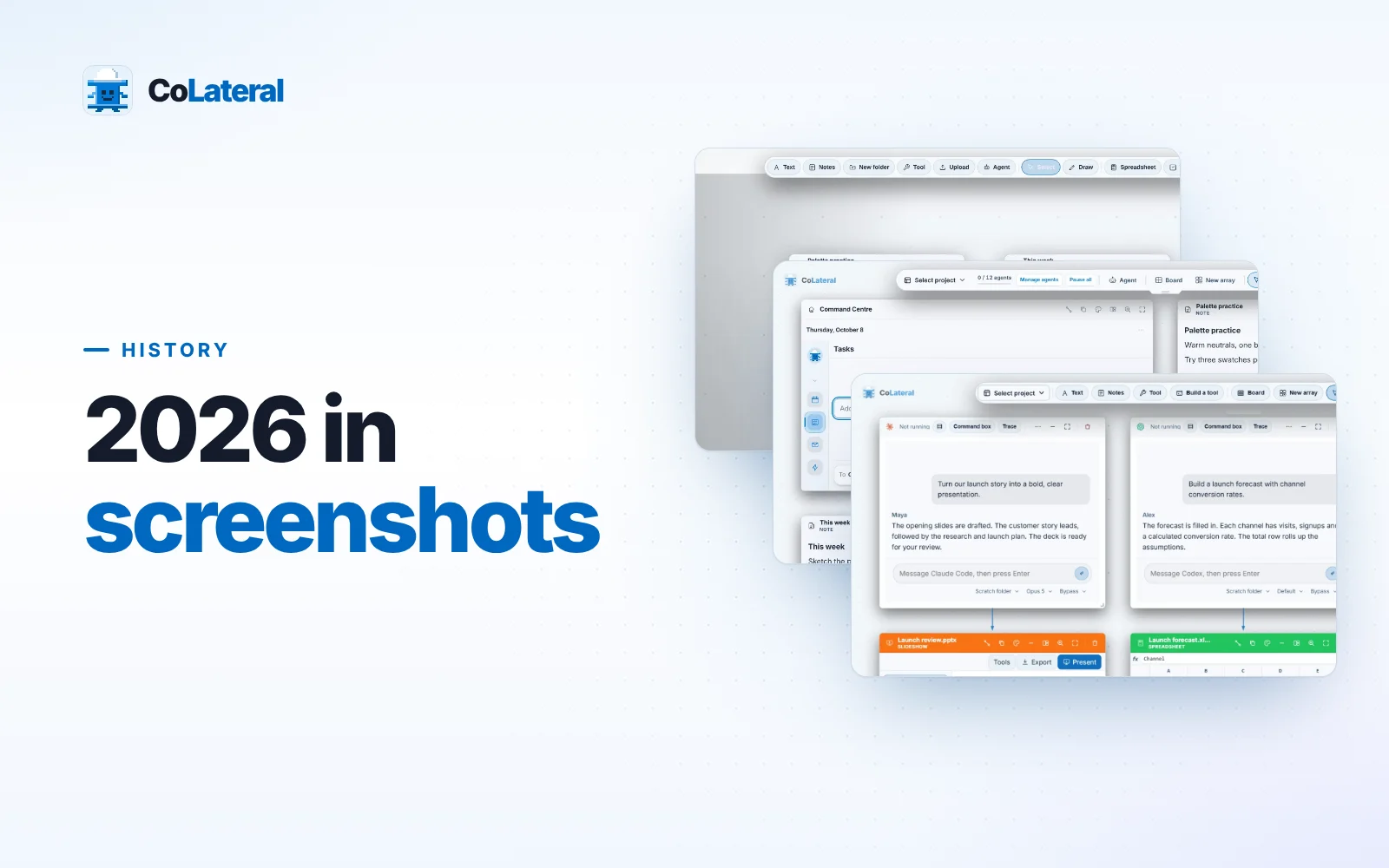
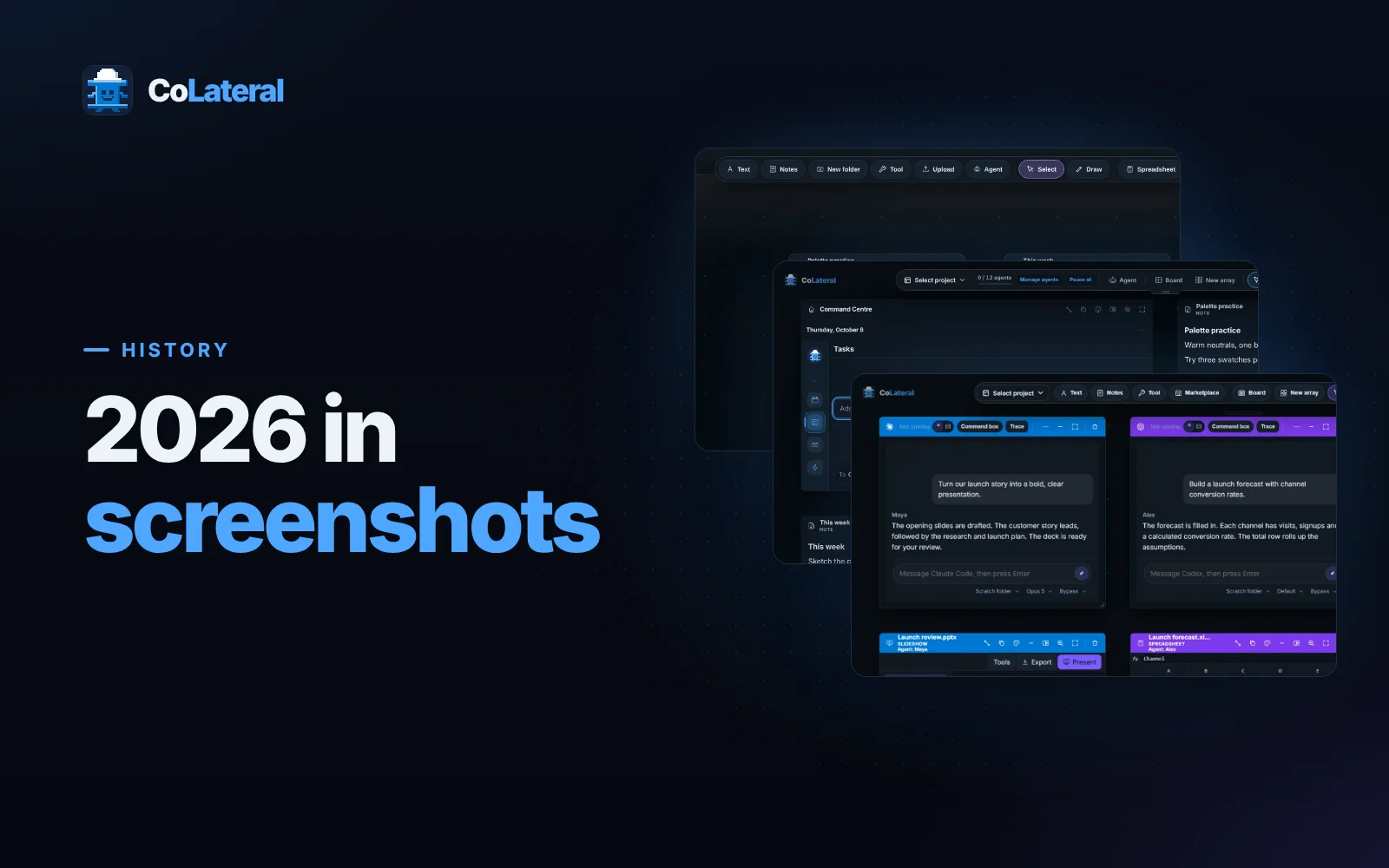
A dark purple canvas in early July, a pale Office Blue canvas two weeks later, a board of paged slots in August, and the glass-and-top-bar workspace you see today. Each capture is of the app or the public website at a named commit, not redrawn from memory. The repository began on 2025-09-29, but the first Project Canvas appeared only on 2026-06-29, so the visual story starts there.
Key takeaways
- The CoLateral Project Canvas has had five looks between 2026-06-29 and 2026-10-07: a left-sidebar canvas, a dark purple canvas with a floating dock, a light Office Blue canvas, a board of paged slots, and a glass-card workspace with a grouped top bar.
- The CoLateral accent colour moved from blue to Dracula purple on 2026-07-03 and back to Office Blue by 2026-07-14, and the dark theme followed to blue on 2026-07-26.
- On 2026-08-12 the CoLateral Project Canvas stopped being an infinite plane and became a board of arrays, pages of slots that each hold a card, which is why Arrange replaced Tidy.
- CoLateral regrouped its top bar on 2026-09-12 (commit 0bf61bc), turning seventeen pills in a row into six labelled clusters: Create, Tools, Agents, Board, Modes and Arrange.
- Every screenshot in this post was captured from the CoLateral source at a named commit, with invented example content and no real user data.
How did CoLateral start, and why is there no screenshot of it?
There is no 2025 screenshot because the repository was created on 2025-09-29 with two commits, an "Initial commit" holding a two-line README and a stock workflow file, then sat idle until 2026-05-08. When work began, CoLateral was a shelf of browser tools on one dashboard. The full history of CoLateral tells that story in words.
We have not reproduced those early screens, or the first Project Canvas of 2026-06-29 (commit debd70b), a page with a left sidebar for adding cards, because they show the founder's early private tools rather than the workspace CoLateral became. A day later commit 98e16ec replaced the sidebar with a floating, translucent top dock so the canvas could run full-bleed behind it. The first capture below picks up there.
A floating dock replaces the sidebar
Commit 98e16ec moves card creation into a floating top dock.
Dark and purple
Commit e9f7253 recolours the brand primary to Dracula purples.
Office Blue
Light, then Office Blue, become the defaults (commit 83ac9d6).
A board of arrays
Tidy gives way to Arrange and cards belong to slots (commits 748564d, 4f37df1).
Glass cards and a Marketplace button
Cards become adjustable glass (commit 83d2fec).
The workspace today
A grouped top bar, light and dark themes and a matching website (commit 088a579).
What are the main looks of the CoLateral Project Canvas?
| Era | Capture commit | Look | Defining change |
|---|---|---|---|
| Early July 2026 | e9f7253 | Dark theme, purple accent, floating dock | Brand primary recoloured to Dracula purple on 2026-07-03 |
| Mid-July 2026 | 83ac9d6 | Light theme, Office Blue | Office Blue became the default on 2026-07-13 |
| August 2026 | 4f37df1 | Board of arrays, Arrange | Tidy replaced by Arrange on 2026-08-12 |
| September 2026 | 83d2fec | Glass cards, Command Centre, Marketplace button | Whole-card glass on 2026-09-09 |
| October 2026 | 088a579 | Grouped top bar, light and dark themes | Top bar regrouped into six clusters on 2026-09-12 |
What did CoLateral look like in early July 2026?
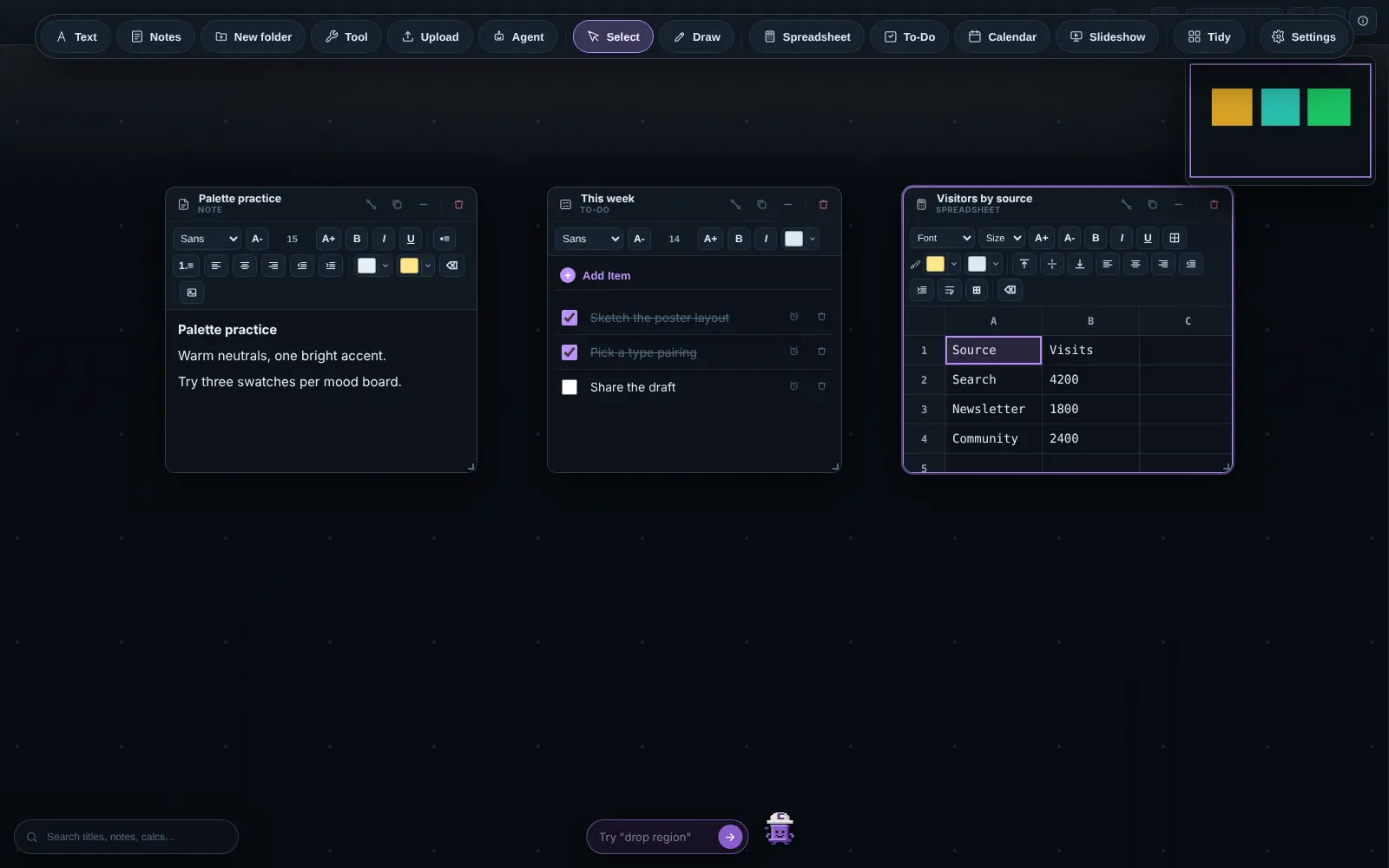
In the first week of July 2026 CoLateral was dark. Named editor themes, Dracula among them, had arrived on 2026-06-05 (commit 8706e65), and on 2026-07-03 commit e9f7253 recoloured the brand primary across the interface from blue to purple to match Dracula.
The capture shows what the Project Canvas had become by then: a floating dock of pill buttons for Text, Notes, New folder, Tool, Upload, Agent, Select, Draw, Spreadsheet, To-Do, Calendar, Slideshow, Tidy and Settings, a small overview map pinned top right, a search box and a command box along the bottom, and the Beam Buddy mascot beside them. Agent Cards were new: commit ff7eb25, dated 2026-07-02, had added Agent Cards, Output Cards and Custom Tool Cards to the canvas, which is the point where it began to become a place agents could work.
When did CoLateral change from purple to blue?
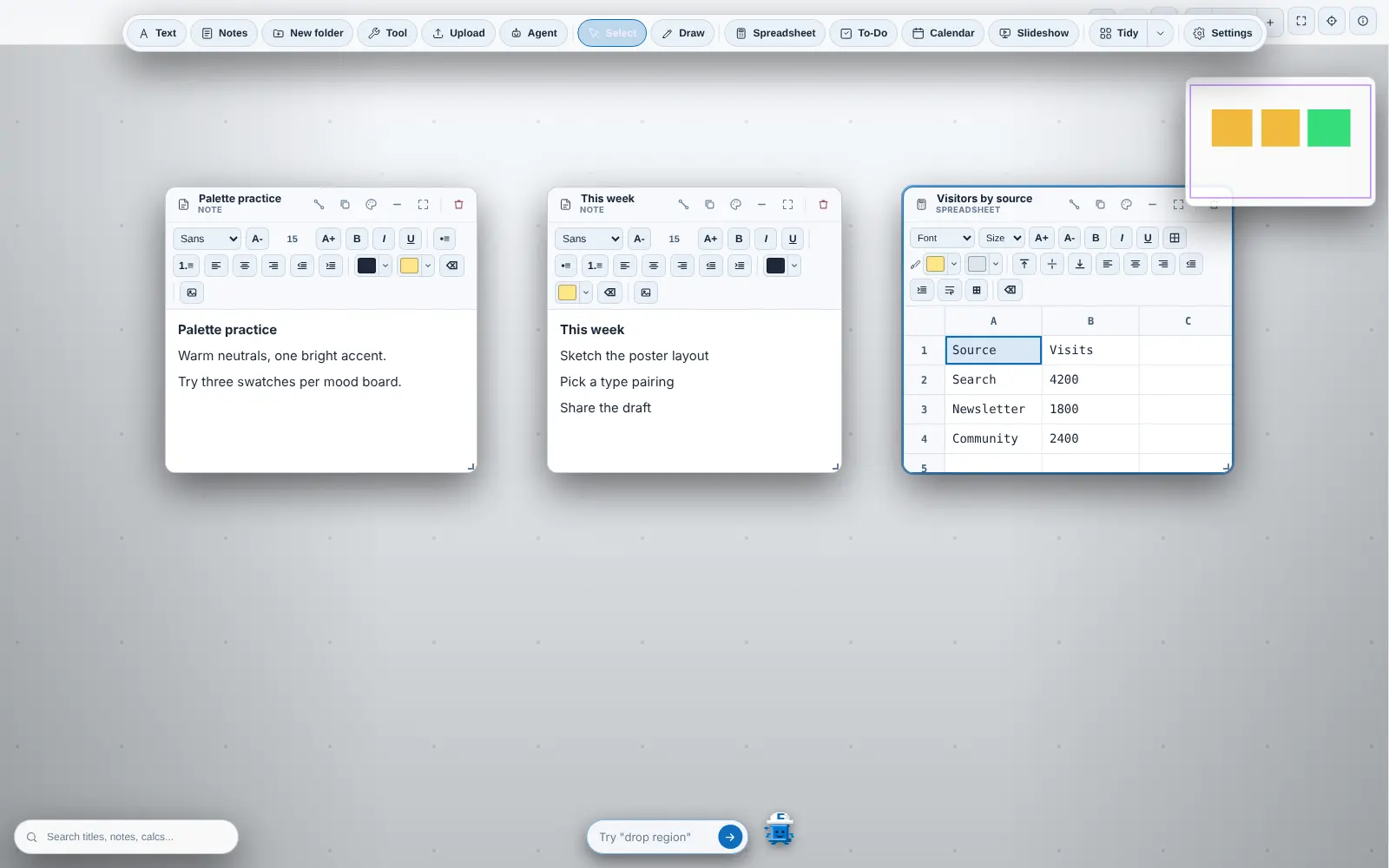
CoLateral went from purple to blue in the second week of July 2026, so the purple lasted about a week. On 2026-07-12 commit 09d2320 made "CoLateral Light" the default theme everywhere that previously fell back to dark. The next day commit 83ac9d6 made Office Blue the default, and on 2026-07-14 commit d3e4f13 removed the remaining purple overrides from the default theme. On 2026-07-26 commit 00f8f25 recoloured the dark theme's accent from purple to blue too.
The capture shows the result: white cards with blue selection on a soft grey-blue backdrop, with the dock now reading as white pills. Two weeks later, on 2026-07-28, commit 4f7e847 gave the product a new face. The brand mark had been an abstract blue letter C, and the commit made Beam Buddy, the pixel-art mascot already on the canvas, the logo itself in the top bars, public page headers and the favicon.
What did the CoLateral canvas look like in August 2026?
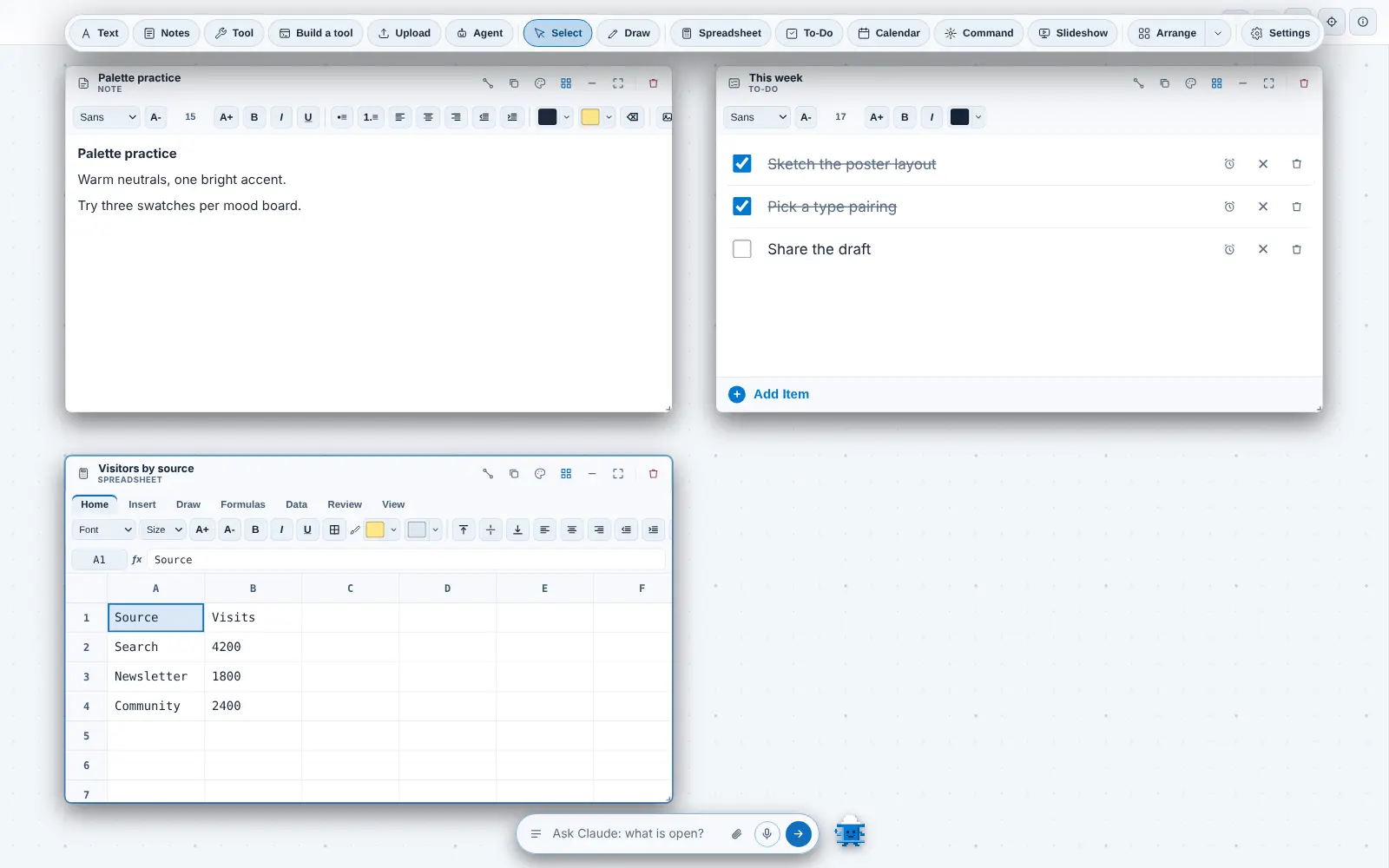
In August 2026 the CoLateral canvas stopped being an infinite plane you zoomed across and became a board you travel along, page by page (commit ee8ef65, 2026-08-12), and how CoLateral became an agentic workspace is its own post. On the same day commit 748564d replaced Tidy with Arrange. Its message states the reason plainly:
Tidy packed variable-size cards into rows on an infinite plane. That plane is gone, so Tidy is gone with it.
Arrange repacks every card into pages of one, two, four, six or nine slots, in an order and scope you choose. A day later commit 4f37df1 retired folders, since a card now belongs to one slot on one page, and floated the filmstrip, the map of those pages, at the top of the screen. The capture shows the effect: three cards in three of four equal slots, each the size of its slot.
What did CoLateral look like in September 2026?
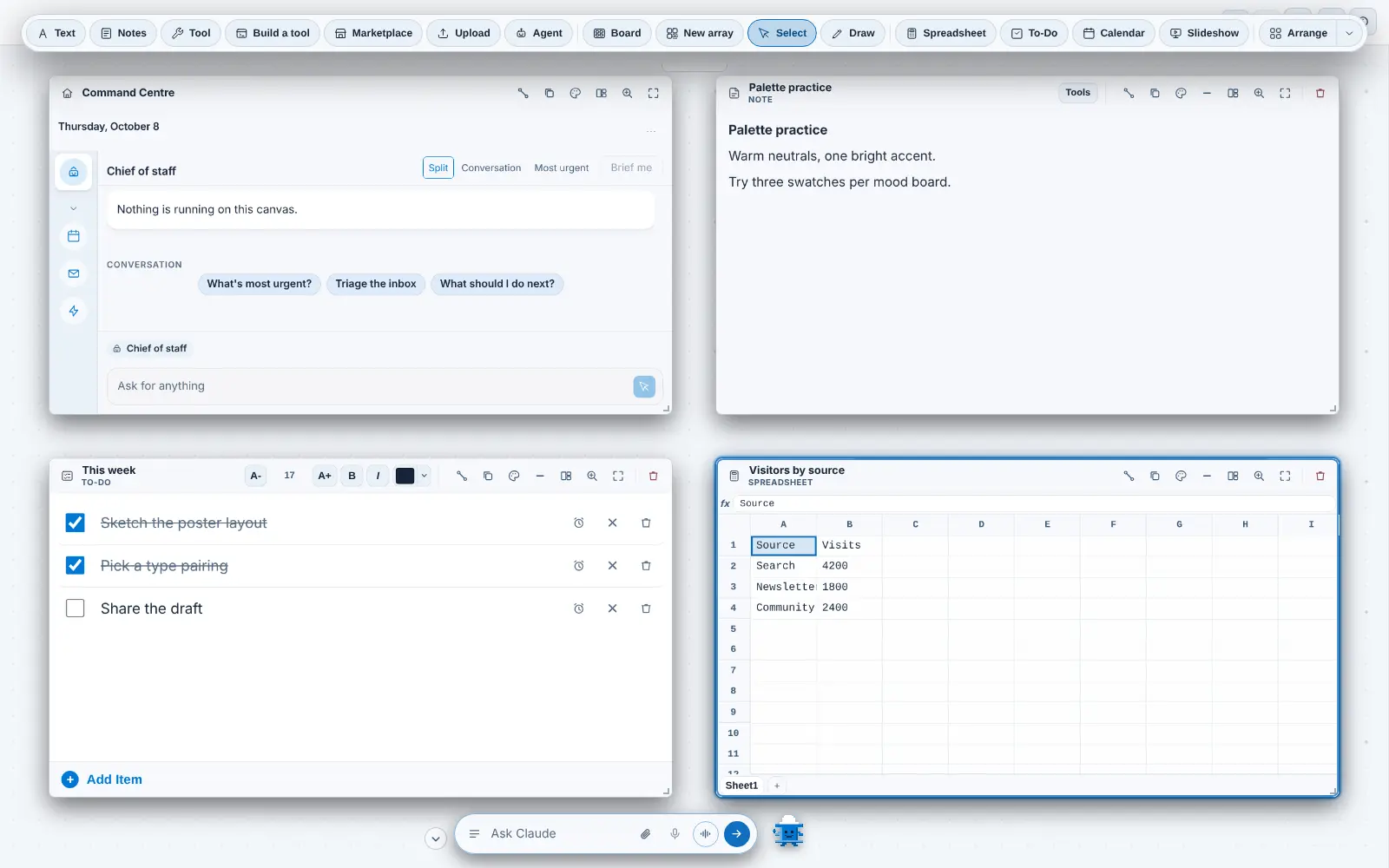
In September 2026 the CoLateral board gained a Command Centre card, a Marketplace button in the dock and fully glass cards. The Command Centre was reworked on 2026-08-12 (commit 27cf508), and on 2026-08-23 commit 77c85d7 gave it a Chief of staff. In the capture it sits top left with a conversation pane. The dock had also grown a Marketplace button as expansion packs and the store arrived at the end of August.
The other change is surface. Commit 83d2fec, dated 2026-09-09, made the whole card glass, not only its title bar, with header, body and blur each on a slider (defaults 22 percent, 22 percent and 18 pixels). Over a wallpaper, the old canvas showed a glass bar on an opaque box. The dock was still one long row of pills.
How did the CoLateral website change?
The public website was separated from the application on 2026-07-26 (commit db9e1ce). That first standalone site described an earlier version of the product, so we have left it out. The two captures below show the discipline-neutral site, five weeks apart.
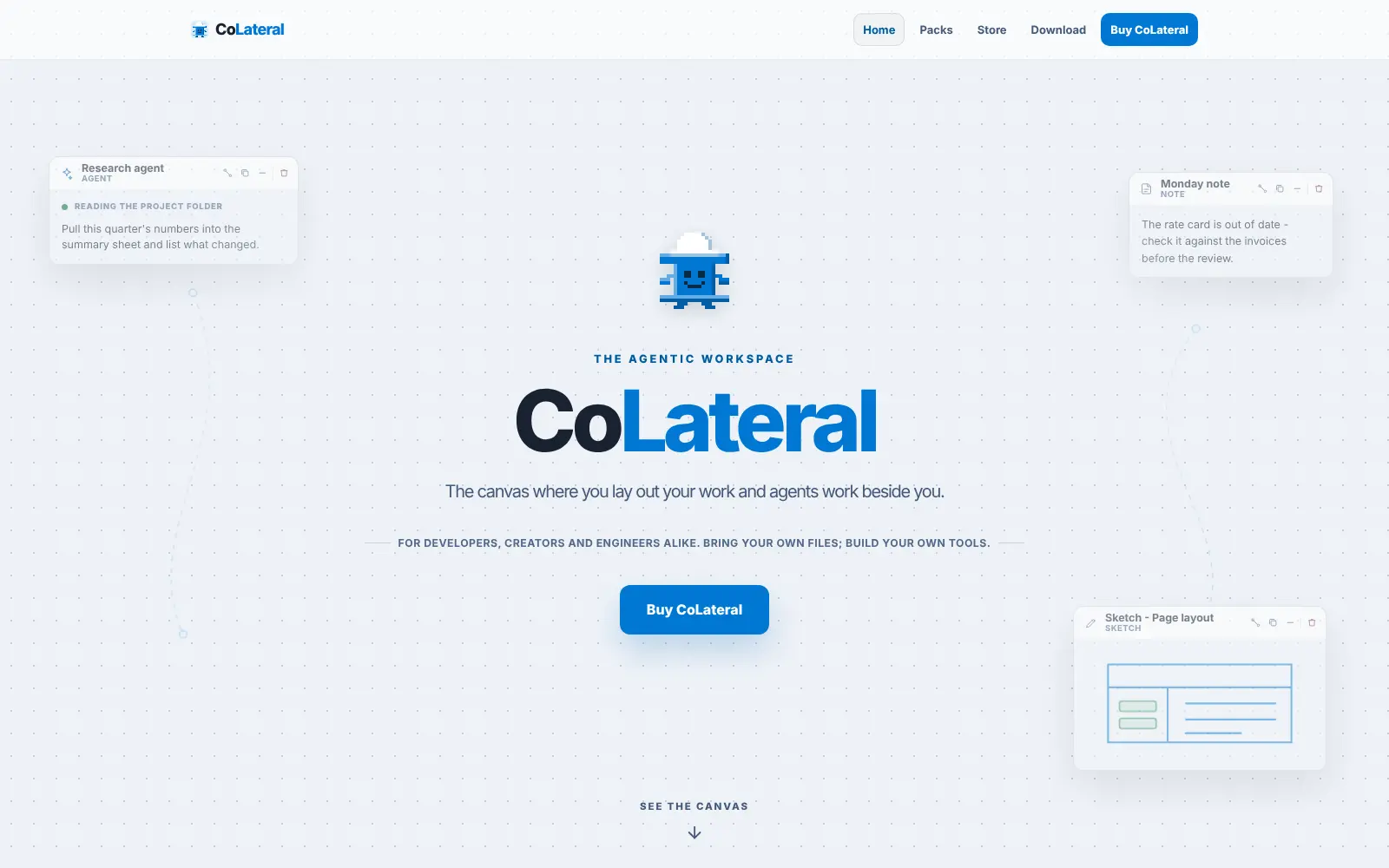
The September home page opened with the mascot, the wordmark and a short line. Commit 391a28a, dated 2026-09-01, was about proof: its message says the site had described CoLateral in prose, so a visitor never saw the canvas, an agent working or a tool being built, and it added a walkthrough film.
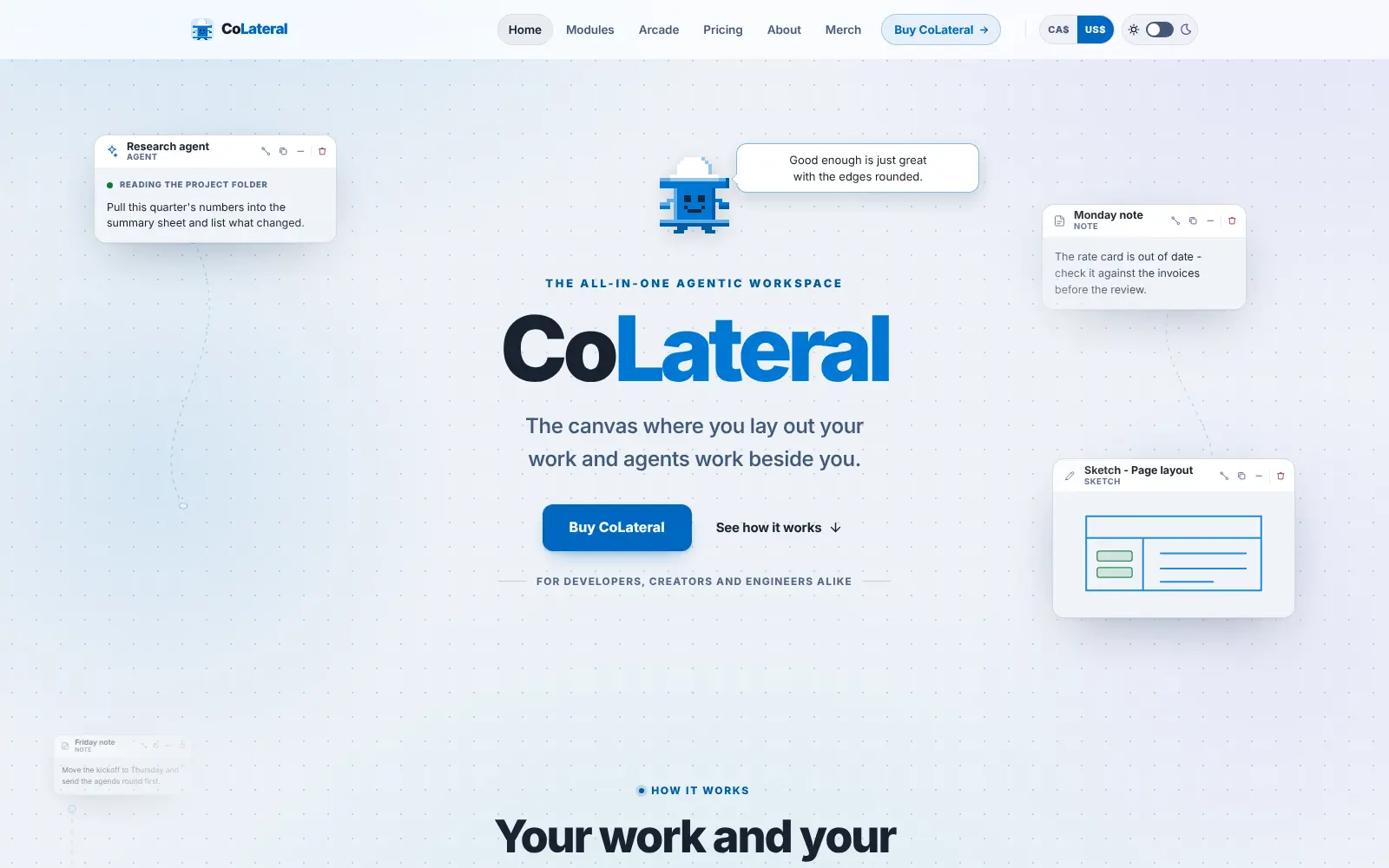
The October navigation gained links for Arcade, Pricing, About and Merch, plus a currency switch and a theme toggle. The Canadian-dollar display and the dark-mode toggle arrived on 2026-09-08 with commit 5f72d92, and the merch page followed on 2026-09-27 with commit 1d9f18a. The label above the wordmark now reads "The all-in-one agentic workspace". For what that workspace costs, see pricing.
What does CoLateral look like today?
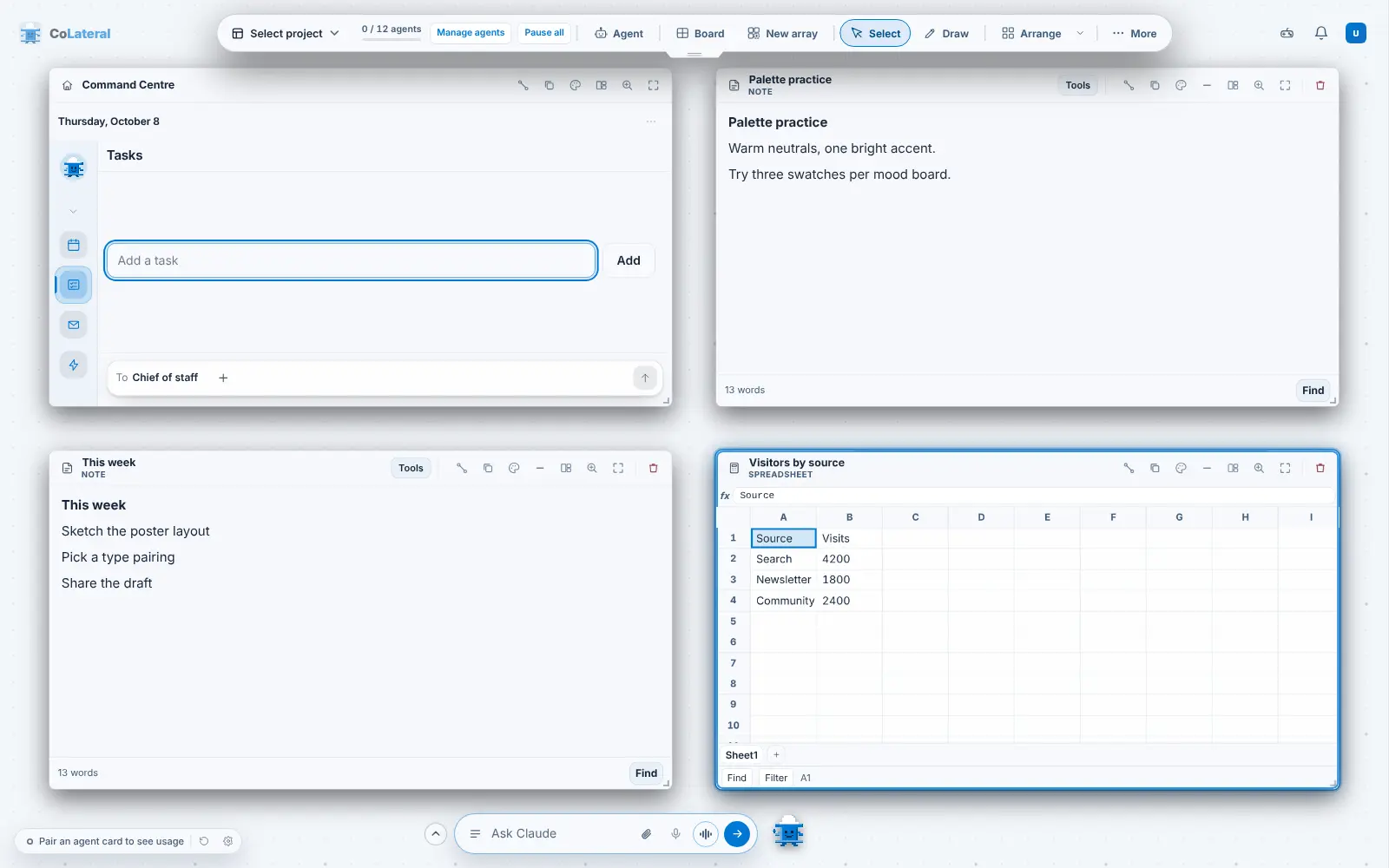
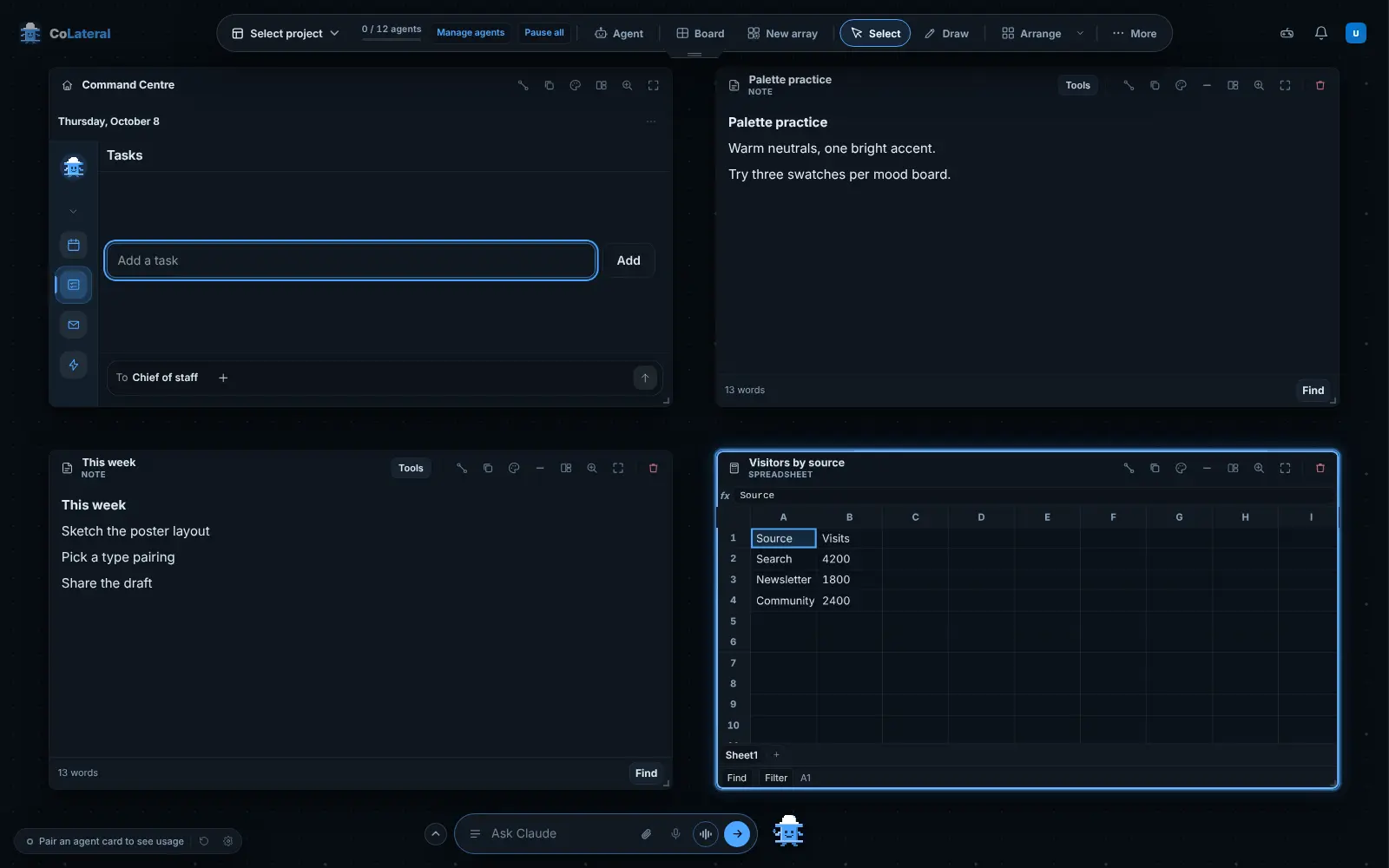
Today's CoLateral workspace looks calmer than July's, mostly because of the top bar. On 2026-09-12 commit 0bf61bc regrouped seventeen pills in a row into six labelled clusters: Create, Tools, Agents, Board, Modes and Arrange. The bar in the capture also carries a project picker, an agent counter with Manage agents and Pause all, and a More menu.
The bottom-left corner holds a slim usage strip, which reads "Pair an agent card to see usage" until an agent is connected. The repository docs describe it as showing how much of each command-line subscription the machine has spent and when each window resets, because every Terminal Card runs on the person's own Claude, ChatGPT or Copilot account. The logo top left is Beam Buddy, as it has been since July.
How were these captures made?
Each commit was extracted from git history, served as static files and photographed with a headless browser at 1600 by 1000 pixels in a fresh, signed-out profile, so no real project or account data appears. The example cards are invented and discipline-neutral, and a script placed them: a note titled "Palette practice", a to-do called "This week" and a small visitors spreadsheet. The website pages were built with each commit's own site build.
Two caveats. First, where a top bar carried buttons for the founder's early private tools or an expansion pack, we hid them before capturing, because the website does not show those tools, and we dismissed the first-run hint card for the same reason. Second, the website captures hide one example card that carried a dollar amount, since blog posts here carry no prices. Everything else is as the code rendered it, quirks included.
Where can I try the current CoLateral workspace?
On the CoLateral download page, which offers the desktop app for Windows, macOS and Linux. The workspace in the last capture is the one it runs, and pricing has the current terms. The history of CoLateral explains how it got there, from a repository created in 2025 to a Tauri desktop app, and this post is its visual companion.
FAQ
Frequently asked questions
What is the CoLateral Project Canvas?
The Project Canvas is the CoLateral workspace where notes, spreadsheets, files, terminals and AI agent cards sit side by side as movable cards, and everything saves on your own machine. Its first version arrived on 2026-06-29 with a left sidebar, and a floating top dock replaced the sidebar on 2026-06-30.
When did CoLateral change from purple to blue?
CoLateral recoloured its brand primary from blue to Dracula purple on 2026-07-03. Light became the default theme on 2026-07-12, Office Blue became the default palette on 2026-07-13, and the dark theme accent returned to blue on 2026-07-26.
What is the difference between Tidy and Arrange in CoLateral?
Tidy packed cards of varying sizes into rows on an infinite plane. On 2026-08-12 the canvas became a board of arrays, so Tidy was replaced by Arrange, which repacks every card into pages of one, two, four, six or nine slots in an order and scope you choose.
Does CoLateral have a dark mode?
Yes. The October 2026 CoLateral workspace comes in light and dark themes, and the website has a light and dark toggle that arrived on 2026-09-08. Dark was the look of early July 2026, before light became the default on 2026-07-12.
Are the CoLateral screenshots in this post real?
Yes. Each was captured from the CoLateral source at the commit named in its caption, in a fresh browser profile with invented example cards. Buttons for the founder's early private tools, the first-run hint card and one website example card were hidden, and the cards were placed by script; nothing else was altered.
What does the current CoLateral workspace look like?
The October 2026 workspace has a grouped top bar with a project picker, an agent counter and a More menu, above a board of cards in equal slots. Beam Buddy, the pixel-art mascot, has been the CoLateral logo since 2026-07-28.
Where can I try the current version of CoLateral?
The CoLateral desktop app for Windows, macOS and Linux is available from the CoLateral download page. Pricing is on the pricing page, and CoLateral works with your own AI provider accounts rather than supplying model credits.