The Command Centre, which arrived on 11 August 2026, gave that same orchestrator a full-size card with a chief of staff pinned first. This post explains what each piece is, how they developed over July to September 2026, and why they were built as one conversation with two doors.
Key takeaways
- The CoLateral orchestrator is the bottom-bar command bar. Typed requests run your own Claude Code, Codex, Copilot, Gemini, Grok Build, Cursor or OpenCode CLI through the Local Bridge, with no CoLateral key and no CoLateral spend.
- CoLateral's bottom bar became an orchestrator on 30 July 2026. It first ran on a realtime model with your own API key and, the same day, moved typed requests onto your own subscription CLI.
- The CoLateral Command Centre is a console card with a rail and one pane: the chief of staff first, then every agent on the board, then board sections and your own panels.
- The chief of staff is not a second agent. It is the orchestrator behind the bottom bar, shown at full size, so a prompt typed into either place appears in the other's transcript.
What is the CoLateral orchestrator?
It is a Terminal Card without the terminal.
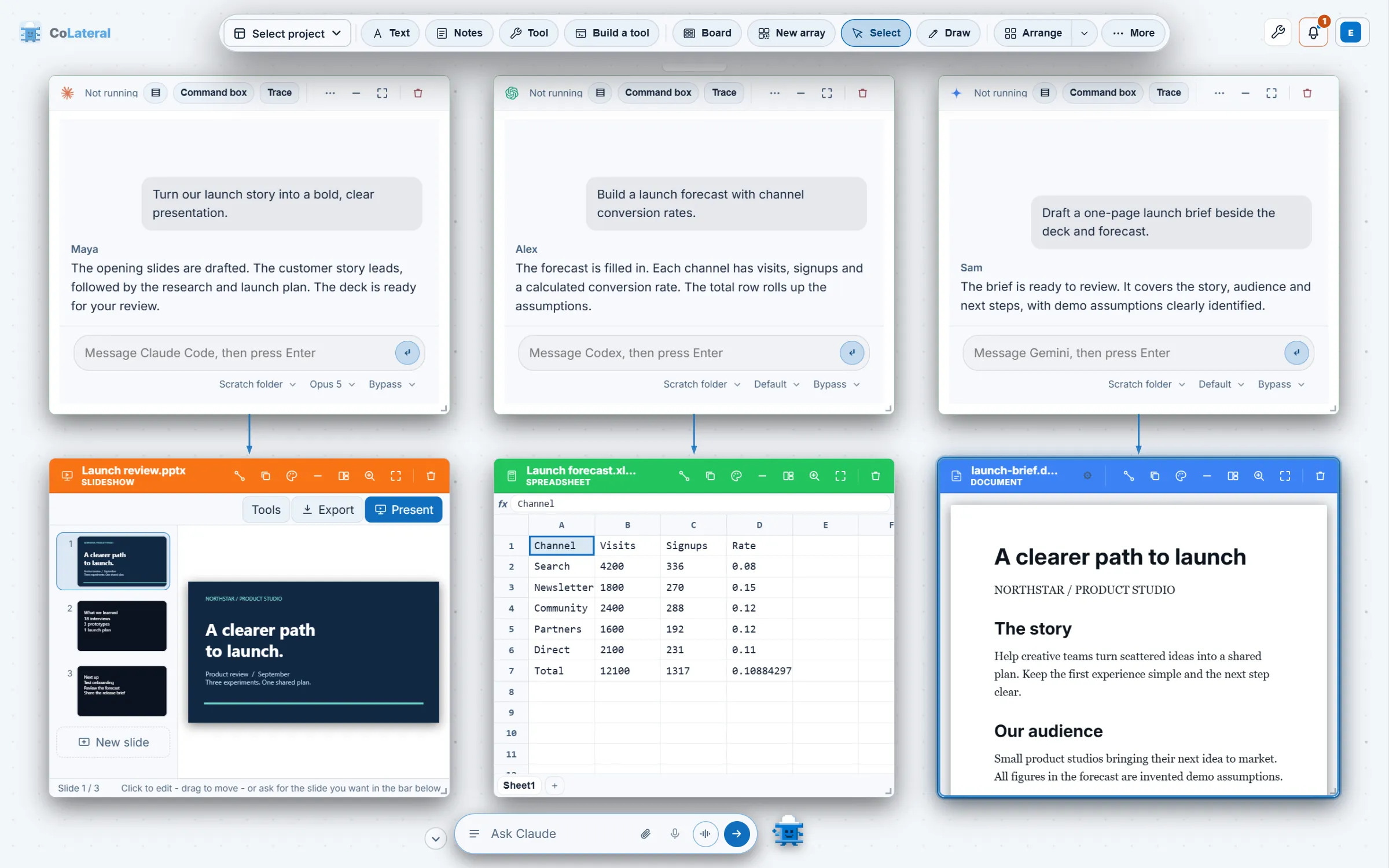
Before 30 July 2026 the bottom bar was a command box that matched short commands such as dropping a note. The orchestrator turned it into the application's intelligence layer: it sees the canvas, places cards, opens tools, and can start a coding agent, send it a refined instruction, watch the output and report what happened. For a longer account of the agents it manages, see every AI agent CoLateral runs.
How did the bottom bar become an orchestrator?
The first version, committed on 30 July 2026, ran on a realtime speech-to-speech model you pick and pay for with your own API key: GPT Realtime 2.1, GPT Realtime 2.1 Mini or Grok Realtime Voice. Later the same day a second commit moved typed requests onto your own Claude Code or Codex subscription. The reasoning was that the bar is a Terminal Card without the terminal, so typing into it should cost no API key and no CoLateral spend, while voice stays on a realtime model because a CLI cannot stream speech.
Three design choices from that day still hold. The local deterministic parser sees typing first, so dropping a note costs no round trip and no token. A headless CLI cannot call a function, so it drives the canvas with a text protocol, a fenced block with one JSON object per line. And both backends land in the same tool dispatcher, so they cannot drift apart in what they can do.
On 6 August 2026 the bridge began keeping one headless session alive per session key instead of starting a CLI for every action round. Which CLI runs the bar, and since 28 August 2026 which model, is a setting. Voice is separate: Dictate types what you say and sends nothing, and voice mode holds a spoken conversation.
How does the orchestrator manage your agents?
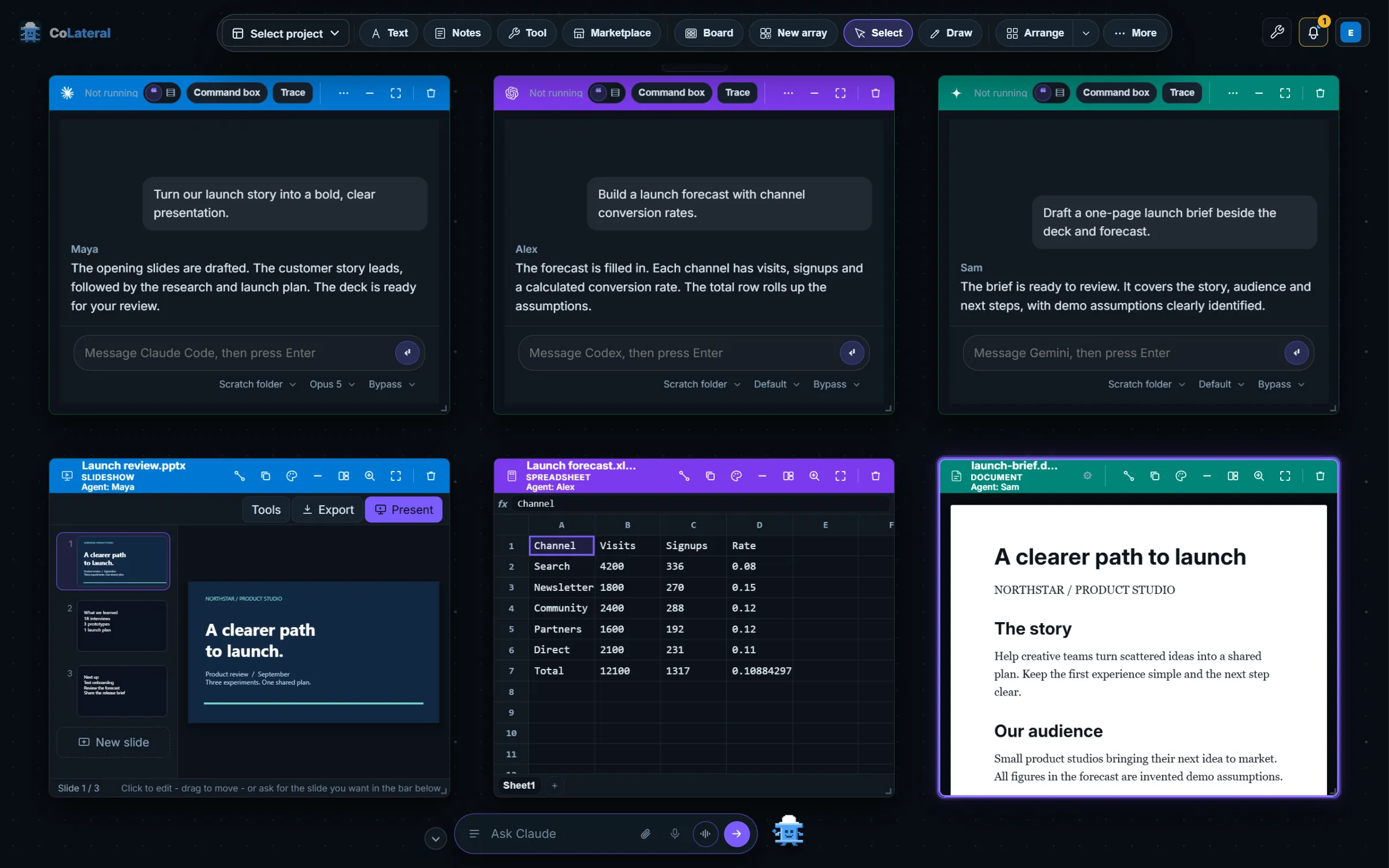
The orchestrator treats Terminal Cards as managed agents. It can open one, read its state, wait for it, give it work, answer a question it asked, interrupt it without ending its session, and close it. Two of those arrived after the first release. On 1 August 2026 it gained the ability to close the agents it opened, and the commit that added it also made it refuse to close tool cards, because a tool holds entered inputs and part-finished work that nobody else can see. Stopping an agent, as distinct from closing it, arrived on 26 August 2026.
Reaching the canvas does not mean bypassing review. Every tool is classified as read-only or destructive, and a destructive one goes through an approval gate. Permissions and confirmation behaviour still depend on the selected agent and action, so read what each prompt shows before you accept it.
What is the Command Centre?
The card arrived on 11 August 2026, shipped in desktop release 1.0.8, and began as a board of tiles fed by a separate local briefing service. By 24 August the card had grown to hold agents, a calendar, an inbox and any panels your own agent had written, and the commit that reshaped it described the result as everything visible and nothing legible. On 24 August it became a rail and a pane.
The Command Centre reaches the canvas
A card that shows what to work on next, shipped in desktop 1.0.8, with the start of a local source that does not depend on the separate briefing service.
A chief of staff and honest agent rows
Each agent row stopped saying idle and began saying what the agent last did, read from the thread saved on its card. A strip above the tiles summarised the board.
A console with one composer
The tile board became a rail and a pane with a single text box whose recipient follows what the rail has selected.
The chief of staff is the orchestrator in full
The chief pane drew the same whole transcript as the bar, and a stop control joined the orchestrator's tools. Desktop 1.0.26 shipped the same day.
A pinned home array
Desktop 1.0.28 made the array holding the Command Centre the board's pinned home page.
Agents lead the rail by whether they have stopped, not alphabetically, because an agent waiting on an answer is the only thing on the card that costs time by being ignored. Beneath each name is what that agent last did, never just a state word. Clicking an agent shows its conversation drawn as its agent card draws it, or a live reading of its terminal.
What does the chief of staff do?
The chief of staff is the first entry on the rail, and it is the orchestrator with a place to stand. It is not a second agent. The bottom bar is the always-on quick line, reachable from anywhere on the canvas, and the Command Centre is the same thread at full size with the briefing above it. A prompt sent from either lands in one history, so a question asked of the bar in the morning is in the chief's conversation that afternoon.
Its written brief is a model reading every agent's last exchange and writing a few sentences, the way a chief of staff would on the way into a meeting. The commit that introduced it on 23 August 2026 set the posture: summoned rather than resident, reading what has been written, and never messaging the agents itself. It ran on the same subscription CLI as the bar, so there is no second backend and no CoLateral key, and it rewrote itself at most every half hour and only when the board had moved.
How do you use them together today?
- Open the Project Canvas and set which signed-in CLI runs the orchestrator, and optionally its model, in Settings.
- Type a request into the bottom bar, for example to open an agent on a note and have it draft a summary. The orchestrator opens a Terminal Card, briefs it and reports back.
- Drop a Command Centre card from the creation dock or the command palette. There is one per canvas, and asking for a second brings the first forward.
- Select the chief of staff to talk to the orchestrator, or select an agent to type straight into that agent's terminal. The chip at the start of the box names the recipient before you type.
Both depend on agents running on your own accounts, so what they can do is set by those plans and each card's permission settings. See running Claude Code and Codex side by side for the card setup, how model releases change the model picker for the model choice, and pricing for the CoLateral licence, which is separate from any provider account.
Why was it built as one conversation with two doors?
Two sessions against one canvas is the thing the design avoids. An earlier Command Centre pane kept its own smaller history cap, so scrolling up in the card ran out of conversation while the bar still showed it, which read as a lost thread. It now takes its limit from the one store that keeps the transcript, and the card sends through the workspace's own orchestrator rather than building a session of its own. Review each agent's result on its own card: a fluent report is not the finished work.
The bottom bar is the quick line you can reach anywhere, and the Command Centre is where you look to see what to work on next. To start, download CoLateral, try it on an invented project, and read the setup answers if your CLI is not detected.
FAQ
Frequently asked questions
What is the CoLateral orchestrator?
It is the command bar at the bottom of the Project Canvas. Typed requests run your own signed-in coding CLI headlessly through the Local Bridge, and from there it can see the canvas, run canvas actions and manage the agents in Terminal Cards, with no CoLateral key and no CoLateral spend.
Is the chief of staff a separate AI agent?
No. The chief of staff is the same orchestrator that runs the bottom bar, shown at full size in the Command Centre. Both share one conversation history, and the card never starts a session of its own.
Which AI runs the CoLateral orchestrator?
The CLI you choose in Settings, on the account it is already signed in to. The documentation lists Claude Code, Codex, Copilot, Gemini, Grok Build, Cursor and OpenCode, and the model for the selected CLI is its own setting. Voice mode can use a ChatGPT subscription through Codex or a realtime model.
Can the orchestrator delete my work?
It can ask to, but destructive actions go through an approval gate that shows the action. Since 1 August 2026 it can close agents it opened but refuses to delete tool cards, which hold inputs only you can see. Permissions still depend on the agent and action, so read each prompt.
When did the Command Centre ship?
It first reached the canvas on 11 August 2026 and shipped in desktop release 1.0.8. It became a console with a chief of staff between 23 and 26 August 2026.