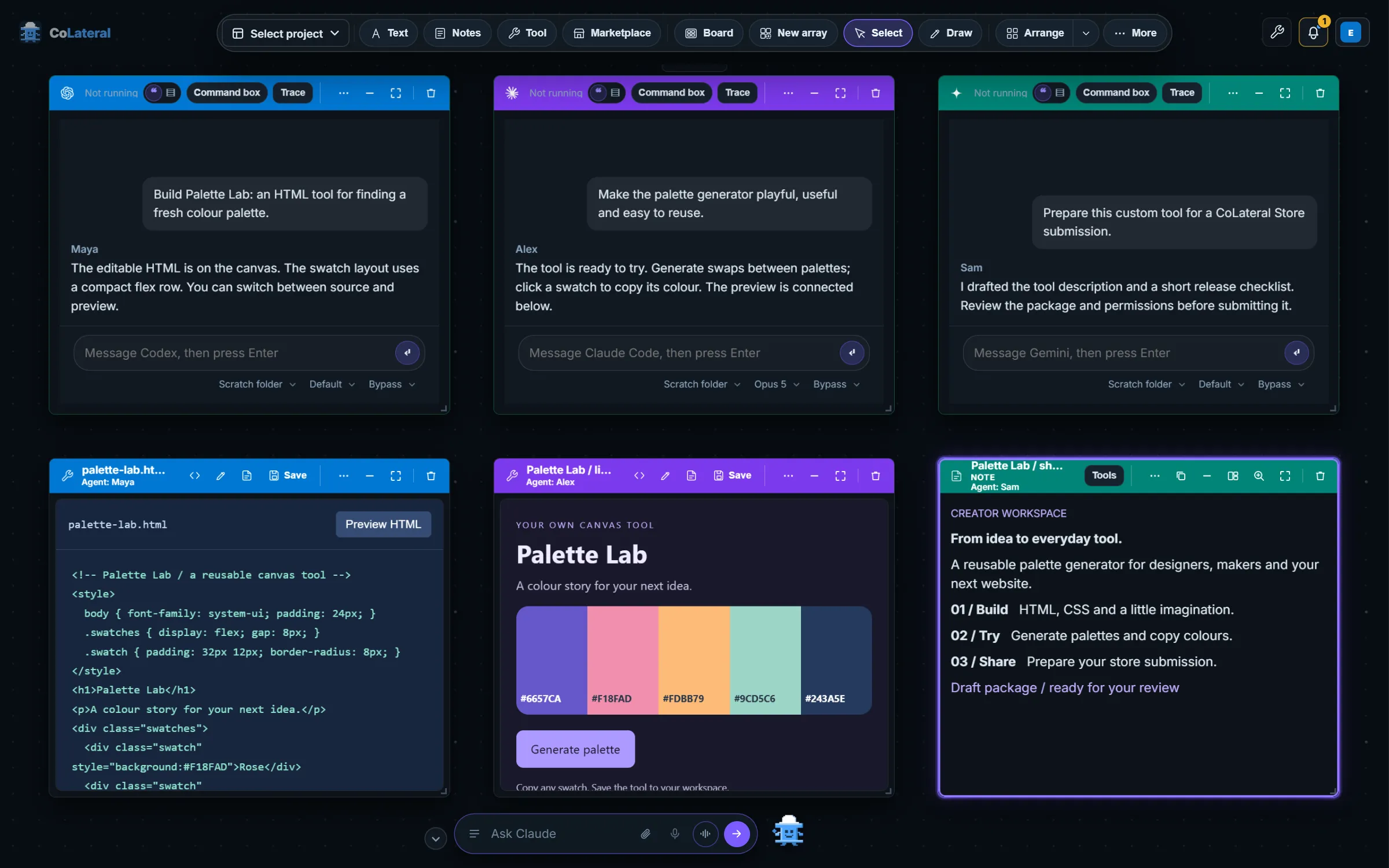
This is part 2 of the history of CoLateral: the four weeks in which a dashboard of tools turned into a workspace where AI agents sit beside your files.
Key takeaways
- CoLateral committed its first Project Canvas on 2026-06-29, as an additive, local-only page that coexisted with the dashboard and embedded existing tool pages as movable cards.
- CoLateral made each project its own canvas on 2026-06-30, replaced the canvas sidebar with a floating dock, and added document, note and calendar cards by 2026-07-02.
- CoLateral added Agent Cards and live Terminal Cards on 2026-07-02, running the user's own Claude Code or Codex CLI through a loopback-only Local Bridge, with no API keys and no CoLateral-side AI cost.
- CoLateral's Tauri desktop host began supervising the Local Bridge on 2026-07-17, so a Terminal Card worked without manual pairing.
Why did CoLateral move from a dashboard to a canvas?
Because the dashboard answered the wrong question. A dashboard asks "which tool do you want?" and sends you away to use it. A project is a pile of related things at once: notes, drawings, documents, the tool you are halfway through, a reminder. The previous post in this series ends with a repository that served all of it as one flat static site. On 2026-06-29 that changed on several fronts in a single day.
A desktop migration plan
A planning pass maps the repository and proposes a target layout for a local-first desktop app, with no files moved yet.
Shared code moves into packages
Core modules, shared data, configuration and the AI runtime are extracted into packages with compatibility shims, and AI runtime storage is put behind an injectable persistence adapter.
A Tauri v2 shell
A minimal desktop shell under apps/desktop opens a native window on the existing app.
A one-time licence replaces monthly tiers
The four-tier monthly subscription on the About page is swapped for a single one-time licence.
The first Project Canvas
project-canvas.html is added as a standalone page of movable, resizable cards.
The migration plan states the goal in one sentence, and the rest of the summer follows it.
pivot CoLateral from a combined website + toolbox prototype into a local-first downloadable desktop app (Tauri later) while preserving every piece of current functionality.
What was the first Project Canvas?
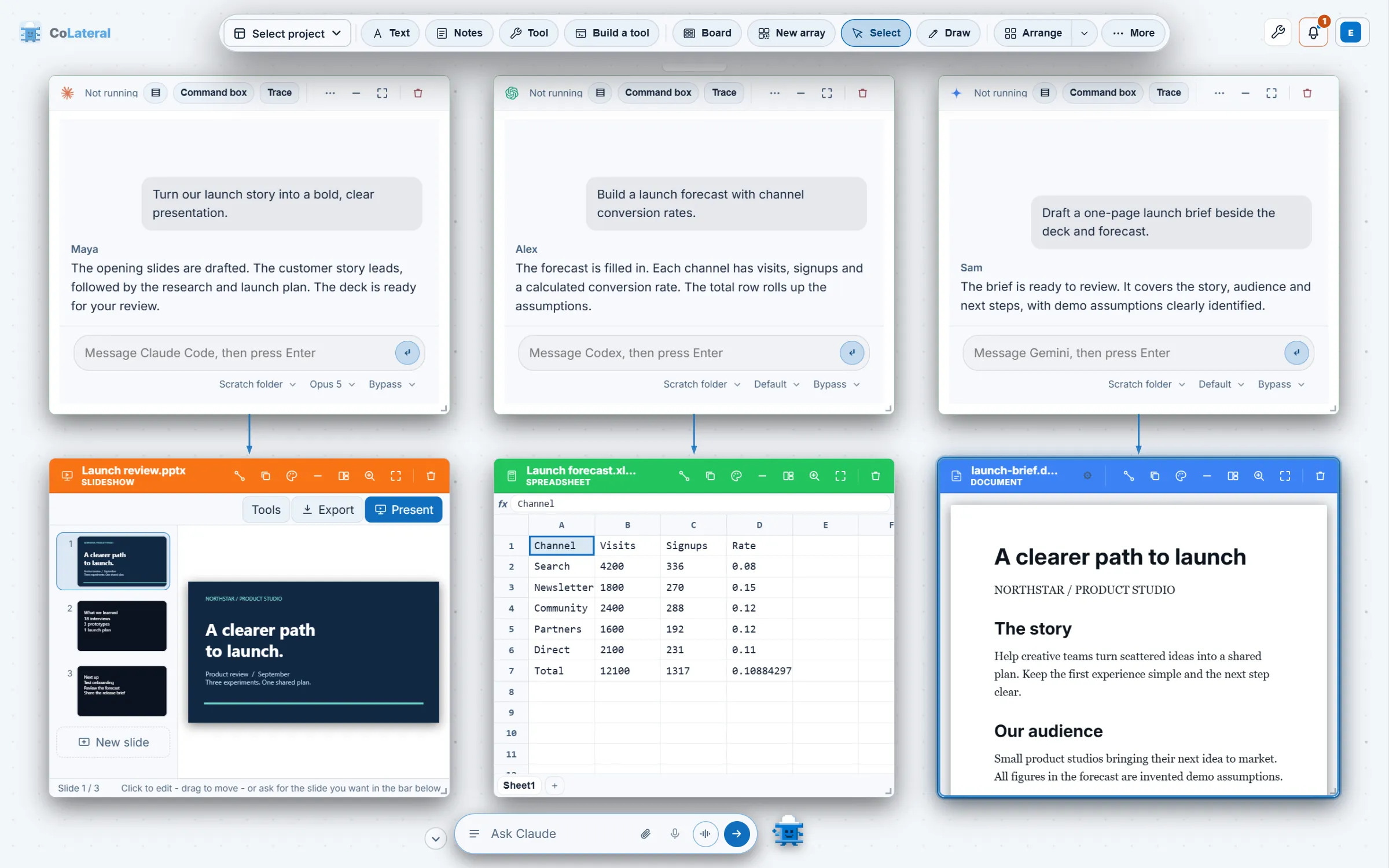
The commit that introduced it was careful about what it was not. It added "the first infinite-canvas workspace for CoLateral, where existing tools, notes, and rough calcs live as movable, resizable cards in space", and it was additive and non-destructive: it coexisted with the dashboard and changed no existing tool or route. Tool cards embedded the existing tool pages as they were. Persistence was local only, with no AI, agents, cloud or Tauri involved. The first version could spawn 20 tools, move, resize, rename and connect cards with labelled lines, and recover from a corrupted save.
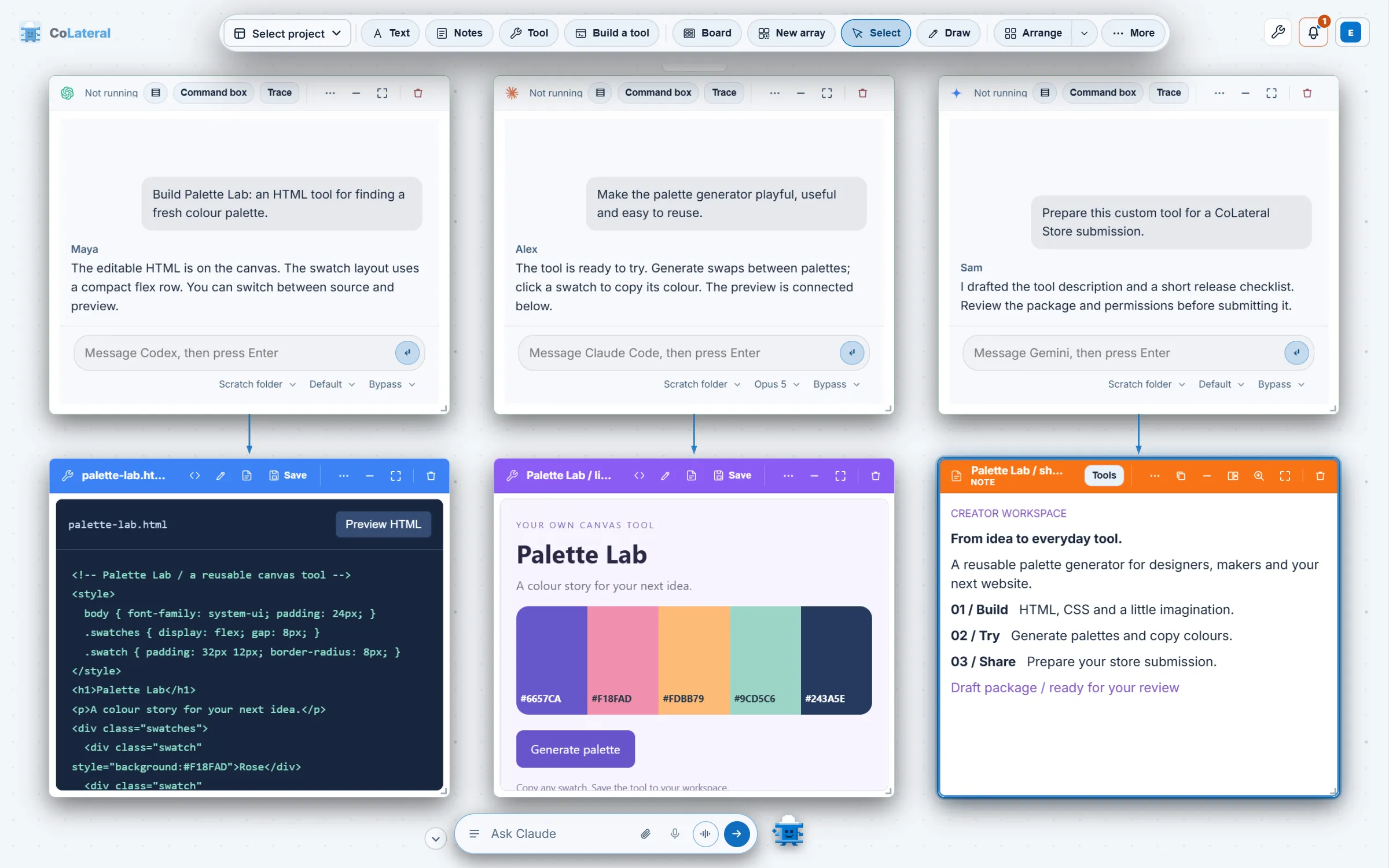
The same day added reference cards for PDFs, images and files, relationships between cards, and a keyboard-first command palette. On 2026-06-30 the canvas got a floating top dock in place of its left sidebar, a free-draw mode, free-drop text boxes, a tool picker, an iOS-style spring transition when a card takes focus, and a landing-page presence. Most importantly, each project became its own isolated canvas that day.
Smaller touches mattered to how it felt. A pixel-art companion called Beam Buddy arrived on 2026-06-30 and got a chat bar that recognised local commands. Notes were rebuilt as a word-processor-style rich text editor. On 2026-07-01 a local PDF could be opened as a card, marked up and exported as an annotated copy without modifying the original. A calendar became a card on 2026-07-02. Each of these made the canvas a place to keep a project, which is a different product from a place to launch a tool.
When did CoLateral add AI agents to the canvas?
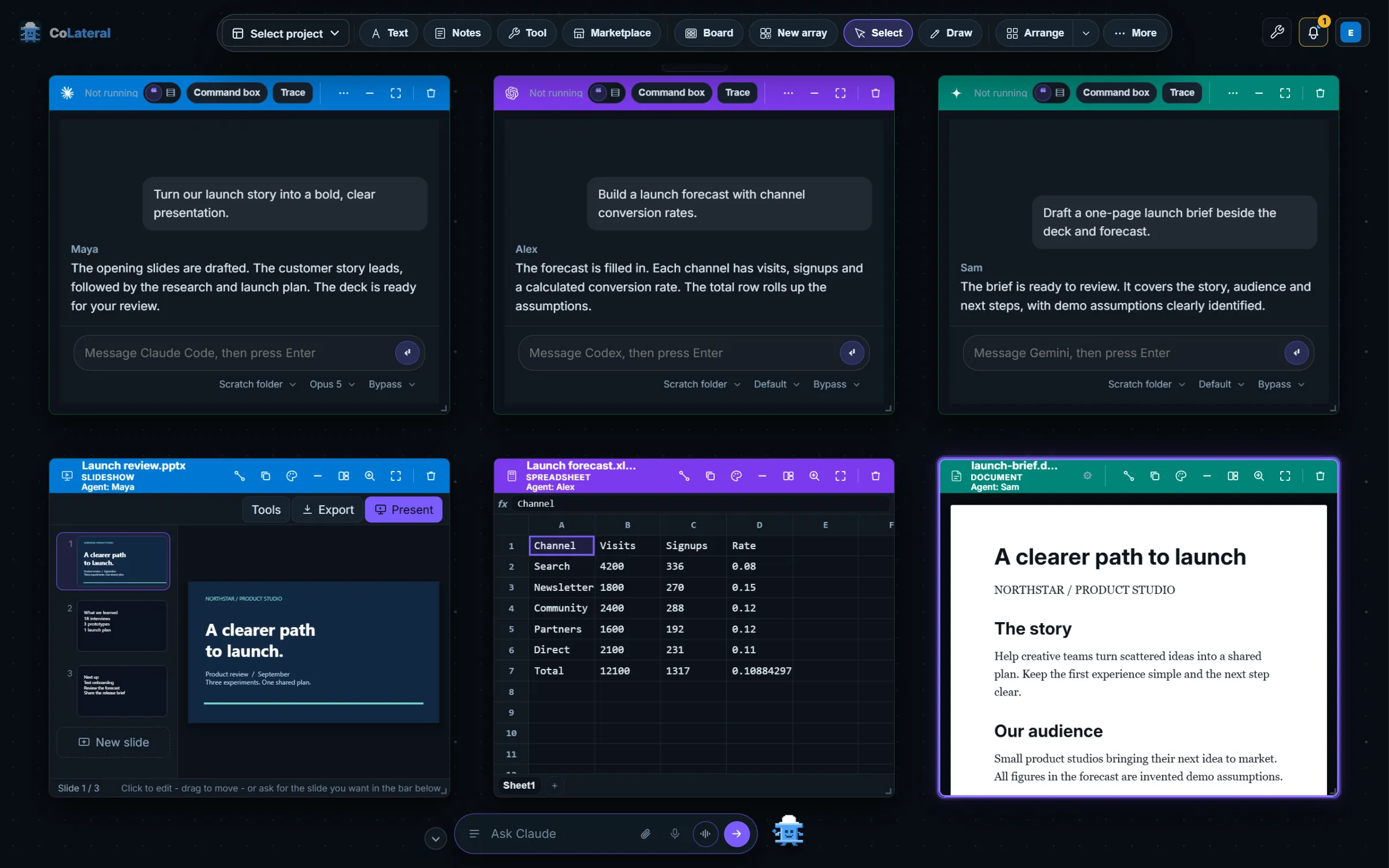
On 2026-07-02, in two steps that landed on the same day. The first was Agent Cards: AI workflow cards that read the cards linked to them as context, generate copy-ready prompts, and turn pasted responses into new reviewable cards. In the browser that worked fully by copy and paste, and the design already included a provider registry with placeholders for a desktop Claude Code, a Codex CLI and local models. One rule from that commit has aged well: anything with an invalid review status is forced back to Draft, "so agents and imports can never mark work Approved".
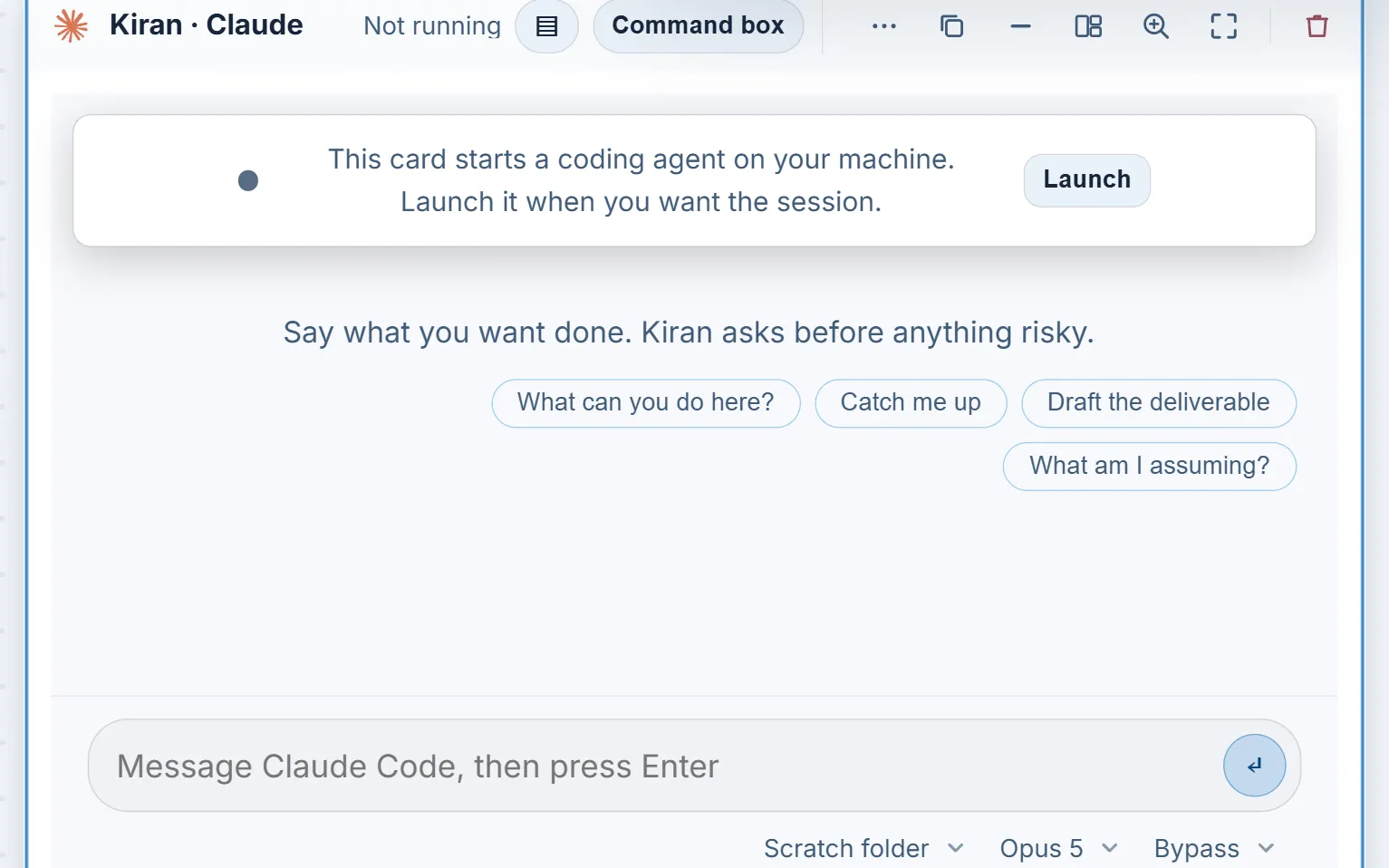
The second step made the placeholder real. Terminal Cards put the user's own authenticated command-line agent live on the canvas, as a real terminal session drawn as a tile. The commit describes the design in a sentence that is still the product's position on AI accounts.
a real pty session rendered as a canvas tile, driven by the user's own subscription, with zero API keys and zero CoLateral-side AI cost.
What is the CoLateral Local Bridge?
The Local Bridge is why a browser-style canvas can host a real terminal safely. The original commit lists its guardrails: loopback-only HTTP and a minimal WebSocket server, token pairing with a timing-safe compare, a strict command allowlist with no "run anything" path, and a throwaway workspace for each session. It exports the cards linked to an agent as context files and writes a briefing file that both Claude Code and Codex read natively, so the agent understands the canvas the way it understands a codebase. Deliverables go to an outputs folder and can be imported back as Draft Output Cards.
One more detail shows the philosophy: the agent's initial task was pre-typed into the terminal but not submitted. The person reads it and presses Enter. CoLateral has kept that bias toward a human in the loop in the features that followed, and the agent card on screen today tells you the agent asks before anything risky.
How did the Tauri desktop app come together in July?
The Tauri shell scaffolded on 2026-06-29 was deliberately minimal. During July it became a real host. A fix for Tauri production builds in OneDrive-synced folders landed on 2026-07-15, file drag-and-drop onto the canvas was fixed inside the desktop app on 2026-07-16, and on 2026-07-17 the desktop host started and supervised the Local Bridge itself, generating a per-run token on the loopback address and pairing automatically. That is the change that made a Terminal Card work without anyone running a command or pasting a token.
The quieter work was just as telling. On 2026-07-03 the landing page was redesigned with a live canvas as its background, and on 2026-07-10 a layout pass made cards larger and tool spawns three-pane. A Remotion-based marketing video package was added on 2026-07-02, the start of the project's film tooling. By the end of the month the project had stopped being a collection of pages with a canvas on top and was a canvas with a website beside it. The next post covers that split and the first releases.
What did this era change for people using CoLateral?
- A project became a place with its own saved board, not a menu entry.
- Notes, PDFs, a calendar and tool pages could live next to each other and be connected by arrows.
- An AI agent could run on the same board as the work it was helping with, using an account the person already had.
- Nothing about an agent ran without the person pressing Enter, and everything an agent produced landed as a draft.
The canvas was still an infinite plane at this point, and cards could be any size. That would change on 2026-08-12, when the plane became a filmstrip, and the story is in from tool shelf to agentic workspace. For the screens themselves, see the visual history, for every agent CoLateral now runs, see AI agents in CoLateral, and to try the current app, the download page has it.
FAQ
Frequently asked questions
When was the CoLateral Project Canvas created?
The first Project Canvas was committed on 2026-06-29 as a standalone page of movable, resizable cards. It coexisted with the dashboard until 2026-08-01, when the dashboard was retired because the canvas had replaced it.
What is a Terminal Card in CoLateral?
A Terminal Card is a canvas card that shows a real terminal session of a command-line AI agent, such as Claude Code or Codex CLI, running on your own machine. Terminal Cards were added on 2026-07-02 and use your own signed-in account, so no API key is needed for them.
Does CoLateral send my code to its own AI?
No. CoLateral supplies no model credits and no AI of its own for Terminal Cards. The agent runs on your machine through the Local Bridge, under the provider account you already have signed in.
Why is the CoLateral Local Bridge loopback-only?
A loopback-only server accepts connections only from the same computer, and the bridge also requires a pairing token and an allowlist of commands. That combination lets a canvas drive a terminal without exposing a way to run anything on the network.
Is the Project Canvas still infinite?
No. On 2026-08-12 the canvas stopped being an infinite free plane and became a filmstrip of card arrays, each a fixed page of equal slots. That change is covered in the next post in this series.