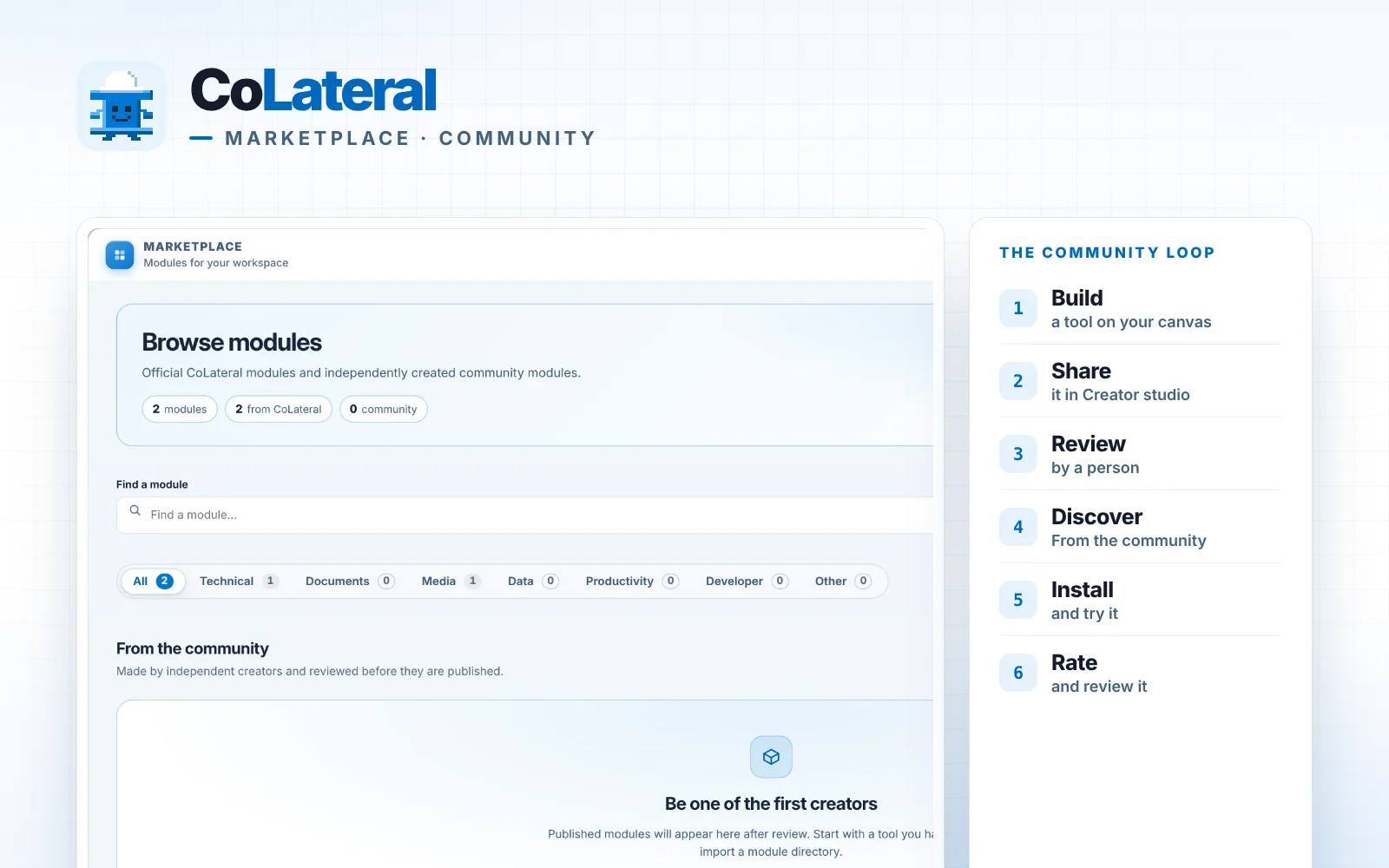
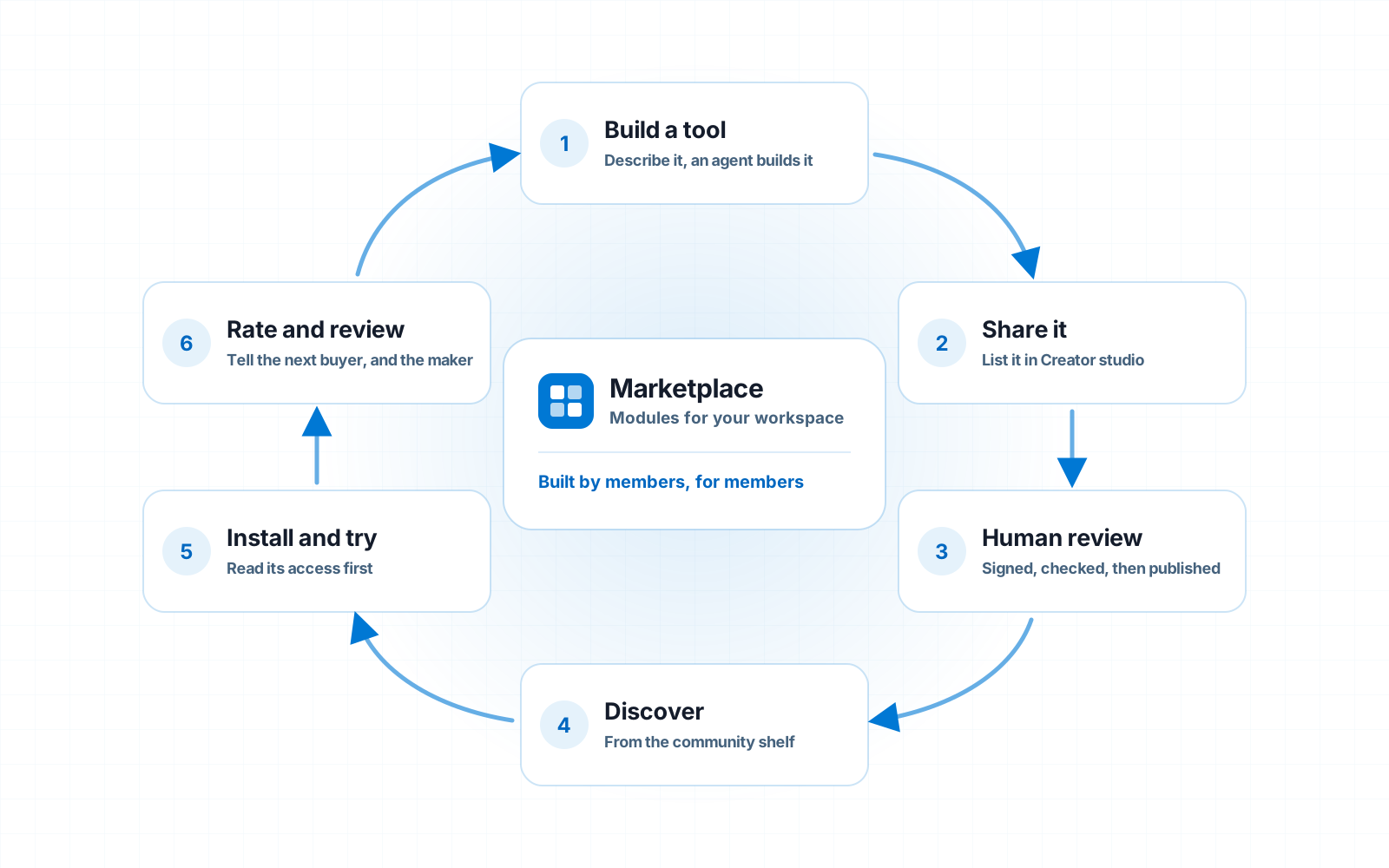
Every tool in it starts the same way: somebody describes what they need, an AI agent builds it into a card, and they decide it is good enough to hand to someone else. This post walks through how that works, from the first saved tool to a module someone else installs, rates and builds on.
Key takeaways
- The CoLateral Marketplace is a built-in surface of the CoLateral desktop app where members share, install and review modules: tools built on the canvas and packaged for other people.
- Any tool built with Build a tool in CoLateral can become a Marketplace module through the six-step From canvas to store checklist in Creator studio.
- Every community module on the CoLateral Marketplace is signed by its creator, reviewed by a person and published deliberately by the CoLateral team before anyone can install it.
- Before installing a CoLateral Marketplace module you see who made it, what it contains and every permission it asks for, with the creator's reason for each.
- Free community modules on the CoLateral Marketplace can be installed by any active CoLateral licence without buying them, and installed modules can be rated and reviewed with that licence.
What is the CoLateral Marketplace?
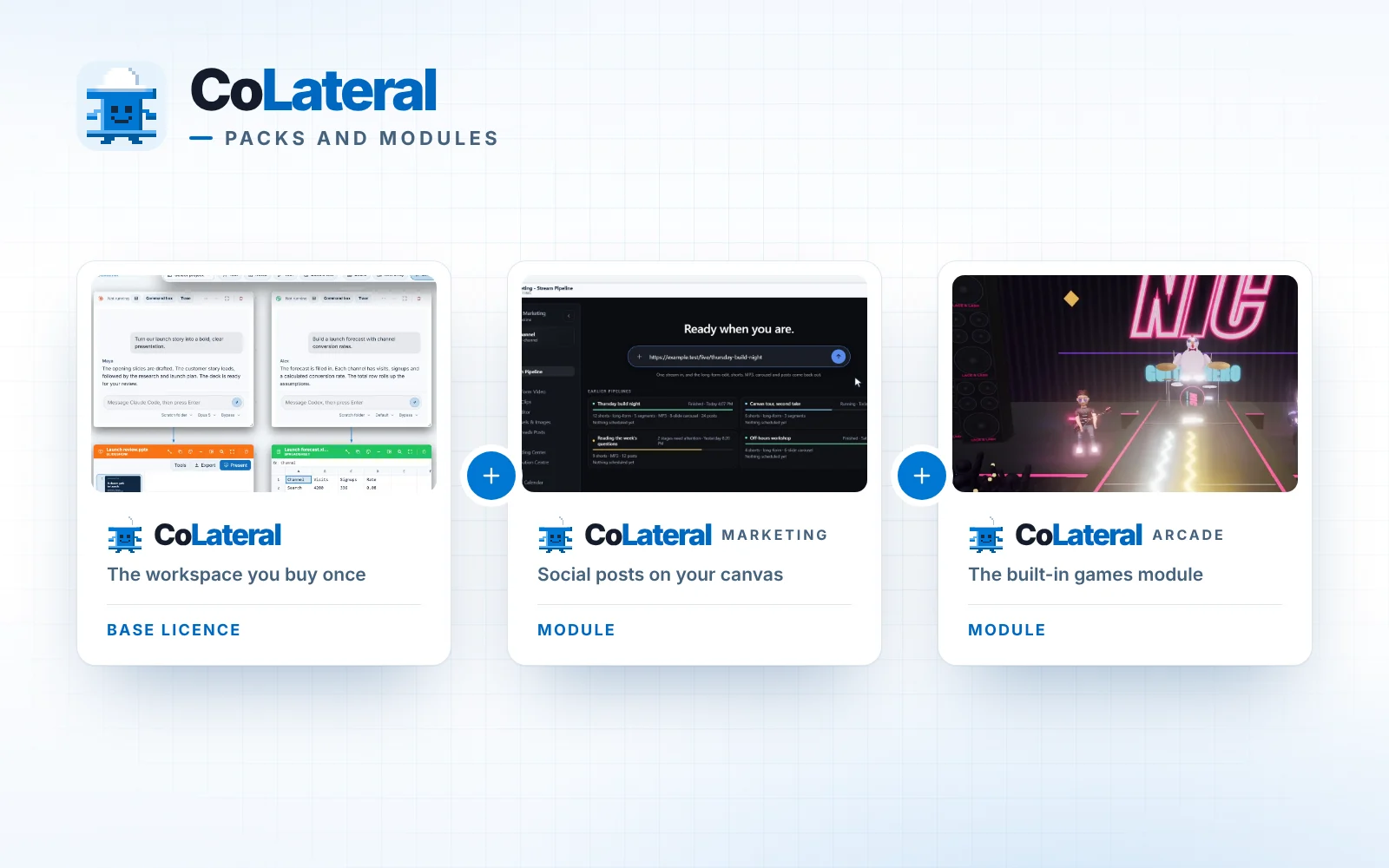
A module is a tool, or a group of tools, that someone built in CoLateral and packaged so that another person can open it as a card on their own canvas. The wider idea of packs and modules is covered in CoLateral expansion packs, explained. This post is about the other half of that idea: the modules that come from the community rather than from us.
Why is the Marketplace a community project?
Because the most useful tool in CoLateral is the one somebody else already built for the same problem you have. CoLateral lets anyone describe a tool and have an agent build it, which means a lot of good small tools get made every day on people's canvases and then never leave them. The Marketplace is how they leave. One person's afternoon of prompting becomes a card that everyone else can install, try in a minute and keep.
It also keeps the whole thing in one place. Instead of a bookmark here, a script in a folder there and a link someone dropped in a chat, the tools you collect from other people sit in My modules, open on the same canvas as your notes, agents and files, and update from the same store. That shared shelf is what we mean by community: people building, sharing, testing and improving each other's tools in the open, in the same workspace. It is the same habit that runs through building CoLateral in public, and the CoLateral Discord is where people talk about what they are making.
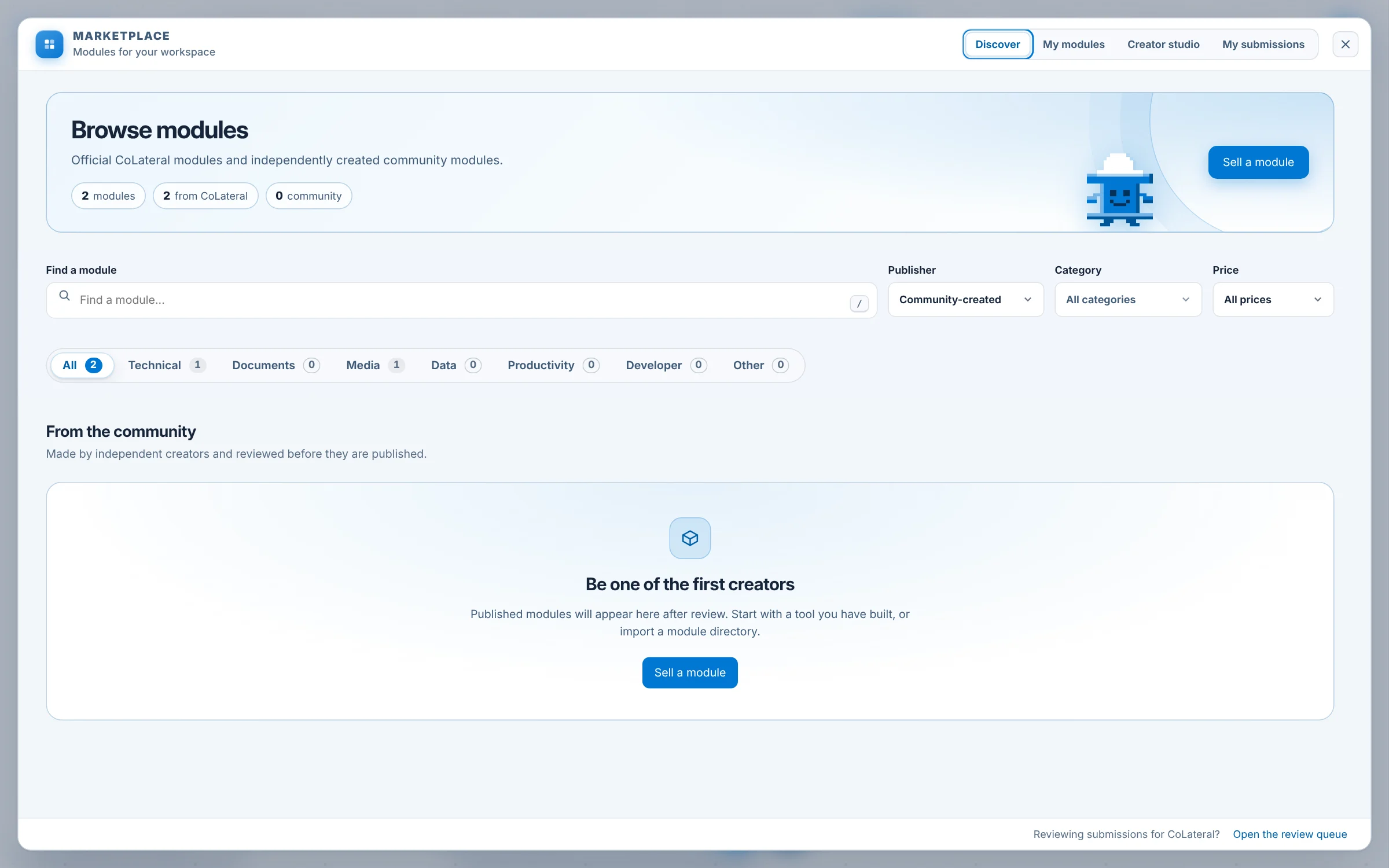
Made by independent creators and reviewed before they are published.
How do you open the CoLateral Marketplace?
- Use the Marketplace button in the canvas dock.
- Or use the command palette and choose Marketplace.
- Pick a tab. Discover is for browsing, My modules is what your licence carries or you have installed, Creator studio is where you build a listing, and My submissions tracks anything you have sent for review.
How do you find and try a community module?
This is the half of the Marketplace most people will use first, and it is deliberately short.
- Browse Discover. Official CoLateral modules sit on their own shelf with a verified badge, and community modules sit under From the community. Search with Find a module (press / to jump there), or filter by Publisher (Official CoLateral or Community-created), by Category (Technical, Documents, Media, Data, Productivity, Developer, Other) and by Price (Free or Paid).
- Open a listing. Each one shows its creator, its version, screenshots and an optional short video, About this module, and What's included, the cards the module adds to your canvas.
- Read its access. Every permission the module asks for is listed with the creator's own reason for it. A module that declares nothing says "No additional permissions declared." You review permissions again before installation, and an update that adds or widens a permission asks you again and names what changed.
- Install it. A free module installs with Install module on any active licence, with nothing to buy. A paid module, where sales are switched on for it, goes through checkout first.
- Try it on your canvas. Once installed, Open installed module puts its first card on the canvas, and its tools appear in the tool picker grouped under the module's name, the way the picker has grouped packs since 1.0.58.
- Rate and review it. From the module library, write a rating and a short note on "What other buyers should know". Your licence is what proves you installed it, so there is no account to sign in to, and writing again later edits your review instead of adding a second one.
How do you share your own tool on the Marketplace?
The creator half lives in Creator studio, and it shows a six-step checklist titled From canvas to store. Everything below happens inside the desktop app except payout setup for paid modules. There is no separate sign-up, no creator token and no command line. The full reference is the creator guide.
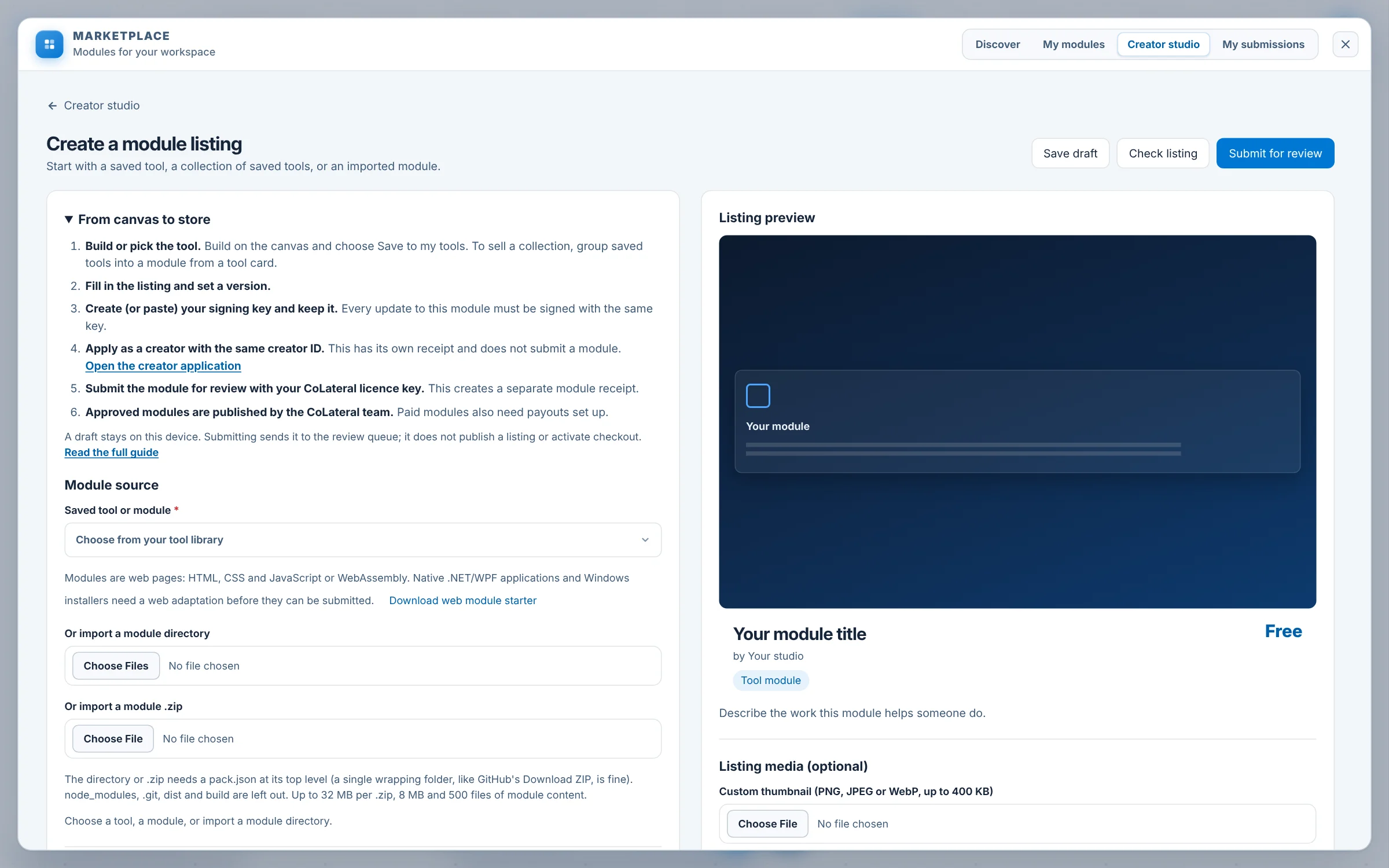
- Build or pick the tool. Finish a tool in Build a tool and choose Save to my tools. To ship several tools together, use Add to module on a saved tool. A built tool card also has a Sell button, and its Tool notes panel has Prepare for the store; both open a draft listing for that tool.
- Fill in the listing and set a version. Give it a title, a description of at least 60 characters, a category you choose yourself, your studio name and a creator ID, up to four preview images and an optional short video, a reason for each permission, and a version (1.0.0 for a first release). Pricing is Free or One-time.
- Create your signing key and keep it. Create and download my signing key saves a private key file. Every update to the module must be signed with the same key, which is how buyers know an update came from the same person as the module they installed.
- Apply as a creator with the same creator ID. The creator application is a separate record with its own receipt. Tell us what you want to build; your licence supplies the contact email.
- Submit for review with your licence key. You get a module receipt and an email. The key is used to check the licence and is not stored.
- Publication. After a reviewer approves it, the CoLateral team publishes the module. Publishing is always a deliberate human step, and approval alone does not list anything.
Drafts stay on your machine until you submit, so you can start a listing, close the app and come back to it. If you wrote a module outside Build a tool, Download web module starter gives you a working scaffold, and Import a module directory or Import a module .zip reads it in. A module is web pages (HTML, CSS and JavaScript or WebAssembly) with a pack.json manifest; a native Windows or .NET app needs a web version first.
What happens to a module after you submit it?
My submissions shows every module and application you have sent, with its state, its history and any reviewer notes. These are the states a creator sees.
| State | What it means for you |
|---|---|
| Draft | Yours alone, saved on this machine. Nobody else can see it. |
| Submitted | Received and queued. Nobody has opened it yet. |
| In review | A reviewer has it open. Feedback will appear in My submissions. |
| Changes requested | Back with you, with the reason. Use Open draft, fix it and submit again. |
| Approved | Cleared by a reviewer and waiting on the human publication step. |
| Published | Live in the Marketplace. A change ships as a new, higher version. |
| Rejected | Not accepted, with the reason. A new submission is always welcome. |
Each review decision and each publication emails your licence address. When you ship an update, raise the version, sign it with the same key and submit it the same way. People who installed the module are offered the update with the changelog entries between their version and yours, and anyone who pinned a version is told about it without being moved.
How does the Marketplace keep shared tools safe?
Sharing tools only works if trying one is safe, so the rules are built into the app rather than left to good intentions.
- Signed by the creator. Every submission is signed with the creator's key, and a different key is refused for an existing module.
- Reviewed by a person. Each submission is read in a review queue, and publication is a separate, deliberate step by the CoLateral team.
- Declared permissions. A module can only be granted what its manifest declares, with a reason you read before you install it.
- Sandboxed cards. Each card is a web page run in a sandboxed frame, and it can reach another site only if the manifest declares that domain.
- Screenshots you can trust. Listing images and video are embedded in the submission, so the reviewer sees exactly what you will see, and a remote image link is dropped at publication.
- Takedowns that stick. A version that is unpublished or revoked stops downloading for everyone and can never be listed again, and a fix ships as a newer version.
Is the CoLateral Marketplace free to use?
Browsing is free, and free community modules install on any active CoLateral licence without a purchase. A creator can also list a module with a one-time price; it is paid only once payouts are set up and sales are switched on for it, and the listing says which. AI usage is never bundled into a module: like everything in CoLateral, a module that uses AI runs on the provider you connect, which is explained in why CoLateral uses your own AI account. Current terms for the licence are on pricing, and every module's own page says how it is offered.
How do you get started?
If you have CoLateral, open the Marketplace, look at From the community, and if the tool you need is not there yet, build it and be one of the first creators to share it. If you do not have it yet, download CoLateral, browse the store, and read the creator guide before your first listing. Then come and tell us what you made on Discord.
FAQ
Frequently asked questions
What is the CoLateral Marketplace?
The CoLateral Marketplace is the module store inside the CoLateral desktop app. It lists official CoLateral modules and community modules made by independent creators, and lets members install, try, rate and review them and publish their own.
How do I share a tool I built in CoLateral?
Save the tool from Build a tool, open the Marketplace and choose Creator studio, then follow the From canvas to store checklist: fill in the listing, create your signing key, apply as a creator and submit for review with your licence key. The CoLateral team publishes approved modules.
Are community modules free?
A creator chooses Free or a one-time price. Free community modules install on any active CoLateral licence without buying them, and each listing shows how it is offered.
Are community modules safe to install?
Every community module is signed by its creator, reviewed by a person and published deliberately before it is listed, and its cards run in a sandbox with only the permissions it declares. You see each permission and the creator's reason before you install. A community module is still supported by its publisher, so check its results before relying on them.
Can I review a module I installed?
Yes. Rate it and write a short note for other people from the module library. Your licence proves you installed it, and writing again later edits your review instead of adding a second one.
Do I need to code to publish a CoLateral module?
No. A tool built by describing it to an agent in Build a tool can be listed directly from Creator studio. Writing your own module from scratch is also supported, starting from the web module starter.
How long does Marketplace review take?
Review is done by people, so there is no fixed time. My submissions shows the state of each submission, and every review decision and publication emails your licence address.