Warp does it inside a terminal, with its own Warp Agent on a monthly plan. CoLateral does it on a desktop canvas, where each agent is a card beside your notes, documents and tools, and the workspace is a one-time license.
The short answer
Pick Warp if you live in the terminal and want a faster, smarter terminal: command blocks, its own built-in agent, and enhancements for third-party CLI agents in tabs. Pick CoLateral if you want to see several agents at once as cards on a canvas, each next to the documents, sheets and notes it is working from, and you would rather pay once for the workspace and keep your AI spending with the providers you already use.
Both are reasonable homes for Claude Code and Codex. The difference is the shape of the room: a terminal with tabs, or a canvas with cards.
What Warp is
Warp started as a modern terminal and now calls itself an agentic development environment. It runs on macOS, Windows and Linux. It has its own agent, the Warp Agent, and according to Warp's CLI agent docs it also detects third-party CLI agents such as Claude Code, Codex, Gemini CLI and OpenCode and adds features around them, such as a richer input editor, notifications and code review.
As of October 2026, Warp's pricing page lists a Free plan with no bundled Warp Agent usage, a Build plan at $20 a month that includes $20 of agent usage at API rates, a Max plan at $200 a month, and a Business plan at $50 per user per month. Warp's docs say you can bring your own API key for OpenAI, Anthropic and Google models, in which case those requests are billed by your provider rather than drawn from Warp usage, with some exceptions such as Warp's Auto model choice.
So Warp is a terminal first, with an agent and a usage-based plan on top. Third-party CLIs you run inside it still use their own accounts.
What CoLateral is
CoLateral is a desktop app for Windows, macOS and Linux built around one infinite canvas per project. Cards on the canvas hold notes, sheets, documents, to-do lists, tools you build by describing them, and agents.
An agent runs in a Terminal Card: one signed-in coding CLI in a real terminal session on your own computer. Supported CLIs include Claude Code, OpenAI Codex, Gemini CLI, GitHub Copilot, Grok Build, Kiro, OpenCode and the Cursor CLI. Each card has its own session, folder, model choice and permission mode, and you can switch a card between a chat view and the raw terminal. You can also draw an arrow from a note, document or tool to an agent card, and that card is exported into the session folder as context.
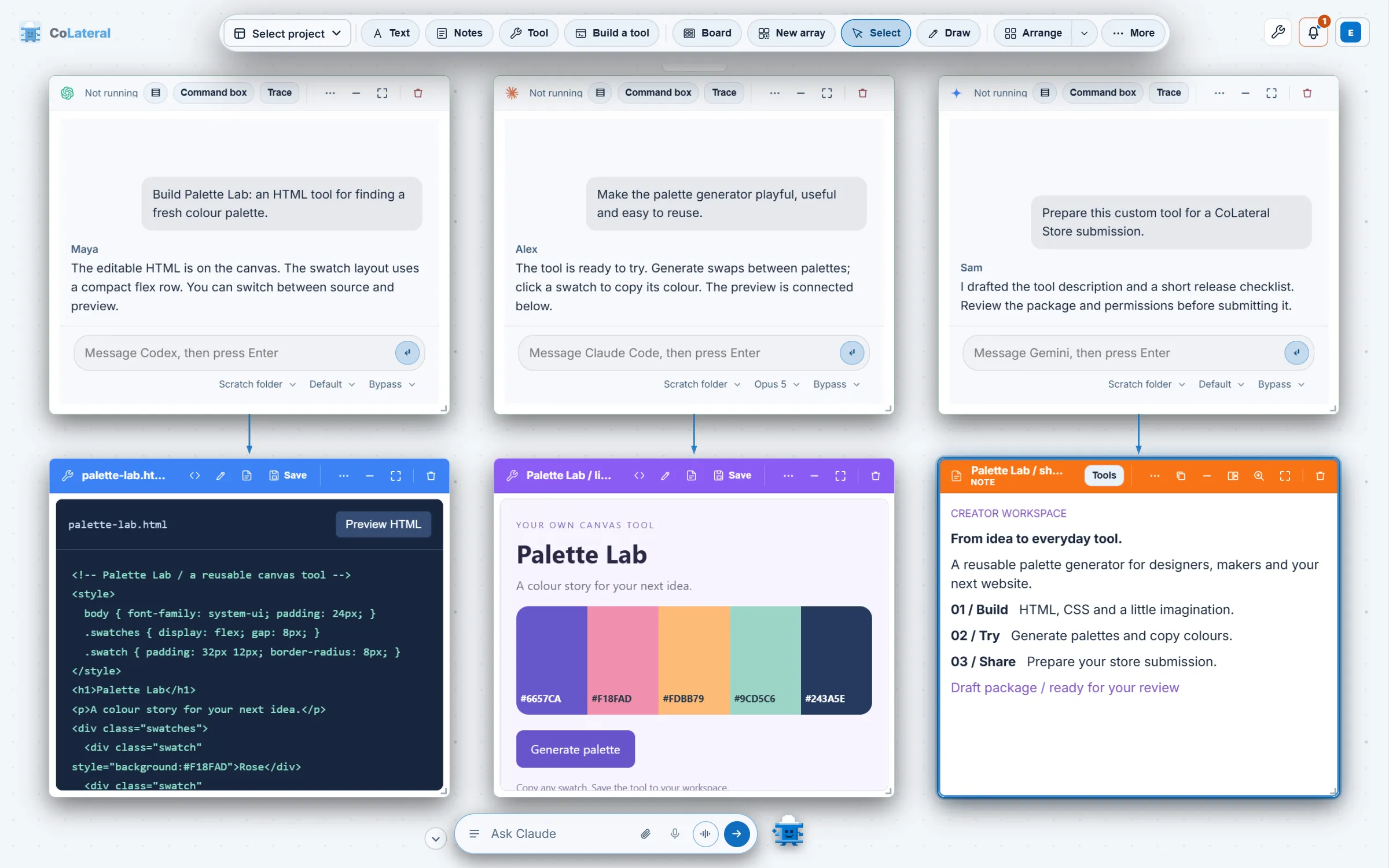
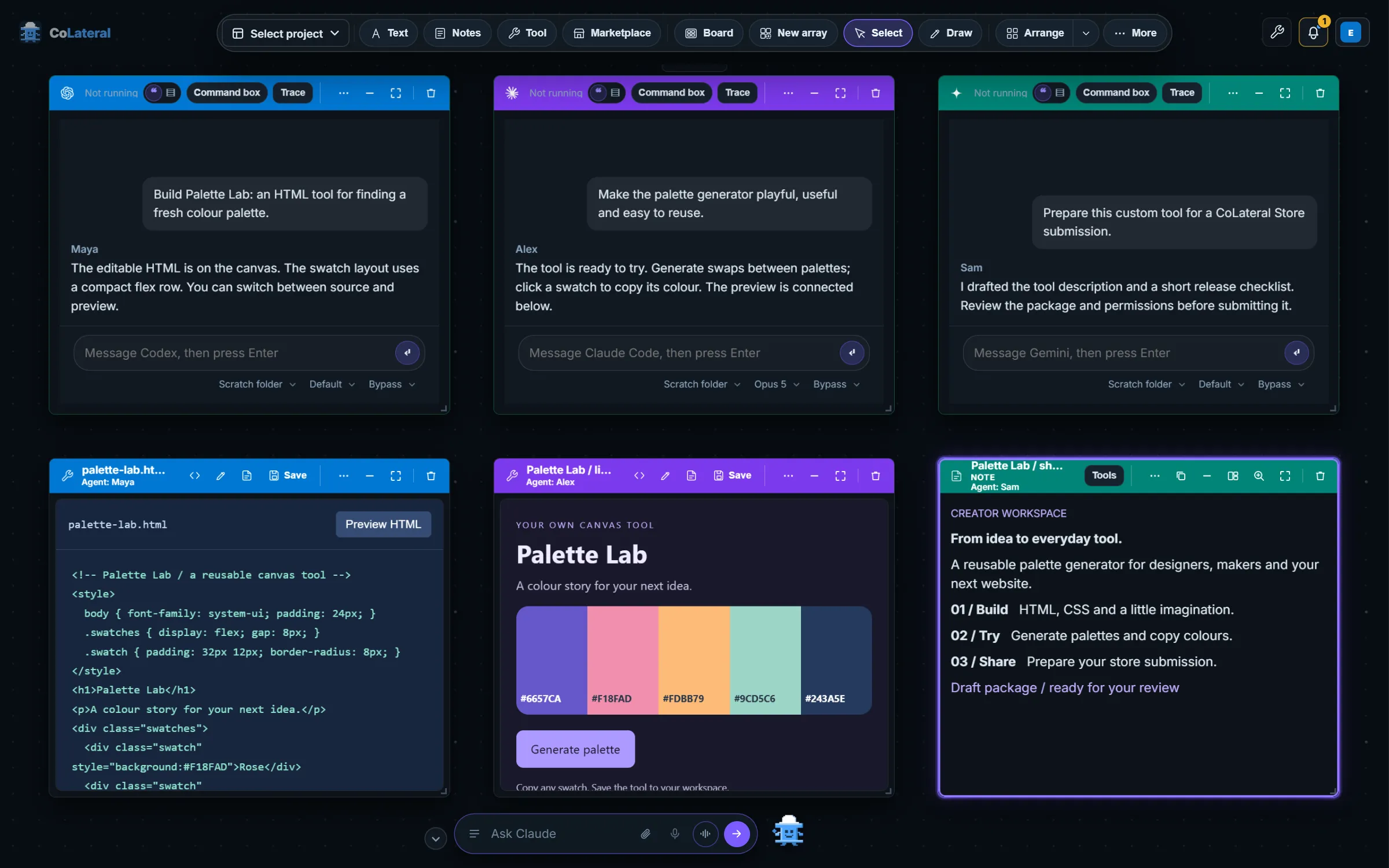
CoLateral has no agent of its own to sell you usage for. It supplies no model credits, and each agent runs on the plan you already hold with its provider. The workspace is a one-time license; the pricing page has the current price.
Side by side
| Warp | CoLateral | |
|---|---|---|
| What it is | Agentic terminal with its own agent | Desktop canvas where coding CLIs run as cards beside notes, sheets, documents and tools |
| Third-party CLI agents | Claude Code, Codex, Gemini CLI, OpenCode and others, enhanced in the terminal | Claude Code, Codex, Gemini CLI, Copilot, Cursor CLI and others, one card each |
| Several agents at once | Yes, in tabs and panes | Yes, as cards visible together on one canvas |
| Its own agent | Warp Agent, paid through plan usage or your own key | None; it runs the CLIs you bring |
| How you pay | Free plan, or monthly plans that include agent usage | One-time license for the workspace; see pricing |
| Non-code work | Terminal-centred | Notes, documents, sheets and built tools on the same canvas |
| Platforms | macOS, Windows, Linux | Windows, macOS, Linux |
When Warp is the better choice
- You want a better everyday terminal for all your shell work, not only a place to run agents.
- You want a capable agent built into that terminal and are happy to pay for it through a Warp plan or your own API key.
- You prefer keyboard-driven tabs and panes to a visual canvas, and your agents rarely need documents or sheets beside them.
Warp's Free plan also makes it cheap to keep as your terminal even if you use CoLateral for agent work.
When CoLateral is the better choice
- You run two or three agents at once and want to see every one of them, and what it produced, without switching tabs.
- Your agents work from more than code: a brief, a spec, a sheet of figures or a tool you built, linked to the agent on the same canvas.
- You already pay for Claude, ChatGPT or Gemini and want the workspace to add no AI cost of its own.
- You would rather buy the workspace once than add another monthly plan.
Things to check either way
Permission behaviour differs between agents in both apps. In CoLateral each Terminal Card offers ask, auto and bypass modes that the bridge turns into the flags each CLI understands, and bypass carries a warning because it removes the CLI's own guard. Review what an agent changed before you keep or share it.
Local terminals are not local models. Whether an agent runs in Warp or in a CoLateral card, it sends prompts and the material it reads to its model provider. CoLateral also includes tools such as the Math Engine for work that is not code.
For the setup steps, read Run Claude Code and Codex side by side. For an editor-centred comparison, see CoLateral vs Cursor.