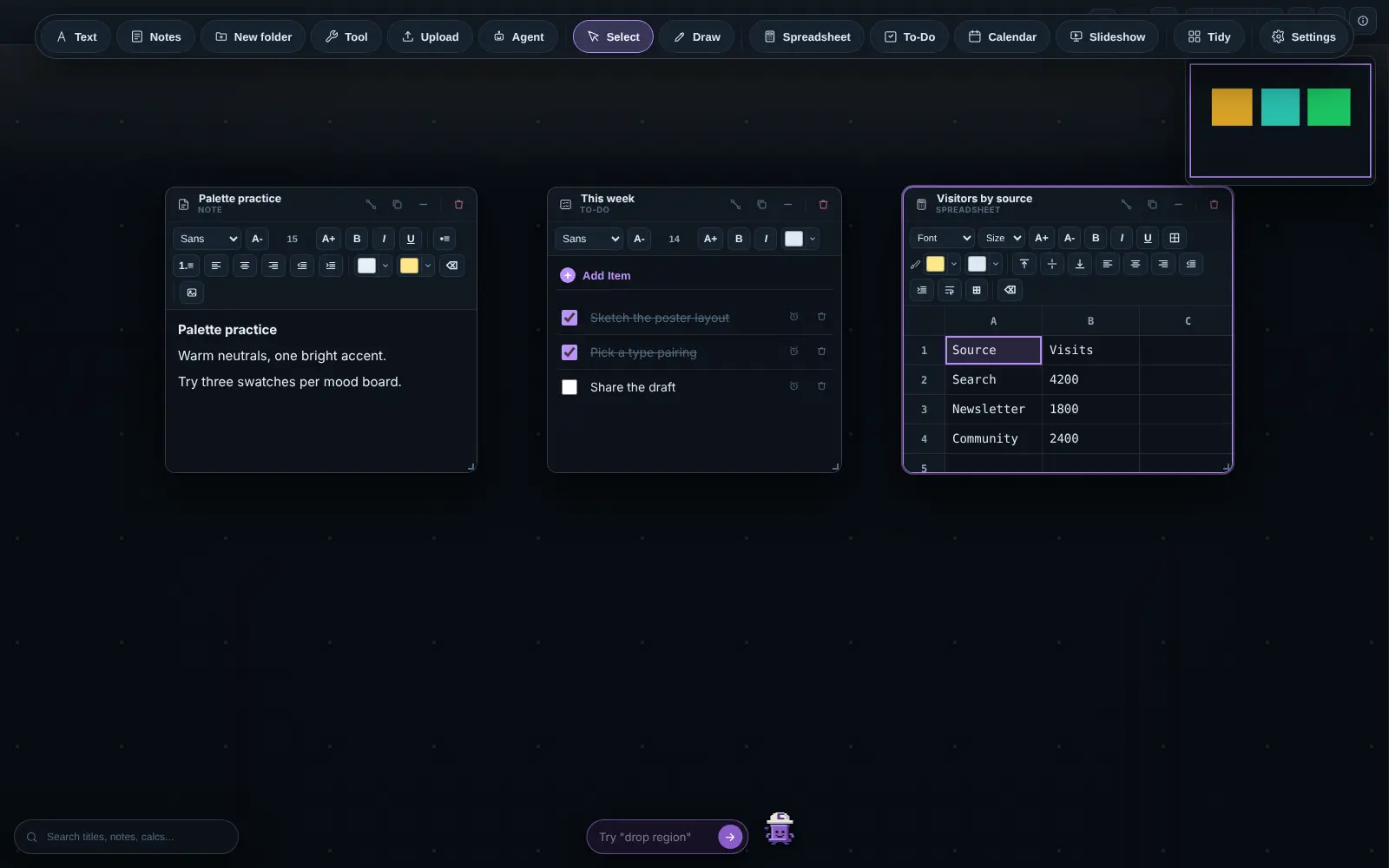
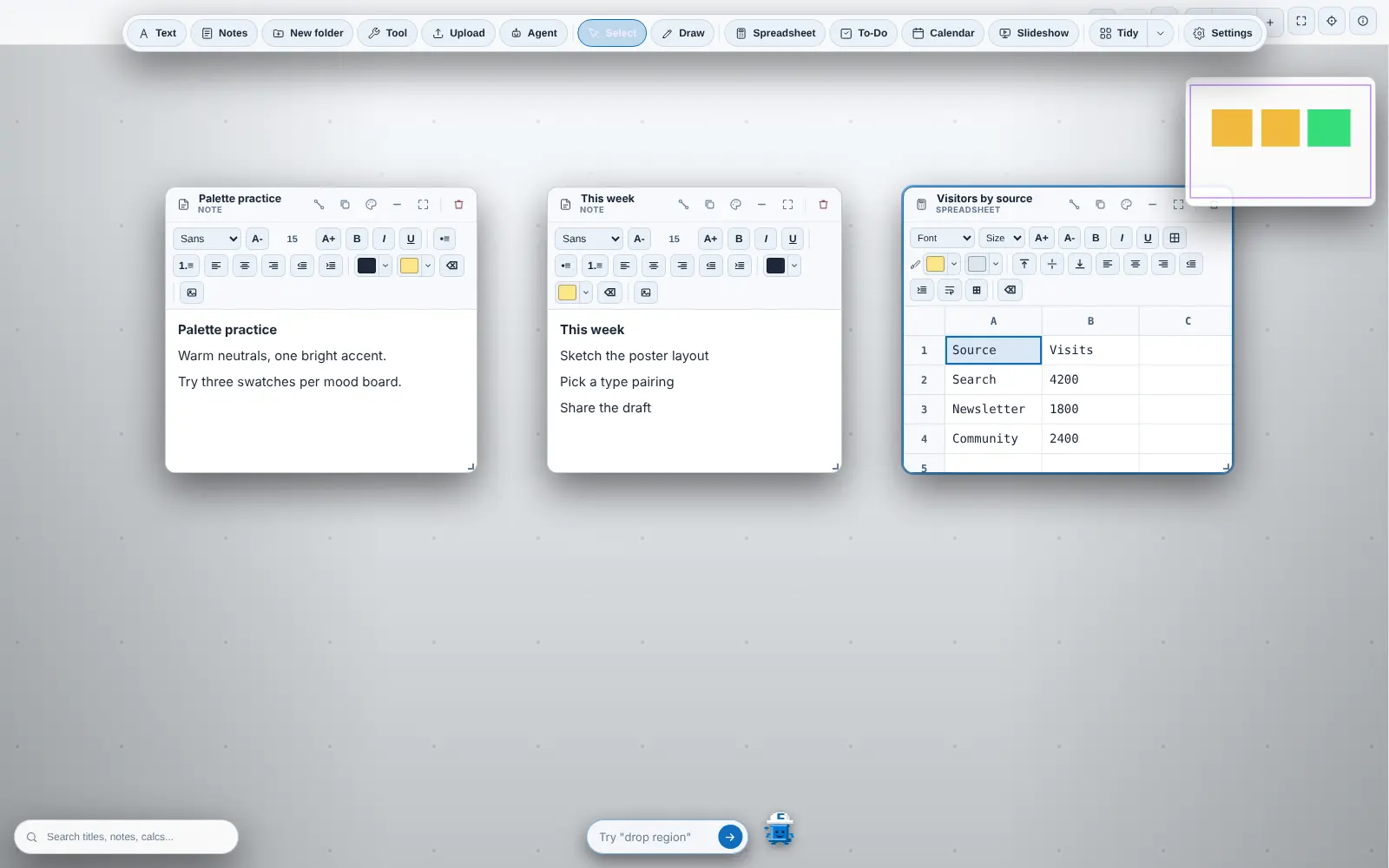
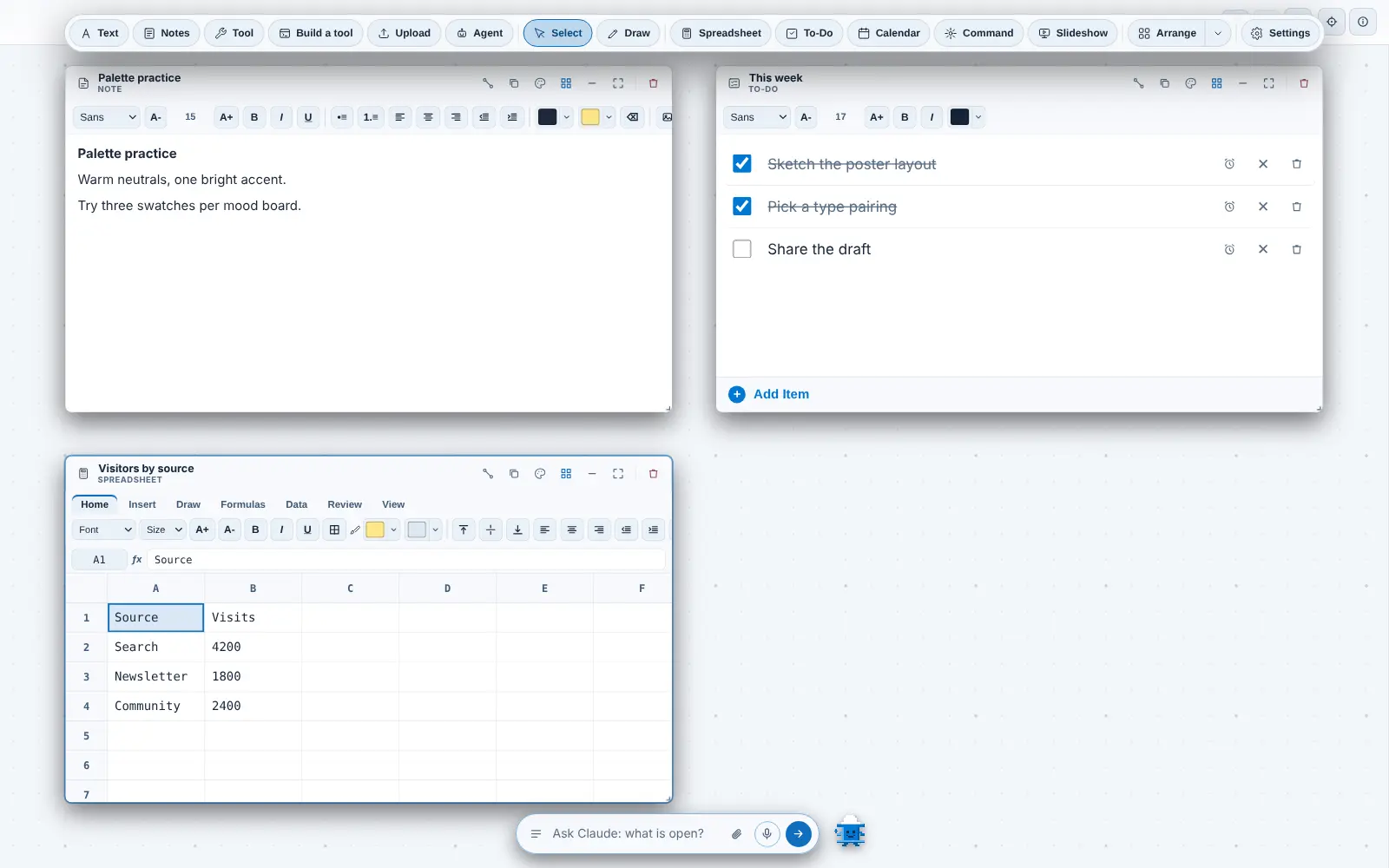
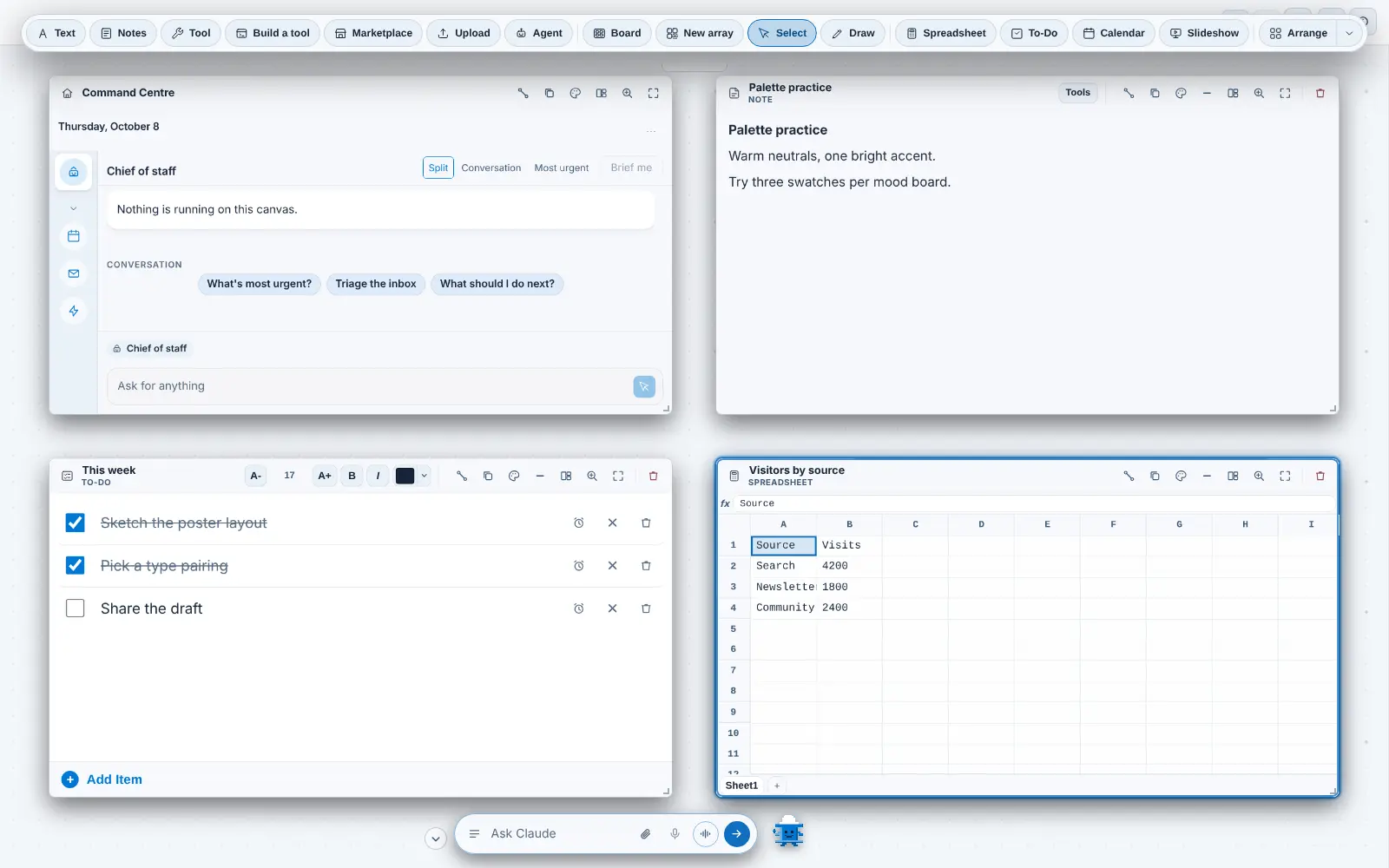
https://colateralai.com/blogThe CoLateral BlogRelease notes, product history, AI model updates, expansion packs and founder notes from the team building CoLateral, the agentic desktop workspace.2026-10-08T12:00:00ZCoLateralhttps://colateralai.com/https://colateralai.com/blog/ai-agents-in-colateralEvery AI agent CoLateral runs, and how each got there2026-10-08T12:00:00Z2026-10-08T12:00:00ZNic Vandeweteringhttps://colateralai.com/aboutCoLateral runs Claude Code, OpenAI Codex, Gemini, Grok Build, Copilot and more on your own accounts. See each agent, when it arrived and what it changed.The first agents arrived in July 2026 and the rest followed in a run of releases through October 2026. Every one of them changed something visible: the agent card, the Terminal Card, the bottom-bar orchestrator, the Command Centre, the model pickers, the usage bar and the agent limit. This is the formal record of which agents CoLateral supports, when each one arrived, and what its arrival did to the interface.
Which AI agents does CoLateral run today?
CoLateral is a desktop workspace where files, notes, tools, terminals and coding agents share one visual canvas. It does not ship a model of its own. It runs the agents you already use, and it checks each one against an explicit allowlist in its local bridge before it will start a process. The website's list of supported providers is checked against that same allowlist, so the table below is the supported set as of 8 October 2026.
Supported agents in CoLateral on 8 October 2026. CoLateral supplies no model credits; the last column is the month the agent first appeared in the repository history.
Agent
Provider
How it runs in CoLateral
What you bring
First arrived
Claude Code
Anthropic
Local CLI in a Terminal Card
Your own Claude account, signed in to Claude Code
July 2026
OpenAI Codex (Codex CLI)
OpenAI
Local CLI in a Terminal Card
Your own ChatGPT account, signed in to Codex
July 2026
GitHub Copilot CLI
GitHub
Local CLI in a Terminal Card
A GitHub Copilot seat you already have
August 2026
Gemini CLI and Antigravity CLI
Google
Local CLI in a Terminal Card
A Google account (Antigravity CLI), or an AI Studio key or Vertex AI (Gemini CLI)
August 2026
Grok Build
xAI
Local CLI in a Terminal Card
A SuperGrok or X Premium subscription
August 2026
Kiro CLI
AWS
Local CLI in a Terminal Card
A Kiro account (AWS Builder ID, Google or GitHub)
August 2026
Cursor CLI
Cursor
Local CLI in a Terminal Card
Your own Cursor subscription
August 2026
OpenCode
Open source
Local CLI in a Terminal Card
Whichever account you sign OpenCode in to
August 2026
DeepSeek
DeepSeek
Claude Code pointed at DeepSeek's Anthropic-compatible endpoint
Your own DeepSeek API key
August 2026
ChatGPT and Claude Code (full apps)
OpenAI, Anthropic
Cloud: the provider's own site in a private Browser Card
Your own account, signed in by you in the card
October 2026
ChatGPT Workspace Agents and Claude Code routines
OpenAI, Anthropic
Cloud: optional API workflows on a controller card
Your own account and the provider's trigger token
October 2026
Gemini Deep Research and Jules
Google
Cloud: hosted research and coding sessions through provider APIs
Your own Google API keys, which are separate from each other
October 2026
What is an agent card, a Terminal Card and an orchestrator?
Four terms carry most of this story. The repository defines them as follows, and the rest of this post uses them in these senses.
One earlier use of the phrase is worth noting. On 2 July 2026 CoLateral added a different "Agent Card", a workflow card that generated prompts and turned pasted answers into reviewable cards. Once "agent" came to mean a live terminal, that card kind was retired on 3 August 2026, and each saved one was converted into a note in place so no connection or layout was lost. Today's agent card is the live one.
How did each agent arrive in CoLateral?
The dates below come from the repository's commit history. Where a date is a month, the month is the earliest evidence we hold. The same story, told from the product side, runs through the history of CoLateral and the 2026 release notes.
Live Terminal Cards for Claude Code and Codex
The first commit to put a real CLI session on the canvas. The Local Bridge was loopback-only and token-paired, with a strict command allowlist and no "run anything" path, and the first task was typed in but not submitted, so you read it and pressed Enter.
Terminal Cards become first-class
A Terminal button on the canvas dock, a real Windows pty, and a Look panel with themes and layouts.
ChatGPT through Codex
A Terminal Card could now run your ChatGPT sign-in through the Codex CLI, with a CLI picker in the card.
The bottom bar becomes the orchestrator
The command bar became the application's intelligence layer. It first ran on a realtime speech model on your own API key, and the same day moved typed requests onto your own Claude Code or Codex subscription.
The Command Centre reaches the canvas
The Command Centre card arrived, and desktop release 1.0.8 was cut so it shipped to the desktop. It was later rebuilt as a console and given a chief of staff.
Copilot, Gemini and Grok Build
Three agents joined on one shared provider table, so every picker, palette entry and card title follows a single list. The same day the agent card was redrawn as a chat instead of a console.
Kiro, Cursor and OpenCode
Three more agents through the same table, each checked against the real CLI.
DeepSeek and the chief of staff
DeepSeek arrived as a ninth agent card provider, running through Claude Code. The Command Centre gained a chief of staff that writes a short brief from what each agent last did.
Antigravity CLI for Google sign-in
Gemini CLI's personal Google sign-in stopped working, so CoLateral launches Antigravity CLI for Google-account sign-in and keeps Gemini CLI for an AI Studio key or Vertex AI. Desktop 1.0.31 carried it.
The agent limit
A resource guard limits how many agents run at once and sleeps the rest, so opening a project with many agents does not start them all.
The subscription usage bar
A slim strip in the canvas corner shows how much of each supported subscription window has been used and when it resets, where the provider records it.
Canvas Browser and browser agents
An interactive Canvas Browser with scoped local agent control, followed on 14 September by the Browser Card's Chrome-style interface and agent-spawned browsers.
Model pickers read the installed CLIs
Pickers began reading model names from the installed Claude Code, Codex and Gemini CLIs, so a new model can appear without a CoLateral release. Sonnet 5.5 appeared through the same route on 29 September.
Cloud agent cards
Native ChatGPT and Claude cloud agent cards, Gemini and Jules cloud workflows, and full provider apps on the canvas with optional API workflows.
Isolated local accounts
Isolated local AI accounts and per-terminal account selection, moved on 7 October into one Settings card per provider.
How do local CLI agents, cloud agents and browser agents differ?
CoLateral uses three execution paths, and the page you read for one does not apply to the others.
Local CLI agents run as a process on your own computer, started through the Local Bridge. Your prompts and any material the agent reads go to its model provider, so a local agent is not local inference. This path covers the nine agents in the first part of the table.
Cloud agents run on the provider's infrastructure. The bridge is a local relay that keeps credentials on your machine while prompts and execution go to the hosted agent. A full provider app opens in a private Browser Card where you sign in yourself; the API workflows are separate controller cards.
Browser agents are local agents that drive a Browser Card. A canvas arrow means the card exists and is the target, but it does not grant control. You grant a live agent control by connecting it in the card, and you can pause or take control back.
Accepting a task is not completing it. A queued request, a hosted session link or a delivery receipt is not the finished work. The longer account of the hosted path is cloud agent cards for ChatGPT, Claude, Gemini and Jules.
How do you run Claude Code and Codex side by side on one canvas?
Open two Terminal Cards, set one to Claude and the other to ChatGPT through Codex, and give each its own task. They are separate sessions with separate folders and separate accounts, and you can draw an arrow from either one to the note, sheet or tool it should read. The Terminal Card gained its CLI picker on 29 July 2026, and the whole design is told in running Claude Code and Codex side by side.
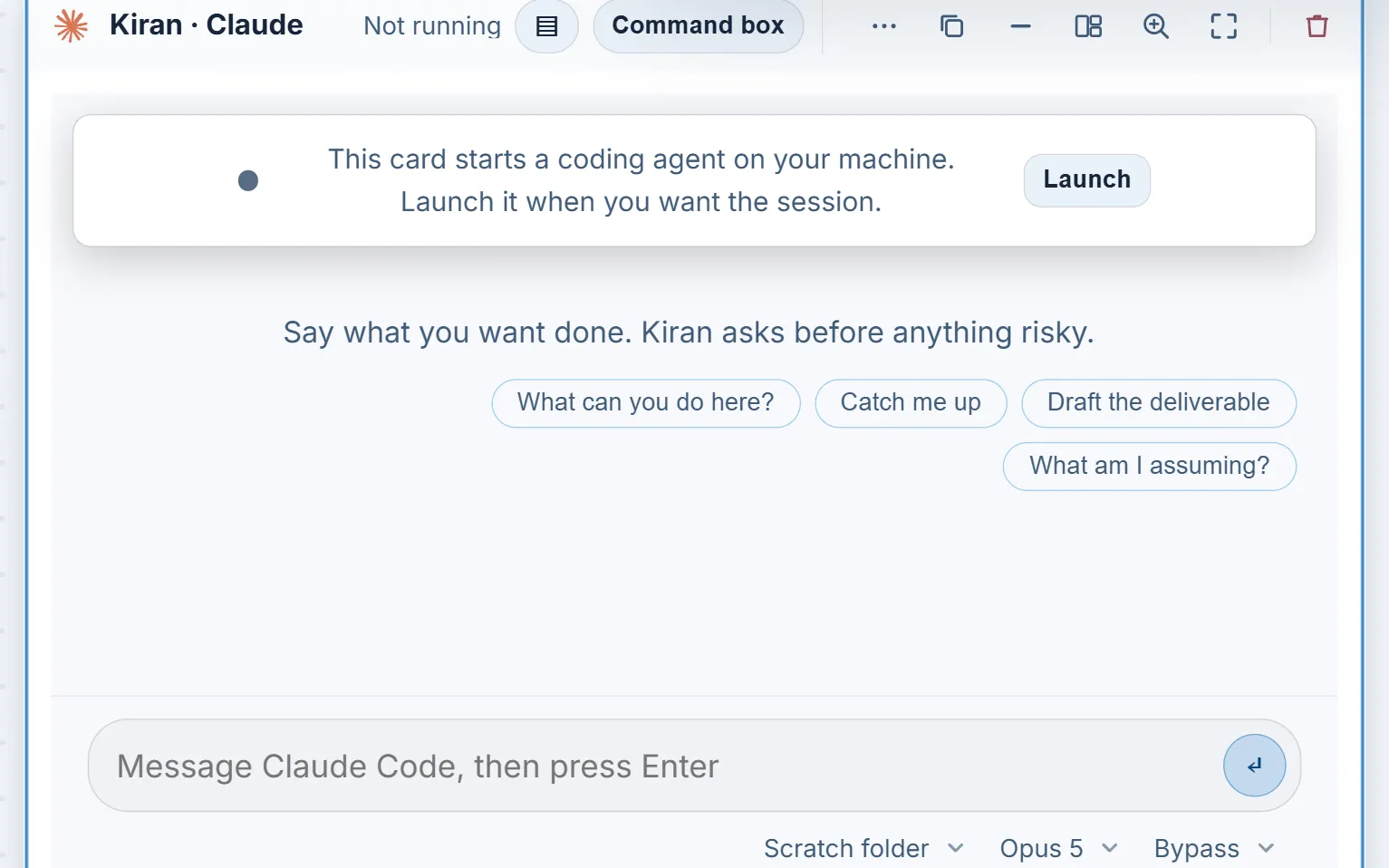
An agent card in chat form. The chips under the message box set the folder, the model and what the agent may do without asking.
What did the orchestrator and Command Centre change?
It is a Terminal Card without the terminal.
CoLateral docs/orchestrator.md, describing the bottom-bar orchestrator
Before 30 July 2026 you used agents by opening cards. After it, you could ask the bottom bar to open one, brief it and report back, and later releases let it answer an agent's question, stop it without ending its session, and close it. The orchestrator runs on the CLI you choose in Settings, including Claude Code, Codex, Copilot, Gemini, Grok Build, Cursor and OpenCode. The Command Centre then gave the same orchestrator a full-size place to stand, with a chief of staff pinned first on its rail. The chief of staff is not a second agent; the bar and the card are two doors onto one conversation. The full account is in the orchestrator, the Command Centre and the chief of staff.
Voice is a separate choice. Dictate types what you say into the box and sends nothing, and voice mode holds a spoken conversation with the orchestrator, either through a signed-in ChatGPT subscription via Codex or on a realtime model (GPT Realtime 2.1, GPT Realtime 2.1 Mini or Grok Realtime Voice). The realtime route needs an OpenAI key, or a SuperGrok or X Premium sign-in for Grok. The interface says Grok Build whenever it means the coding agent.
How do model releases change the CoLateral interface?
Each agent card carries a model chip beside the folder and permission chips. It arrived on 22 August 2026, because which model a card ran had been pinned in a settings panel where nobody watching the card could see it. The Claude Code picker later grew to carry the exact names Claude Code's own model menu prints, and today it lists Opus 5.5, Sonnet 5.5, Haiku 4.5 and Fable 5.1 as written-down names, refreshed from the installed CLI when it can read them.
An alias keeps working when the model behind it is replaced, so a card stores the alias and the visible name is read from the installed CLI. For most other agents the list is decided per account or plan, so CoLateral asks the CLI rather than writing models down. How new model releases change the model picker tells that story in order.
Can you use more than one account for the same agent?
Yes, for the providers that support it. On 6 October 2026 CoLateral added isolated local AI accounts, and a day later moved the control into Settings, where each provider has one account card. Claude Code, Codex, Copilot, Gemini, Grok Build, Cursor, OpenCode and DeepSeek support separate profiles. Kiro keeps your computer default because its credential storage has not been verified for separate profiles.
A new profile starts empty and the next agent you start for that provider opens the provider CLI's own sign-in. The bridge removes inherited authentication from named-profile launches, so one account does not quietly borrow another's sign-in. Account names are labels you type, not evidence of an identity or a plan, and selecting another account changes the next launch only.
How do you see how much of your subscription is spent?
The subscription usage bar, a slim strip in the bottom-left corner of the canvas, arrived on 9 September 2026. Before it, the first sign that a five-hour window was gone was a CLI refusing halfway through a task, on a surface where a refusal can look like a CoLateral fault. The bar reads figures from the sources the providers expose: Claude Code's own usage endpoint, the rate limits Codex records on disk, and credit usage Grok Build logs locally. It never estimates a percentage.
Where a provider records nothing, the bar says so and names the kind of account. It reports the computer-default account only, not named profiles.
How many agents can run at once?
The Resources setting under Account and Settings limits how many agents run at once, from one to twelve, with a default of twelve. A card claims a seat before it launches. An agent that starts automatically past the limit opens asleep with a Wake button, and one you ask for at the limit opens a chooser so you decide which session sleeps. Starting, working, waiting and reconnecting agents are protected, and every agent in the current project stays awake. The guard began on 1 September 2026 with a default of four and later moved to twelve. Sleeping cards do not use a seat.
Optional Docker isolation for Terminal Card agents arrived on 26 September 2026. It is off by default and needs Docker.
Can you watch this being built?
The product history is also a video history. Nic streams the work on YouTube, and the Day 51 stream is titled "BEST MODEL IN THE WORLD". The repository records that title and shows the video first listed on the website on 8 September 2026. It does not record which model the title refers to, so we do not claim one here. More about the streams is in building CoLateral in public.
Yes, to run an agent. CoLateral supplies no model credits and does not resell model access. Supported agents use your own provider accounts, and provider subscriptions, usage limits and any API charges are separate from the CoLateral licence and from optional modules. The licence is a one-time purchase, and current pricing lives on its own page because prices change. The setup answers cover installation and sign-in.
You can use the Project Canvas, notes, files and tools without any AI account. An agent only needs the account for the path you choose: a local CLI needs that CLI installed and signed in, a cloud agent needs its provider account or API key, and DeepSeek needs a key. If you want the full picture of how to bring one in, download the desktop app and start with a small invented project.
What should you check before trusting an agent in CoLateral?
Treat agent output as a draft. Permissions and confirmation behaviour depend on the selected agent and action. Some actions in CoLateral stop and show you the exact action first, and others do not, so read the permission chip before you start and review the result afterward. A fluent summary is not evidence that a file was changed correctly. Compare important output with its source. The guide to AI agents and your files explains what to check, and the launch post introduces this blog.
]]>https://colateralai.com/blog/building-colateral-in-publicBuilding CoLateral in Public: Livestreams and Releases2026-10-08T12:00:00Z2026-10-08T12:00:00ZNic Vandeweteringhttps://colateralai.com/aboutCoLateral is built in public: day-numbered YouTube livestreams, posts on X and small desktop releases. Here is how it works and how to join in.This note explains how that works, what the numbers in the repository say as of October 2026, and how you can follow along or join in.
Why is CoLateral built in public?
The short answer is on the About page, in its own words: "Follow a build session, see what is being refined and bring your own ideas to the conversation." CoLateral is a workspace where files, notes, tools, terminals and AI coding agents share one canvas, and a product like that changes every week. I would rather the people who might use it can see the changes as they happen than read about them afterwards.
There is a record in the repository that shows this working. On 2026-08-03 the commit that cut desktop version 1.0.4 is titled "Cut 1.0.4 with the beta tester's fixes in it". That commit shows an early release carrying fixes that came from someone using the app, and the livestreams, X posts and Discord are how I keep that loop open.
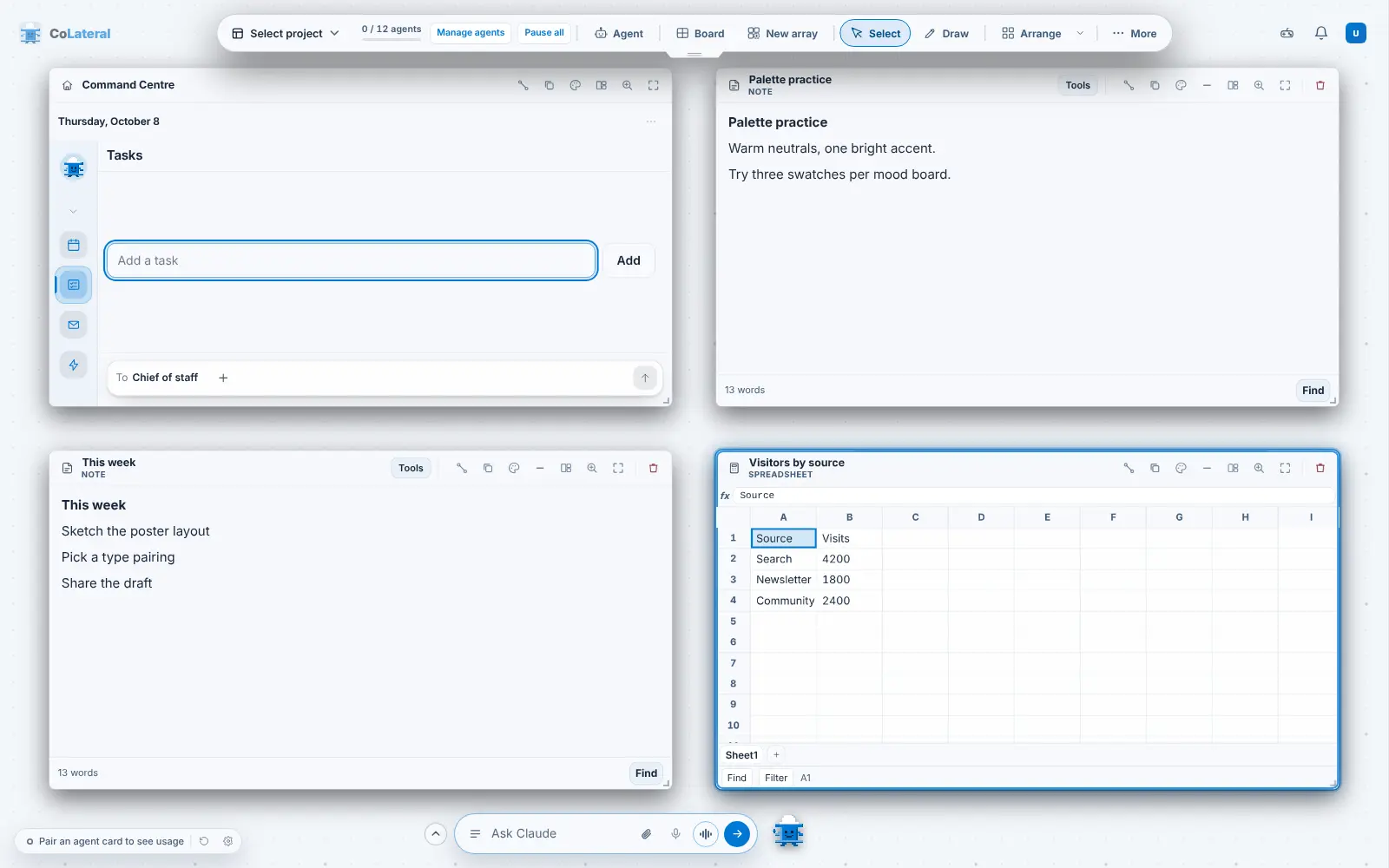
The product being built in the open: the CoLateral Project Canvas, shown here with invented demo content.
What do the CoLateral livestreams show?
The livestreams are a day-numbered series on my YouTube channel. The series is titled "Vibe Coding Until I Can Move Out of My Mom's Basement", and I will leave the title to explain its own premise. For me, vibe coding here means directing AI coding agents to build CoLateral, which is also how the repository itself is organised (see how CoLateral is built with AI coding agents).
The site's own livestream list currently runs from Day 50 to Day 55, and these videos were added to the site on 2026-09-08. Here are three of them. I am describing each only by its title, so watch the video for what actually happens in it. The full YouTube titles also carry a running revenue figure, which I have left out of the titles below on purpose: it belongs to the stream, not to the facts of this blog.
The livestreams also appear on the site itself. The home page carries a livestream carousel (added 2026-09-14), and the About page shows the latest session. The full archive is always on the streams page.
How often does CoLateral ship?
Often, and in small pieces. These are the figures from the repository as of 7 October 2026. They measure activity, not quality, and a large share of those commits were made with AI coding agents, a story I tell in the agents post.
commits on main since 2025-09-29
6,227
days with at least one commit
130
version tags, v1.0.1 to v1.0.70
48
test files in the tests folder
1,498
Two honest notes on those numbers. First, the repository's first two commits are dated 2025-09-29, but the steady history begins in May 2026, so the month-by-month table below starts there. Second, 48 tags do not mean 48 releases: the version numbers run to 1.0.70, and not every number has a tag in this repository.
Commits counted by recorded commit date on the main branch; tags counted by the date of the tagged commit. Source: the CoLateral git history.
Month
Commits on main
Version tags (by commit date)
May 2026
266
0
June 2026
1,330
0
July 2026
1,266
0
August 2026
1,021
17
September 2026
2,079
30
October 2026 (to the 7th)
263
1
The first version tag, v1.0.1, is dated 2026-08-02. In the stretch from 2026-09-24 to 2026-10-03, commits titled as releases cover versions 1.0.63 through 1.0.69, which is several versions in about ten days. I would rather ship a fix the day I have it than hold it for a bigger release. For the version-by-version detail, see the 2026 release notes, or download the desktop app and use the "What's new" button after an update.
First commit
The repository's first commit is dated 2025-09-29.
First version tag
v1.0.1 is the first version tag in the repository.
A beta tester's fixes ship
The commit that cuts 1.0.4 is titled "Cut 1.0.4 with the beta tester's fixes in it".
Livestreams join the site
The commit "Add founder livestreams and interactive website demos" adds the livestream list the site uses.
Livestreams on the home page
The home page shows the founder livestreams under the product reel.
Version tag v1.0.70
The newest version tag in the repository at the time of writing.
For the longer story of how CoLateral got here, read the history of CoLateral, and for what the product looked like along the way, the visual history.
How does a CoLateral update get from the repository to my desktop?
The repository's money-path notes put it in one sentence: desktop updates ship through a releases repository on GitHub and through colateralai.com/latest.json, and that is what an installed copy reads. In practice the app checks for updates and offers "Install and restart", and you can also choose "Check for updates" yourself. The FAQ asks you to save your work before installing, and I would repeat that here.
That path is why small releases make sense to me. Each version is a signed set of installers for Windows, macOS and Linux, the notes travel with it, and an installed copy picks it up without anyone reinstalling by hand. The less each release changes, the easier it is to say what changed.
Is CoLateral open source?
No. Building in public is not the same as publishing source code, and I do not want to blur the two. The CoLateral source repository is private. What is public is the process: the livestreams, the posts on X, the release notes the updater shows and this blog. The numbers in this note come from that private repository, and I have quoted only counts and dates I can check against it.
The release notes follow a rule written in the repository: they are "the text the updater shows", written in the words a user would use rather than as a list of commits. That is the formal half of building in public. The livestream is the informal half.
How do I follow along and join the CoLateral community?
Everything below is linked from the About page, so you can confirm each link there.
Email: questions and ideas go to support@colateral.engineering, as the About page says.
If you want to try the product rather than watch it, the download page has the Windows, macOS and Linux installers, and pricing explains the licence. CoLateral is bought once; I wrote about the reasons in why CoLateral is a one-time licence.
What does building in public cost, and what does it give back?
It costs a tidy story: the repository records plenty of mistakes. The loop documentation, for example, has a section headed "A run killed by a usage limit still logs as done", and the recovery audit for Day 54 says: "A committed task or a prompt sent to a replacement agent was not evidence that the changes reached main." I would rather write those things down, and show you that I did, than pretend the work is smoother than it is.
What it gives back is a shorter distance between a problem and its fix, and the 1.0.4 commit above is the example I can point to. If CoLateral does one thing well, I want it to be that the person using it can see what changed and why. This blog is where that record lives, next to the introduction to the CoLateral blog.
Follow a build session, see what is being refined and bring your own ideas to the conversation.
CoLateral About page]]>https://colateralai.com/blog/cloud-agent-cards-chatgpt-claude-gemini-julesCloud agent cards for ChatGPT, Claude, Gemini and Jules2026-10-08T12:00:00Z2026-10-08T12:00:00ZNic Vandeweteringhttps://colateralai.com/aboutIn October 2026 CoLateral added cloud agent cards for ChatGPT, Claude Code, Gemini Deep Research and Jules. See how they work, their limits and what you bring.The agents run on the provider's own infrastructure and on your own accounts, and CoLateral supplies no model credits. This post covers what arrived in the first week of October 2026, how each path works, what its limits are and why the design keeps credentials on your machine.
What are cloud agent cards in CoLateral?
Until October 2026, every agent CoLateral ran was a local command-line tool in a Terminal Card. Cloud agents are different: the work runs on the provider's servers, under the provider's plan, tools and approvals. CoLateral's job is to give you a place for them on the same canvas as your files and your local agents, and to keep what it relays honest about what has and has not happened.
Cards for ChatGPT Workspace Agents and for Claude Code routines, the two native subscription cloud agents.
Gemini and Jules cloud workflows
Gemini Deep Research and Jules, added with safe action recovery so a lost response is never silently resent.
Full provider apps on the canvas
The default Agent, Cloud choice became the provider's full app in a Browser Card, with the API workflows kept as an optional second path.
Drafts, continuation and action recovery
Saved cards now keep draft prompts and run references, and a conversation can continue after a card is restored.
Multiple app accounts
More than one account for the same provider app, each on its own card, with a switch-account control.
How do you run ChatGPT or Claude Code from the canvas without an API token?
Choose Agent, then Cloud. By default this opens the full provider app: ChatGPT opens chatgpt.com and Claude Code opens claude.ai/code, each in a private Browser Card. You sign in directly in that card and handle multi-factor prompts and site protections yourself. The provider's own conversation, tools, approvals and account limits apply. No API token or published routine is needed.
The Browser Card still needs the local browser service, and if that service is unavailable the card shows a recovery message rather than implying the provider opened. Profiles belong to the Browser Card and stay separate from your personal Chrome. Restoring a saved card does not submit a task. Cloud providers do not gain access to local canvas tools just because their website is open on the canvas.
The catalogue also includes Claude Chat, Gemini, Grok, Microsoft Copilot, Perplexity, DeepSeek and Jules, and an Another AI website entry that accepts an explicitly entered HTTPS address with no embedded credentials. These open the provider's full app. They are websites in a card, not extra API adapters or local CLI agents.
How do the optional API workflows work?
API workflows have their own controller cards. You connect a provider once through the card's optional setup form, then sending launches a provider-hosted task. Each provider needs its own kind of credential, and they are not interchangeable.
The four optional API workflows. Eligibility, plan limits and any charges are the provider's.
Provider
What it runs
What you set up
What the card can do
ChatGPT Workspace Agents
A published Workspace Agent with an API trigger channel
A Workspace Agent access token and the channel identifier, which are distinct from OpenAI Platform API keys
Launch a task, refresh its status and continue a conversation that kept a conversation key
Claude Code routines
A routine with an API trigger
A per-routine bearer token and the routine identifier
Launch a new routine session on each send and link to the hosted session
Gemini Deep Research
Hosted research through the Interactions API
A Gemini API key with API billing enabled, which is separate from a Gemini app subscription
Run in the background, poll status, retrieve the report and cancel supported active runs
Jules
Hosted coding sessions
A Jules API key and the repositories you connect
Select a repository and branch per session, show activity, approve a plan and send follow-ups, with no cancellation
Credentials are stored by the local bridge in an owner-only secrets directory, never in the canvas document, and a token is never returned to the interface after you enter it. The store refuses to fall back to an inherited secret if a stored configuration is damaged. Owner-only storage protects against other ordinary accounts on the machine. It is not encryption and it does not protect against the same user or an administrator.
Why does an accepted cloud task not mean a finished task?
Because the providers' interfaces differ, and CoLateral will not pretend otherwise. Claude's routine endpoint returns a hosted session link without streaming output, and its trigger token has no read access, so the transcript stays in the provider's own interface. Stopping the local relay or deleting a credential does not prove that an already-launched cloud run stopped. Cancellation is offered only where a provider documents a supported way to do it: Gemini research can be cancelled, Jules cannot through this integration.
Failure handling follows the same principle. Local validation and pairing failures happen before submission, keep your draft and say the task was not sent. Once a request has reached the network, an unreadable response stays uncertain and is never automatically resent. The bridge records an operation identifier so repeating the same operation does not issue another provider action, and an unknown outcome is kept for you to review. Jules plan approval always needs your explicit action.
How do cloud agents differ from local agents on the same canvas?
Local agent cards, for contrast. A cloud agent card is a Browser Card or a controller card, and its work runs on the provider's servers.
A local agent is a process on your computer, started through the Local Bridge, and it can read the cards you link to it. A cloud agent runs remotely and does not see your canvas.
A local agent's prompts and the material it reads go to its model provider. A cloud agent's prompts and execution go to the provider's hosted agent. Neither is local inference.
Local agents appear in the Command Centre rail and can be managed by the orchestrator. Native cloud conversations stay in their own Browser Cards and are not copied into CoLateral's saved API results.
Yes. Under Cloud, then Full apps, then Accounts and subscriptions, you can list the AI Browser Cards on the current canvas, search and reopen them, and add an account. Each new account is a separate card with its own browser profile, keyed by project and card, and each card has a Switch account control. Labels such as a plan name are descriptions you type. They are not verified identities, entitlements or usage readings, and sign-in cookies are not exported with a labelled card.
What do you need to bring?
Your own accounts and tokens. CoLateral supplies no model credits, and it does not host the inference. A provider's subscription, API charges and usage limits are separate from the CoLateral licence; see pricing for the licence and the setup answers for installation. Get the desktop app from the download page, start with an invented project, and read the provider's current terms before you connect a paid account.
]]>https://colateralai.com/blog/colateral-arcade-games-moduleCoLateral Arcade: The Games Module2026-10-08T12:00:00Z2026-10-08T12:00:00ZNic Vandeweteringhttps://colateralai.com/aboutCoLateral Arcade is the built-in games module for the CoLateral canvas: a 3D arcade built with AI agents, how to open it, switch it off and play for free.It starts enabled, runs offline on your machine, and has its own switch in Settings, so it never gets in the way of work. Two of its games are also free to play in a browser.
What is CoLateral Arcade?
It sits beside CoLateral Marketing among the modules listed in the store, but it differs from a pack in two ways. It is built in, so there is nothing to buy to open it, and it is controlled by its own switch rather than by your licence. The wider picture of how packs and modules fit together is in CoLateral expansion packs, explained.
Why does a workspace have an arcade?
Because the games are the proof of the workspace. Each Arcade game is made the way anything else is made in CoLateral: prompt an agent card, watch it build into a card on the canvas, look at the result and ask for changes. The hub is set in the basement the founder streams from, and the trailer closes on the lines "Your agents. Your canvas. Your arcade." In version 1.0.62 agents gained the ability to build 3D and 2D games inside tool cards from one prompt, with game libraries bundled so the card still loads after a restart. Arcade is the larger version of that same loop.
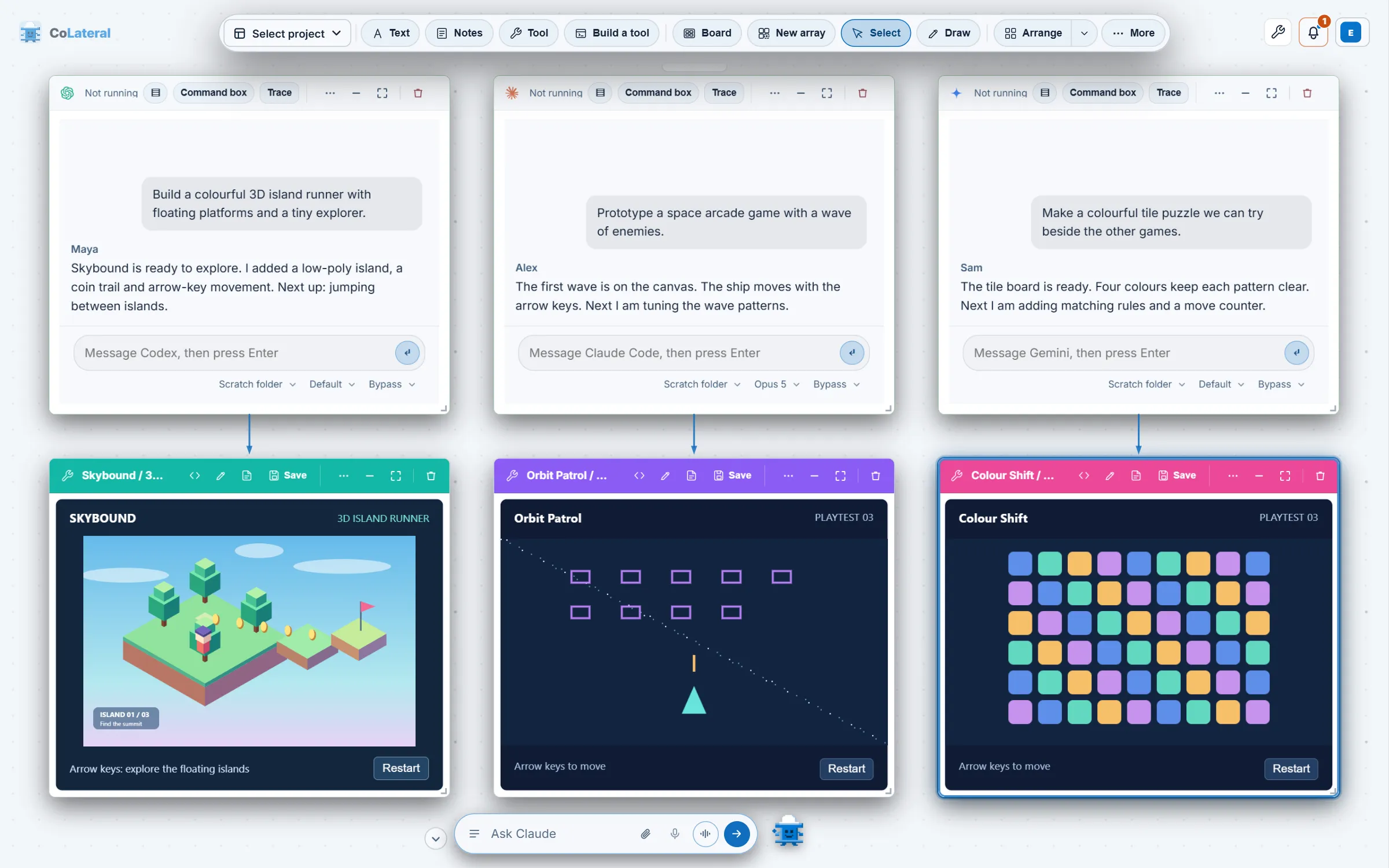
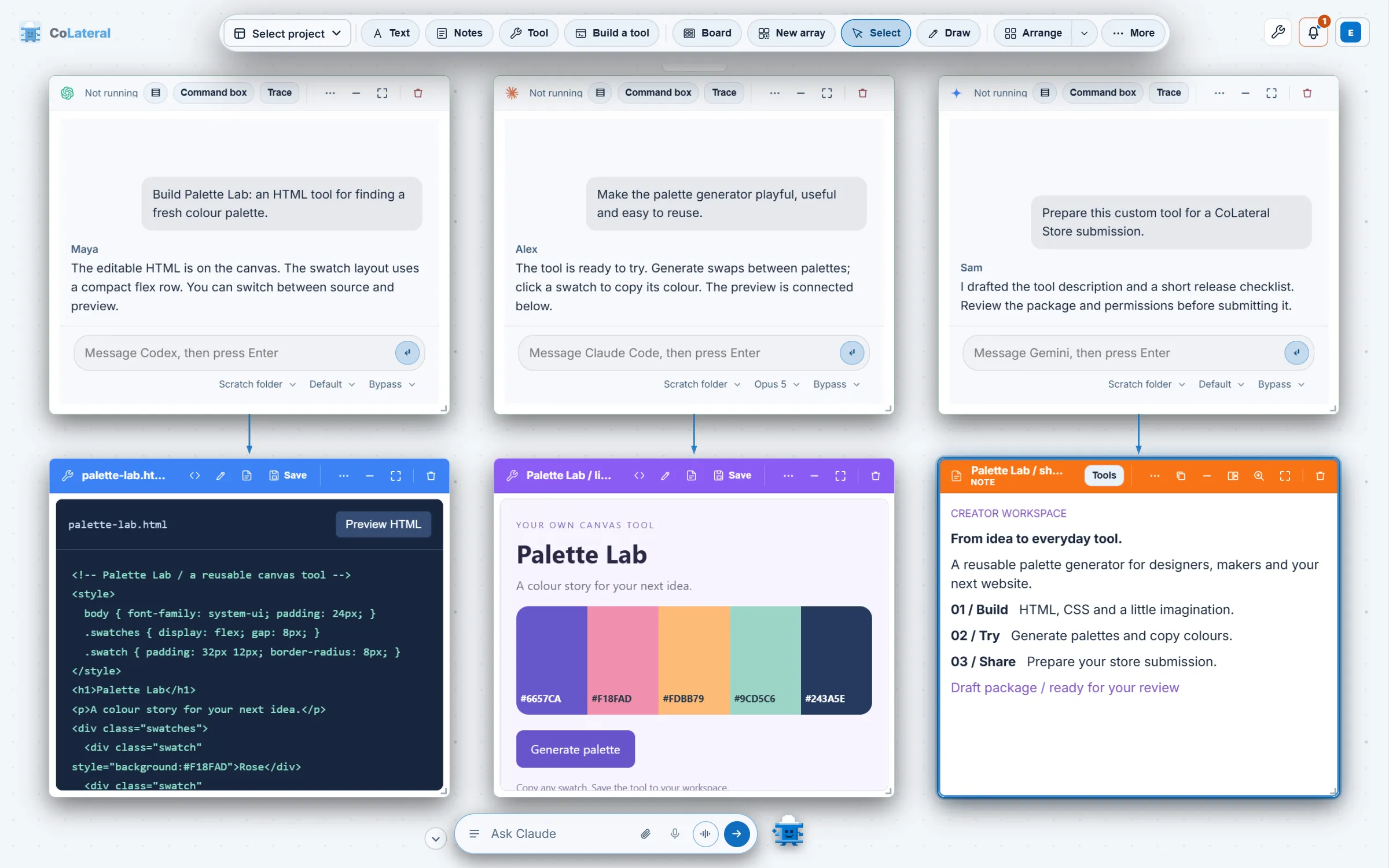
The workflow behind Arcade, illustrated with invented prompts and games. Each agent card sends what it builds to a card below it.
How do you open CoLateral Arcade?
Use the gamepad button. It sits in the top-right button group on the Project Canvas, right after the CoLateral Marketing button, and its tooltip reads "CoLateral Arcade: The all-in-one gaming playspace of the future".
Or use the command palette. "Open CoLateral Arcade" does the same thing.
It opens across its own array. The Arcade card fills its canvas array and shows that array without taking you into full screen, and asking again returns you to the one already on the board.
The card is the game and nothing else: a frame around the bundled arcade, with no address bar and no extra controls. Everything it needs ships inside the app, so nothing is fetched from the network while you play.
Can you turn CoLateral Arcade off?
Yes. CoLateral Arcade starts enabled and has its own switch in Settings, separate from the switches for the packs. Switching it off hides the launch controls and any existing Arcade cards without deleting them or your game progress, and switching it back on restores them. That is by design: a games module on a work canvas should be one click away from gone, and gone should never mean lost.
Which games are in CoLateral Arcade?
The Arcade trailer shows 15 games, every clip recorded from the arcade itself. Titles named in its captions include Nic Kombat, Night Drive, Night Shift Pinball, Void Invaders, Nic Guitar Hero, Super Nic Smash, Nic the Pizza Boy, Nic Kong, Air Hockey vs Raven, Brick Crypt and Basement Ping Pong. The first half of the film shows three agent cards taking prompts for a fighting game, a neon night racer and a basement pinball table, each shipping to a live Preview card. That sequence illustrates the workflow rather than recording a live session.
CoLateral Arcade trailer. Fast cuts of the 15 arcade games built live on stream with AI agents, each clip recorded from the arcade itself, ending on the CoLateral logo.
How is every CoLateral Arcade game built?
Every Arcade game and the hub itself follow one method: a one-page design brief, the core fun built first, every visible change captured and looked at, then a polish pass by role (design, art, gameplay, sound, interface, performance and testing). We took the minimal tier of the open-source Claude Code Game Studios method, not its heavier document ladder, on the reasoning that one page of design before code beat thirty documents. The same guidance is available to the agents on your canvas, so a game you ask for is built the same way.
The look is deliberately CoLateral's own: Inter type throughout, the site's blues, and the Beam Buddy pixel mascot as the Arcade logo. The title card is the logo, the wordmark, the tagline and one Enter button.
Can you play CoLateral Arcade games without CoLateral?
Two of them, yes. The public Arcade page hosts Nic Guitar Hero, a free multiplayer rhythm game for up to four players (guitar, bass, drums and singer, with a solo mode), and Claude of Duty: Nic Ops, an original 6 vs 6 Search and Destroy shooter set in the basement with 13 operators, room-code multiplayer and bots to fill empty slots. Both run in a desktop browser with no account and no CoLateral purchase. The Nic Guitar Hero game code is also published as an MIT-licensed source archive, separate from the desktop workspace, while artwork and music carry their own rights.
How did CoLateral Arcade come together?
The module lands on the canvas
CoLateral Arcade was added beside the CoLateral Marketing button as a built-in optional module.
Every game synced and listed
The games and characters were brought into the app, the Arcade gained a store listing with a screenshot gallery, and 1.0.67 notes that Arcade fills its canvas array.
The trailer
The Arcade trailer was added beside the screenshots.
Free browser play
Nic Guitar Hero was featured on the public Arcade page, with play and practice links for Nic Ops.
]]>https://colateralai.com/blog/colateral-expansion-packs-explainedCoLateral Expansion Packs, Explained2026-10-08T12:00:00Z2026-10-08T12:00:00ZNic Vandeweteringhttps://colateralai.com/aboutWhat a CoLateral expansion pack is, how it differs from the workspace you buy once, which modules exist today and how buying one works.The workspace itself is discipline-neutral and complete without any pack, so a pack never replaces it. It only saves you the effort of describing a workflow that someone has already made.
What is a CoLateral expansion pack?
The idea is a split. CoLateral gives you a canvas, AI agents, terminals, spreadsheets, notes and the ability to describe a tool and have an agent build it. A pack is somebody having already done that describing for a particular kind of work, so the result arrives as a card you can open. If you are new to the product, introducing the CoLateral blog explains what the canvas is.
A pack is one discipline's work on top of the seat you already bought.
Caption of the CoLateral Marketing film (social-media-pack.vtt)
What is the difference between the workspace and a pack?
We sell two separable things, and keeping them apart is the point of the whole design.
The workspace (the seat) is the Project Canvas, agent cards, Terminal Cards, spreadsheets, notes, schedules, the Command Centre and the ability to build a tool by describing it. It is discipline-neutral. It is a one-time licence, and the core tools open on any licence.
An expansion pack is one discipline's work already built. It attaches to a licence you hold and never creates one: a pack without a licence runs nothing.
That is why a pack is never required. Someone who writes software, someone who runs a design studio and someone who plans a launch all get the same complete workspace. A pack is a shortcut for a specific job, not a gate in front of the product. See /pricing for the licence and /store for the modules.
Why do CoLateral expansion packs exist?
Because describing a tool is work, even when an agent does the building. The workspace lets you say what you want, an agent builds it into a card, and you refine it. That is powerful and it is general, and the cost of generality is that the first version of anything specific still has to be asked for. For a few kinds of work it is worth someone doing that asking once, carefully, and handing over the result. That result is a pack.
It also keeps the licence honest. If the workspace were sold in slices by discipline, every buyer would be paying for a canvas shaped around somebody else's job. Because the licence is neutral and complete, the question a pack answers is narrower and easier to judge: is this finished workflow worth having instead of building my own? For some people the answer is yes, and for plenty of others the licence alone is all they will ever want.
What does a pack actually add to the canvas?
A pack contributes cards and capabilities, and nothing else changes around them. Depending on the pack, that can be tool cards that open on the canvas like any other, a capability built into the canvas, or a pane in Settings. CoLateral Marketing, for example, has no tool pages at all: it is one canvas capability, a card that frames the app. A pack that contains several tools shows up in the tool picker grouped under its name, which is how the picker has worked since 1.0.58.
How are CoLateral packs kept safe?
A pack that comes from somebody else has to earn trust before it runs, so the pack format is built around that. The rules are the same for modules made by other people as for ours.
Declared permissions. A pack states what it needs, such as file access, clipboard access, notifications or an AI provider, and gives a reason for each. The app can only grant what the pack declared, and you see the request before you add it.
Signed artifacts. The desktop app verifies a pack's signature against keys built into the app and rebuilds its digest before running it, and the content security rules it runs under come from the signed manifest.
Review before listing. A creator submits a module and follows it through review. Approval alone does not publish it or switch on sales.
Revocation that fails closed. If the store revokes a pack, that pack stops opening on your machine even without a network connection. It is the one place in the product that is deliberately strict, because everywhere else a missing signal should not hide your work.
These checks apply to the pack specification and its marketplace. They are one reason the store lists the creator of each module and the permissions it requests on its page.
Which CoLateral packs and modules exist today?
This is how the store presents each one at the time of writing. The store is the authority on availability, so check it before you plan around a module.
The modules CoLateral lists, as the store describes them.
Module
What it adds
How the store presents it
CoLateral Marketing (pack id content-studio, also called the Social Media Pack)
One card on the canvas to plan, publish and measure social media posts
Available now, billed monthly on top of your licence
CoLateral Arcade
A 3D arcade of games inside CoLateral
Built-in games module, enabled by default, managed in Settings
CoLateral Engineering
A module for engineering work
Listed as in development with no release date. It is not for sale
Creator modules
Modules made and published by other people
Reviewed before listing, with purchase options shown only where a listing is configured for sale
What is CoLateral Marketing?
CoLateral Marketing is the first-party pack for social content. Its store listing promises one queue for every account you publish to, a publishing pipeline that carries a post from draft to published, connected accounts held in one place, and analytics read back beside the post they belong to. It appears on the canvas as a card, opened from a button in the top-right group, and the card frames the CoLateral Marketing app running on your own machine rather than a service we host.
It arrived in the desktop app as the Social Media Pack in version 1.0.26 on 2026-08-26, and the name CoLateral Marketing was applied consistently across the app and the films in 1.0.67. Its first pack manifest is dated 2026-08-31. A fuller walk-through is in CoLateral Marketing: scheduling and publishing from the canvas, and the full list of releases is in the 2026 release notes.
CoLateral Marketing module film. An animated introduction to CoLateral Marketing. It illustrates a draft-to-review content workflow with invented content and is not a recording of a live account.
What is CoLateral Arcade?
CoLateral Arcade is the built-in games module: a 3D arcade you walk through, cabinet by cabinet, with its own button on the canvas. It starts enabled and runs offline on your machine. Switching it off in Settings hides its controls and existing Arcade cards without deleting your saved cards or game progress, and switching it back on restores them. The module was added on 2026-09-26 and is covered in CoLateral Arcade: the games module.
Is there a CoLateral Engineering pack?
The store lists a CoLateral Engineering module for engineering work as currently in development, with no release date announced. It is not for sale, and we do not describe it on the website. CoLateral is workspace software and does not provide professional engineering services.
Can other people make CoLateral modules?
Yes, there is a path for it. The pack store arrived in the desktop app in version 1.0.34 on 2026-08-31, and in 1.0.58 creators gained the ability to submit a module that contains several tools and follow it through review. The store has a "Become a module creator" route, a section for reviewed community modules, and creator pages that list everything one person publishes. Each listing names its creator and the permissions it requests, and a module only shows purchase options when the listing is configured for sale. Browse /store for what is listed now.
How have CoLateral packs developed in 2026?
The Social Media Pack arrives
CoLateral 1.0.26 added the Social Media Pack, with the marketing app running in a card on the canvas.
The pack store arrives
CoLateral 1.0.34 added the store: browse modules made by creators, buy one on the licence you already hold, and open its tools on the canvas. Creators could sign up and submit a pack from the app.
Every pack in one place
CoLateral 1.0.49 made the Packages pane in Account and Settings list every pack, with the in-app store leading with CoLateral's own modules.
Packs in the tool picker
CoLateral 1.0.58 grouped the tool picker by installed pack and let creators submit a module containing several tools.
Cards follow their pack
CoLateral 1.0.61 made an open pack card stop showing its page, and say why, as soon as the pack is switched off, revoked or uninstalled.
CoLateral Arcade
The built-in games module was added beside the CoLateral Marketing button.
Own a licence first. The licence is a one-time purchase that gives you the complete workspace. See /pricing for current terms and /download for the installers.
Pick a module in the store. Each module page says what is included, what permissions it asks for and how it is billed.
Add it to the licence you hold. A pack attaches to your existing licence. If you buy one after activating, the running copy picks it up without waiting for the next launch.
Manage it in Settings. The Packages pane lists every pack and lets you switch one on or off. CoLateral Arcade has its own switch.
A pack is billed separately from the licence. Cancelling a pack removes only the pack and leaves your licence alone, and the licence stays complete without it. The app shows a pack as included only when your signed licence carries it. We deliberately put no prices in this post, because they change: /pricing and the module pages on /store are always current.
Do you need a pack to use CoLateral?
No. Agents, terminals, spreadsheets, documents, slideshows, notes, the Command Centre, the Browser Card and tool building are all part of the workspace. The core tools, including the Math Engine, open on any licence. Packs matter when you want a finished workflow for one kind of work and would rather open it than describe it. The FAQ answers common buying questions at /faq.
]]>https://colateralai.com/blog/colateral-goes-desktop-with-tauriCoLateral goes desktop with Tauri, July to August 20262026-10-08T12:00:00Z2026-10-08T12:00:00ZNic Vandeweteringhttps://colateralai.com/aboutHow CoLateral became a desktop app: the Tauri shell, the website split on 2026-07-26, a closed beta and releases 1.0.1 to 1.0.9 for Windows, macOS and Linux.It was built with Tauri, released first to a closed beta, and it broke in instructive ways on the way. This is part 3 of the history of CoLateral: the fortnight in which a canvas in a browser became software you install.
Why did CoLateral launch as a desktop app first?
Because the product needed to run agents on your machine, and a website cannot do that. By mid-July the canvas could host live Claude Code and Codex sessions through a local bridge, as described in the previous post, and the Tauri host had learned to start that bridge itself on 2026-07-17. What remained was to stop treating the marketing site and the application as one thing. On 2026-07-26 the repository was split into two products out of one tree.
CoLateral is launching as a desktop app first and a public website second.
CoLateral commit "Separate the CoLateral website from the application", 2026-07-26
The website moved into apps/web with its own build, which assembles a distributable site from page sources and a short list of shared brand assets. A new download page became the primary call to action, driven by a single release record so that it said "Coming soon" until installers were really published. The application kept its entrance page and learned the website's address from one configuration file instead of hard-coded links. The two have stayed separate since, and the blog you are reading is built by that same website build.
How did CoLateral add licensing, payments and updates?
In the last week of July. Payments came first: on 2026-07-27 every paid plan was mapped to a Stripe Payment Link, with a welcome page for Stripe to return to, and a pricing tier with no link yet falls back to a request-access form rather than showing a dead buy button. The purchase webhook was signed the same day. On 2026-07-30 a release path for Windows and macOS installers was added, deliberately left switched off until it could be signed, and the licence verifier was matched to what the issuer actually emits. Prices have changed since and live on pricing, not here.
The updater was wired before any release, deliberately. The commit explains why in a sentence worth keeping.
Doing this after the first release is too late: a copy installed without an updater can never be told where to look.
CoLateral commit "Wire the updater, so a shipped bug is fixable", 2026-07-30
Update control stays in Rust beside the licence gate, so the web page decides how to ask for an update but never whether a payload is trustworthy: the plugin verifies a signature against a compiled-in key before anything reaches the interface. A licence activated with a signed key, and an updater that can fix a shipped bug are the two things that turn a repository into a product.
What did the app gain just before 1.00?
Three features landed in the last days of July, and each is still central. On 2026-07-28 Terminal Cards became first-class, with a dock button and a real Windows terminal, and an agent could answer using the user's Claude Code sign-in with no API key. On 2026-07-29 ChatGPT became a third terminal backend beside Claude and the API, and agents were allowed to act on the canvas instead of describing what they would do.
On 2026-07-30 the bottom bar became an orchestrator. It runs on a realtime speech-to-speech model the person picks, on their own API key, and can see the whole canvas, drive canvas actions and manage the coding agents in Terminal Cards. Three models shipped at first: GPT Realtime 2.1, GPT Realtime 2.1 Mini and Grok Realtime Voice. Typing still hits a local parser first, so "drop a note" costs nothing and waits for nothing. That bar is the ancestor of the chief of staff covered in the next post.
Between those, on 2026-07-29, the released version was set to 1.00, and pre-launch framing was removed from the settings, the tool manifest and the public site. A launch-readiness test fails if a beta label ever returns.
How did the CoLateral closed beta work?
Carefully and by hand. On 2026-07-31 a way to issue closed-beta licence seats without going through Stripe was added, so testers received ordinary licences rather than a parallel kind. On 2026-08-01 the beta application form opened, and a seat was capped at two weeks. By 2026-08-05 seats could be handed out from Discord without an operator. The repository's own archived roadmap now records the outcome: CoLateral has launched publicly and is on sale, and the closed beta is over.
The beta is why this era is full of small, specific releases. Testers installed real builds on real machines, and the project shipped a fix for each thing they hit.
What happened in CoLateral releases 1.0.0 to 1.0.9?
The first desktop release, v1.0.0, was drafted on 2026-08-01 with a Windows installer. The table below records what each early version was for, taken from its own commit message. It is an honest list: several of these versions exist because the previous one had a problem.
Early CoLateral desktop releases, from the project's release commits. Versions 1.0.0 and 1.0.6 are not listed as separate entries here.
Version
Date
Why it shipped
1.0.1
2026-08-02
A build that could actually activate a licence, without waiting on a DNS change
1.0.2
2026-08-03
Fixes for a crash loop that exited without writing down why
1.0.3
2026-08-03
Licence recovery fixes, so a tester's key rotation could not strand them
1.0.4
2026-08-03
A beta tester's fixes, including finding Node when the app could not see it on PATH
1.0.5
2026-08-03
An update that finishes by itself on a Mac, by relaunching after install
1.0.7
2026-08-06
The first release with a Linux payload built by the project itself
1.0.8
2026-08-11
Carried the new Command Centre card to the desktop, for Windows only
1.0.9
2026-08-12
Restored an update path for macOS and Linux after the Windows-only 1.0.8
Three platforms did not happen by accident. On 2026-08-02 the macOS job was switched on by default, a Linux job was added to produce an AppImage and a .deb package on an older runner so the binary runs on more systems, and the version check moved to a preflight so a mismatch costs seconds rather than three parallel builds. The full per-release record, with notes written for users, is in the 2026 release notes.
Why did CoLateral retire the dashboard?
Because it had two homes and only one could win. On 2026-08-01 the left-rail dashboard and its Tool Library page were deleted, and every link that pointed to them was repointed to the canvas.
The dashboard view (a left nav rail plus a Tool Library page) and the canvas were two answers to the same question, and the canvas won.
CoLateral commit "Retire the dashboard layout the canvas replaced", 2026-08-01
On 2026-08-06 Account & Settings became the one settings surface. From then on the app had two entry points rather than a maze: an entrance page and the canvas.
What did this era mean for people using CoLateral?
CoLateral became something you download and install, for Windows, macOS or Linux, from the download page.
It receives signed update payloads, so a bad release can be followed by a fix.
It runs agents on your own accounts, with a bar that can orchestrate them by text or voice.
It has one place to work, the canvas, rather than a dashboard plus a canvas.
It also meant a new discipline for the project. A shipped app has to be honest about what is in it, and the commit record from this fortnight shows a project learning to say so, with releases named for what they fixed and a release process that refuses a build whose installers disagree with the tag. The next chapter is the biggest redesign yet: a Command Centre, a filmstrip and the shift to an agentic workspace. The whole span is in the pillar history.
]]>https://colateralai.com/blog/colateral-marketing-social-media-cardCoLateral Marketing: Social Posts on Your Canvas2026-10-08T12:00:00Z2026-10-08T12:00:00ZNic Vandeweteringhttps://colateralai.com/aboutCoLateral Marketing (the Social Media Pack) puts scheduling, a publishing pipeline, connected accounts and analytics in one card on the CoLateral canvas.The card keeps your schedule, connected accounts, publishing pipeline and results in one place, and it runs the CoLateral Marketing app on your own machine rather than in a service we host.
What is CoLateral Marketing?
It is one of the modules in the store, and it is the clearest example of what a pack is: not a new workspace, but one discipline's work already built and added to the workspace you own. For the general idea, read CoLateral expansion packs, explained.
What does CoLateral Marketing do?
The store listing names four capabilities, and we keep this list to what it names.
One queue for every account. Posts for every account you publish to are scheduled from the canvas, in one queue.
A publishing pipeline. A post moves from draft to scheduled to published in one workflow instead of across several tools.
Connected accounts in one place. Your accounts are held together rather than one browser tab each.
Analytics beside the post. Results are read back next to the post they belong to, so you can see what worked where you planned it.
It also tells you when a scheduled post has gone out, or when one failed and needs you, through notifications, and it can copy a finished post to the clipboard so you can paste it anywhere the pipeline does not publish to directly.
How does the CoLateral Marketing card work?
The card is a window onto the CoLateral Marketing app, not a copy of it. The app runs on your own machine at a local address (127.0.0.1), and the card frames it on the canvas, so your content work sits beside the notes, files and agents that feed it. Nothing is hosted for you. You open it from its button in the top-right group of the canvas or from the command palette.
It paints no chrome of its own. The card is the app and a header whose title follows the screen you are on, so the canvas always says where you are.
It adapts to its size. On a small card the app drops its own sidebar and footer and the card keeps a route selector, and on a wide card it shows everything it would in a browser tab.
It follows your theme. The card hands the app the colours the canvas is painting with, so the two look like one product.
It says what is wrong when it cannot connect. If the app is not answering, the card shows an empty state that says what to do and offers Retry, instead of a blank frame.
Which AI writes the posts in CoLateral Marketing?
The one you already use. The pack declares that it drafts and rewrites post copy through the AI provider you have connected, on your own subscription, and CoLateral supplies no model credits. Any connected provider can write posts, and the pack recommends Claude because its prompt library was tuned against it. Declaring this up front is part of the pack specification: each pack states which permissions it needs and why, so you can see them before you add it.
Can AI agents operate CoLateral Marketing?
Yes, since CoLateral 1.0.54 (2026-09-12), whose notes say agents can inspect and navigate the card (still named Capital Command in those notes) and operate its supported controls. In practice the agents on your canvas can read what the card is showing, open one of its pages, type into a field and press a control. That makes the card a participant in the rest of your work: for example, an agent that has just written a launch brief in a document card can be pointed at the marketing card to carry on from there. The mechanics of agent cards are in AI agents in CoLateral.
CoLateral Marketing: the card on the canvas. A staged walk-through of the CoLateral Marketing card: the button on the dock, the card framing the app on your own machine, and the card title following the route. No account, clip, post or count in the recording is real.
How did CoLateral Marketing get here?
The Social Media Pack arrives in the app
CoLateral 1.0.26 added the Social Media Pack with the marketing app running in a card, and the demo film was published the same day.
First pack release
The pack manifest records version 1.0.0 as the first release under the pack specification: the card, declared permissions and a signed artifact. It requires CoLateral 1.0.34 or later.
Agents gain control of the card
CoLateral 1.0.54 let agents inspect, navigate and operate the card's supported controls.
One name everywhere
CoLateral 1.0.67 made the app, films and captions consistently use the CoLateral Marketing name.
Each of these appears in the 2026 release notes with the surrounding changes.
What do you need to use CoLateral Marketing?
A CoLateral licence, which is a one-time purchase. See /pricing and /download.
The CoLateral Marketing pack, added to that licence from its page in the store. It is billed monthly and can be cancelled without touching the licence. We leave prices off this page because they change, and the store always has the current terms.
An AI provider you have already connected, for drafting copy.
]]>https://colateralai.com/blog/colateral-origins-2025-2026How CoLateral began: September 2025 to June 20262026-10-08T12:00:00Z2026-10-08T12:00:00ZNic Vandeweteringhttps://colateralai.com/aboutHow CoLateral began: a first commit on 2025-09-29, a gap, then from 2026-05-08 a dashboard of tools, a public website and the first AI runtime.Nothing in that first design looked like today's Project Canvas, which is exactly why it is worth telling accurately. This is part 1 of the history of CoLateral, and it covers September 2025 to the end of June 2026.
Why does the history of CoLateral start with two commits and a gap?
Because that is what the repository says, and a history that hid it would not be worth reading. The first commit, dated 2025-09-29, is an "Initial commit" that adds a two-line README under the working name Lateral. Later the same day a stock continuous-integration workflow file was added. After that, the commit log has nothing until 2026-05-08.
We do not know from the repository why the work paused, and we are not going to guess. What the record does show is the restart. On 2026-05-08 the first commit of the active period added a small command-line program that generated sets of prompts for AI assistants, and it arrived through a pull request opened by a coding agent. From that date the history is continuous. If you want the whole span at a glance, the pillar history has the month-by-month commit table.
commits in 2025, both on 2025-09-29
2
commits in May 2026
266
commits in June 2026
1,330
renamed CoLateral AI
2026-05-10
What did CoLateral look like in May 2026?
It looked like a dashboard. Over its first days the project gained cloud sign-in and project storage (2026-05-09), a tool dashboard page (2026-05-09) that became the root entry point of the site on 2026-05-10, and a rename to "CoLateral AI" the same day. The history of an earlier repository called Lateral was merged in on 2026-05-09, which is why the first week of work contains several changes that look like moves rather than inventions.
The tools themselves were standalone web pages, each a single static page with no build step, built by the founder for engineering work. That "no build step" habit is still in the repository's own description of itself: the application has no production build, and the marketing site is built separately. Static pages are easy to host, which is why a GitHub Pages deployment was enabled on 2026-05-12 and fixed over the following days, and easy for an AI agent to edit, which mattered more than anyone knew at the time.
The dashboard grew a search bar on 2026-05-15, a redesign with a navigation dropdown, and a settings area on 2026-06-05. The work was fast and incremental, with many small pull requests merged each day, and branch names that show Claude and Codex agents doing much of the typing at the founder's direction. That process, a person setting direction and agents doing much of the typing, is the through-line of the whole history.
How did the CoLateral public website start?
Within weeks. The About page landed on 2026-05-19 and was reworked in the following days. A pricing page and a careers page followed on 2026-05-24. On 2026-05-25 the project added Terms of Service and a Privacy Policy, a Security and Trust page, a public agents page, a use cases page, and a blog called Field Notes. A self-hosted function replaced a third-party form service for the careers form the same day.
Field Notes was the first blog, and it is a useful marker for this one. It was merged with the blog into a single "Blog" navigation entry on 2026-06-07, and the public Roadmap page was removed the same day. The Field Notes era was short. The blog you are reading is its descendant, rebuilt as a proper section of the site with its own renderer, feeds and structured data.
Pricing is the clearest example of a decision that changed fast. The pricing page was revamped into a four-plan structure on 2026-05-25. On 2026-06-29 a change replaced the four monthly subscription tiers with a single one-time licence. The one-time licence model has stayed. For what it is today, see pricing.
Where did AI come in during the first months?
Earlier than the canvas, but in a different shape. The first commit of the active period was an AI prompt generator. On 2026-05-26 a project workspace MVP was committed. On 2026-05-27 came the foundational AI runtime architecture and a developer panel, and the same day a guided AI tool builder that was simplified to a single prompt textbox before the day ended. A versioned prompt registry followed on 2026-06-01.
That AI layer was a foundation, not a live agent. The repository later describes it as a "mock-safe AI runtime with project memory". The idea of a user building their own tool from a prompt is an early form of the "Build a tool" button that sits in the Project Canvas dock today. The idea of an AI that works while you watch did not arrive until the agent and terminal work of July, which the next post in the series covers.
What was the original product vision?
A roadmap file was added on 2026-05-15, and it set out a large ambition: a single hub where a firm manages design, analysis, coordination, deliverables and business operations. The file is still in the repository, with a banner added later that marks it as archived and says what changed.
The product is no longer a dashboard-with-a-tool-launcher awaiting a "Project Hub". It is an infinite Project Canvas (project-canvas.html) that spawns tools, notes, calcs and agent cards, plus a Tauri desktop shell (apps/desktop/) with Ed25519 licence activation, a local agent bridge (apps/bridge/), a mock-safe AI runtime with project memory (packages/ai-runtime/), a marketing site split out to apps/web/, and ~70 tools under tools/.
CoLateral ROADMAP.md, archived banner
One small honesty note: that file's banner says it was written in May 2025, but the commit that added it is dated 2026-05-15. We use the commit date, because the commit record is the evidence we can check. The banner's summary of what changed since is, in any case, an accurate one-paragraph version of the rest of this series.
Why did the first design stop working?
By late June 2026 the repository had grown three concerns that did not belong together. A planning document written on 2026-06-29 names them: marketing and website pages at the top level, the application and its dashboard, and a shared layer of code. The document's own description of the problem is blunt.
The same document counts 71 tool folders and observes there is no build step, so the site, the dashboard and every tool were deployed together as one flat static site. That was a fine way to move fast in May. It was a poor foundation for a product people would download, update and pay for once. The work that followed is the subject of the next post.
What came next for CoLateral?
On a single day, 2026-06-29, the project wrote its desktop migration plan, extracted shared code into packages, added a minimal Tauri v2 shell and committed the first Project Canvas. From tool dashboard to Project Canvas tells that story. If you want to see how these early screens looked, the visual history has captures era by era, and the download page has the app as it is now.
]]>https://colateralai.com/blog/colateral-release-notes-2026CoLateral Release Notes for 20262026-10-08T12:00:00Z2026-10-08T12:00:00ZNic Vandeweteringhttps://colateralai.com/aboutCoLateral release notes for 2026: what changed in desktop 1.0.71 and each release back to 1.00, with dates, plus how signed updates reach your machine.This page is the readable record of those releases: the newest in detail, the earlier ones in a table, and how a signed update gets from a release to your machine.
What is the latest version of CoLateral?
version in desktop-release.json and the signed updater manifest (published 2026-09-30)
1.0.68
latest version number in the source, cut 2026-10-06
1.0.71
numbered versions cut since 1.00 shipped on 2026-07-29 (1.0.1 to 1.0.71)
71
The version the download page offers comes from the release record, and the record committed alongside the website names 1.0.68. The desktop source has moved on: 1.0.69, 1.0.70 and 1.0.71 each have written notes below. Treat /download as the authority on what is live today.
What changed in each CoLateral desktop release?
The notes below are written for people who use the app, not for people who read commits. They are condensed from the release-notes file the updater itself reads. For the story behind the numbers, see the history of CoLateral.
Desktop release1.0.71
Multiple AI accounts and desktop fixes.
Add several Claude Code accounts and choose an account for each terminal. Accounts are numbered automatically with separate sign-ins, and the same selector covers other compatible local AI providers.
New terminals keep their full starting size while connecting, so the first lines of output are preserved.
Terminal cards and their mirrors keep updating their screen size during continuous drags.
Mac launch panels, settings and update screens keep their theme colours on older WebKit versions.
Command-plus, shifted-minus and numeric keypad zoom shortcuts work on the canvas, and spreadsheet pinch zoom follows the gesture.
Stopping a Mac or Linux headless agent also stops its tool processes.
When the assistant sends a spreadsheet cell or slide title in the wrong shape, it is told and the card stays as it was.
Desktop release1.0.70
Licence renewal and preview recovery.
Licensed sessions renew silently when the app regains focus or connectivity, and activation keys are masked while you type.
Preview cards show a themed loading cover and offer Retry, Open in browser and Change address when a page fails or times out.
Preview and supported tool cards offer Mute and Unmute, where the hosted page supports it.
Supported preview, browser and tool cards offer Sleep and Wake. Waking reloads the page, so unsaved game progress may reset.
Claude conversations resume after an app update or bridge restart when the saved transcript is still available.
Desktop release1.0.69
Nightly gauntlet fixes.
Agent startup, saved-session recovery and prompt submission preserve your drafts and explain interrupted work more clearly.
Terminals keep their reading position, fit resized cards and keep clipboard operations in the correct session.
Open the ChatGPT, Claude, Gemini and Jules cloud agent apps on the canvas, with optional API workflows and recovery guidance.
Canvas cards honour saved size limits and reflow arrays, and keyboard focus, accessibility, calendar navigation and the New project dialog improve.
Office-style editors improve, Notebook cards arrive, and exporting selected PDF pages keeps their annotations.
Background polling, terminal work and idle rendering repeat less work while streaming.
Debian installations receive the correct updater payload.
Desktop release1.0.68
Nightly gauntlet fixes. This is the version on the download page.
Asking an agent for a Word document with headings, lists or tables now writes the file instead of failing.
With your own Anthropic API key, a terminal answer that stops arriving no longer leaves the terminal stuck. After about 80 seconds it says the answer is incomplete and accepts input again.
An agent edit to a slide deck or Word document based on an earlier read is refused if the card changed in the meantime, instead of overwriting newer content.
Closing agents in another project, or all agents across every project, now reaches agents in saved projects.
Desktop release1.0.67
Nightly gauntlet fixes, and the first release with CoLateral Arcade.
Sent agent prompts stay queued when the window hides or a card reloads, and new agents receive their first task directly.
Agent cards show short task titles and a Sleep button. Command Centre shows task readiness and has a New agent button.
Terminals fit fullscreen and resized windows faster, and large pastes keep the interface responsive.
Local previews appear as compact tiles on the agent card, and agents can open an interactive Browser Card to inspect a local app.
Agents start in the repository saved with their project, and urgent prompts move ahead of long queued work.
CoLateral Arcade fills its canvas array, and the marketing card and films consistently use the CoLateral Marketing name.
Purchase emails explain installation and activation, and failed delivery retries without issuing duplicate licences.
Desktop release1.0.63
Nightly gauntlet fixes, carrying 1.0.60 through 1.0.62 to Mac, Windows and Linux.
Codex Terminal Cards keep their scrollback and activity when a card reloads or resizes.
Pasted image cards have a close button.
Includes every change from 1.0.60, 1.0.61 and 1.0.62, which reach all three platforms in this update.
Desktop release1.0.62
Games in tool cards, a steadier agent service, and a Chrome-style Browser Card.
Agents can build 3D and 2D games inside tool cards from one prompt, with bundled game libraries and starters.
Preview Cards show a local dev server or built folder next to the agent that made it, and agents can screenshot a tool card to check their own work.
The agent service no longer goes down for every card when one CLI misbehaves, and Stop on Windows ends the whole agent process tree.
The Browser Card gains a tab strip, round back, forward and reload buttons, an address bar with a site icon and the usual keyboard shortcuts. Browser is in the top bar.
Voice gains a noise reduction setting (Standard, Headset, Laptop or room, Off) and faster local dictation.
The canvas shows how much browser storage it is using and tells you once if a save fails.
Desktop release1.0.61
Working question shortcuts and steadier agent cards.
Alt+Up opens queued Codex questions from Terminal Cards and the Command Centre.
Agents can put pictures onto a slide, into a Word document, onto a spreadsheet cell or onto the canvas as a card.
Creating a second unnamed project gets the next free untitled name instead of a duplicate warning.
Account and Settings shows the real application version.
A quiet Chief of Staff turn keeps running instead of stopping after three minutes of silence, and a one-hour limit never retries the same work.
An agent card no longer says Finished while its terminal is plainly still working.
The usage bar names every limit window for each subscription.
Desktop release1.0.59
Restore the Mac canvas and recover connections.
Older Macs open the canvas, create cards and arrays, and display Beam Buddy correctly. A failed canvas load offers Reload without clearing your work.
Agent connections recover through stalled desktop status calls without restarting a healthy bridge.
Licence renewal retries when you reconnect or return to the app, and the licence banner follows a successful renewal without reloading.
Licence warnings explain an unrecognised device and let you enter your existing key during the grace period.
Desktop release1.0.58
Smoother terminals, queued prompts, and a canvas that fits.
Queue your next prompt while the orchestrator is working or reconnecting. Command Centre lets you type directly into an agent's terminal.
Agent terminals stay live while visible, resize more smoothly and handle large pastes without freezing the interface.
Browser Cards stream frames with improved scrolling and media playback.
Tool cards fit their contents, the tool picker groups tools by installed pack, and starting points appear in a carousel that launches the selected workflow.
The cards-per-array setting controls canvas capacity, and duplicate project names are caught.
Grok 4.6 is available in the model picker.
Creators can submit a module containing multiple tools and follow it through review.
Desktop release1.0.57
A calmer first canvas, a forgiving key field, and steadier terminals.
The licence key field finds the key inside whatever you paste, including en dashes, smart quotes and the "Licence key:" label from the email.
A new, empty project canvas no longer says your pages were full when it seats the Command Centre.
The empty-canvas note says work saves on this machine, which is true in the desktop app as well as in a browser.
Stopped terminal sessions relaunch cleanly, and a late event after a disconnect can no longer rewrite the card.
Desktop release1.0.56
Focus controls stay in the corner, and the filmstrip grip works again.
Focus controls stay pinned to the bottom-right corner instead of floating over the transcript.
A click on a Terminal Card activates it, so the wheel can pan scrollback without focusing first.
The filmstrip grip sits above the creation dock, so hovering reveals the strip again.
A terminal that loses its socket stays Disconnected instead of showing a false Reconnecting, and turns with unconfirmed outcomes are not sent again.
Command Centre mirrors live orchestrator replies and restores the active conversation when it remounts.
Desktop release1.0.54
Reliable agent connections and a more consistent workspace.
Codex, Grok and Claude launches share connection checks without blocking other sessions, and reconnecting preserves the saved task.
Connection recovery shows animated progress with working Close, Check now and Retry controls.
Agents use shorter, voice-friendly names.
Agents can inspect and navigate the marketing card (named Capital Command in these notes) and operate its supported controls.
Notifications can be filtered to All, Calendar / email, or Agents.
Slow agent startup stays unconfirmed until activity is detected, then recovers without resending your prompt.
Desktop release1.0.52
Command Centre on the card glass, tool projects that stick, and quieter agent cleanup.
Command Centre follows the same card glass as the rest of the canvas, and ranked rows say where they came from.
Project to-dos live on the Command Centre instead of a separate corner of the board.
Tool projects persist across frameworks, and the store packages them for reuse.
Agent tasks and run timing survive reattachment, and cleanup keeps your work instead of wiping the canvas.
Desktop release1.0.51
Clearer agents and protected downloads.
Agent cards use clearer chat bubbles, glass controls and terminal themes, and the notification centre and Most urgent view are easier to scan.
Agents act instead of stopping at exploration, and canvas results are reported only after the requested action has been verified.
Paid installer links use protected, short-lived download URLs for Windows, macOS and Linux.
Licence heartbeats no longer let a changed device fingerprint silently rebind a seat.
Desktop release1.0.49
Sharper terminals, an in-app store, and licence activation on the site.
Voice replies speak after the answer and any requested canvas action are verified.
A temporarily disconnected agent shows automatic reconnection progress and resumes when ready.
Pasting text or voice dictation into an agent terminal works when clipboard access is blocked.
Terminal background transparency is adjustable in Settings.
Account and Settings lists every pack, and the in-app store leads with CoLateral's own modules.
Licence activation talks to colateralai.com.
Desktop release1.0.48
Command Centre chat that matches the card, and a stall that names the cause.
Reloading an agent conversation no longer appends a second copy of the last screen.
A stalled CLI turn is reported as an error that names the cause, instead of showing Finished about work that never came back.
The Command Centre agent chat shows the same thread as the card, with times on the bubbles.
Sending a prompt to an agent that has left the board is refused by that agent's name instead of disappearing.
What was in the earlier and smaller CoLateral releases?
Dates are the day each version was cut in the repository.
Version
Date
Headline
1.0.66
2026-09-27
Exporting a Spreadsheet Card as Excel or CSV writes the file
1.0.65
2026-09-26
A new DeepSeek key saved in Settings is used on the next question
1.0.64
2026-09-25
Slide cover titles keep two lines
1.0.60
2026-09-22
Folded into 1.0.63 for Mac, Windows and Linux
1.0.55
2026-09-13
Command Centre and bottom bar reconnect through one dialog
1.0.53
2026-09-12
Backend cutover to colateralai.com
1.0.50
2026-09-09
Queued Codex questions show in the terminal chat
1.0.47
2026-09-08
Coding requests respect the selected repository, with a clearer first run
1.0.46
2026-09-08
Your board survives a failed backup
1.0.44 to 1.0.45
2026-09-07
A first run that explains itself, Chat and Terminal views in the Command Centre, reliable agent recovery
1.0.43
2026-09-03
Math Engine, twelve agents, one licence key on two machines
1.0.41 to 1.0.42
2026-09-02
Nightly fixes, with canvas backups kept per project
1.0.36 to 1.0.40
2026-09-01
The desktop canvas saves, and a failed save says so (1.0.35 was cut but never shipped)
1.0.34
2026-08-31
The pack store arrives
1.0.30 to 1.0.33
2026-08-28 to 2026-08-30
A chat that reads like a conversation, Gemini sign-in, and a terminal that says when it never got its task
1.0.28 to 1.0.29
2026-08-27
The Command Centre sits first on the board, and agents work in your own folders
1.0.25 to 1.0.27
2026-08-26
Connect a Google account, the Command Centre console, and Check for updates works again
1.0.19 to 1.0.24
2026-08-22 to 2026-08-23
Glass strength slider, agent cards become the place work happens, switching projects switches the board
1.0.16 to 1.0.18
2026-08-20 to 2026-08-21
Agents make real files, dictation you can watch, and a What's new button
1.0.10 to 1.0.15
2026-08-12 to 2026-08-19
Maintenance builds with no written notes
1.0.9
2026-08-12
macOS and Linux get an update path again
1.0.8
2026-08-11
The Command Centre ships to the desktop
1.0.6 to 1.0.7
2026-08-06
Updater signing key rotated, and the first Linux payload built here
1.0.1 to 1.0.5
2026-08-02 to 2026-08-03
Activation, crash-loop and licence recovery fixes, and a Mac update that relaunches itself
1.00
2026-07-29
CoLateral ships as 1.00 instead of a beta
How do CoLateral updates reach your machine?
CoLateral publishes a signed updater manifest, a file that names the newest version for each platform (Windows, Linux and both Mac architectures), the download address of its installer and a signature over those bytes. The installed app checks that signature against a public key compiled into the app itself, so a payload that was not signed by the release key is refused rather than installed.
When it checks: at startup, on reconnect, when the window regains focus (throttled to once a minute) and every four to five minutes while the app is open.
What it does while you work: it downloads and verifies the payload without stopping your agents, and keeps it for the next launch.
When it installs: at the next launch, before the workspace and the agent bridge start. A running app never restarts from a background timer.
If something fails: an offline or failed check lets the app open normally, and a recorded failed attempt prevents a restart loop.
When a release goes live: only when every platform payload has a valid signature, so a half-built release cannot reach the feed.
The same release record drives the download page and the paid download routes. The notes shown behind the What's new button are written into the manifest at release time from the same file this page condenses, which is why an older copy can read them before it updates.
]]>https://colateralai.com/blog/colateral-visual-historyWhat CoLateral looked like, from 2025 to today2026-10-08T12:00:00Z2026-10-08T12:00:00ZNic Vandeweteringhttps://colateralai.com/aboutSee what CoLateral looked like from 2025 to today: real captures of the Project Canvas and website at July, August, September and October 2026 commits.A dark purple canvas in early July 2026, a pale Office Blue canvas two weeks later, a board of paged slots in August, and the glass-and-top-bar workspace you see today. This post shows each era with a real capture of the app or the public website, taken from the source code at a named commit rather than redrawn from memory. The repository began on 2025-09-29, but the first Project Canvas appeared only on 2026-06-29, so the visual story starts there.
How did CoLateral start, and why is there no screenshot of it?
The repository was created on 2025-09-29 with two commits, an "Initial commit" holding a two-line README and a stock workflow file, then sat idle until 2026-05-08, so there is nothing to photograph from 2025. When work began, CoLateral was a set of tools the founder built for engineering work. The full history of CoLateral tells that story in words.
We have not reproduced those early screens, or the first Project Canvas of 2026-06-29 (commit debd70b), a page with a left sidebar for adding cards, because they show the founder's engineering tools and the website does not. A day later commit 98e16ec replaced the sidebar with a floating, translucent top dock so the canvas could run full-bleed behind it. The first capture below picks up there.
A floating dock replaces the sidebar
Commit 98e16ec moves card creation into a floating top dock.
Dark and purple
Commit e9f7253 recolours the brand primary to Dracula purples.
Office Blue
Light, then Office Blue, become the defaults (commit 83ac9d6).
A board of arrays
Tidy gives way to Arrange and cards belong to slots (commits 748564d, 4f37df1).
Glass cards and a Marketplace button
Cards become adjustable glass (commit 83d2fec).
The workspace today
A grouped top bar, light and dark themes and a matching website (commit 088a579).
What did CoLateral look like in early July 2026?
Captured from the CoLateral source at e9f7253, July 2026. Dark theme, with invented example cards.
In the first week of July 2026 CoLateral was dark. Named editor themes, Dracula among them, had arrived on 2026-06-05 (commit 8706e65), and on 2026-07-03 commit e9f7253 recoloured the brand primary across the interface from blue to purple to match Dracula.
The capture shows what the Project Canvas had become by then: a floating dock of pill buttons for Text, Notes, New folder, Tool, Upload, Agent, Select, Draw, Spreadsheet, To-Do, Calendar, Slideshow, Tidy and Settings, a small overview map pinned top right, a search box and a command box along the bottom, and the Beam Buddy mascot beside them. Agent Cards were new: commit ff7eb25, dated 2026-07-02, had added Agent Cards, Output Cards and Custom Tool Cards to the canvas, which is the point where it began to become a place agents could work.
When did CoLateral turn blue?
Captured from the CoLateral source at 83ac9d6, July 2026. Light theme, with invented example cards.
The purple lasted about a week. On 2026-07-12 commit 09d2320 made "CoLateral Light" the default theme everywhere that previously fell back to dark. The next day commit 83ac9d6 made Office Blue the default, and on 2026-07-14 commit d3e4f13 removed the remaining purple overrides from the default theme. On 2026-07-26 commit 00f8f25 recoloured the dark theme's accent from purple to blue too.
The capture shows the result: white cards with blue selection on a soft grey-blue backdrop, with the dock now reading as white pills. Two weeks later, on 2026-07-28, commit 4f7e847 gave the product a new face. The brand mark had been an abstract blue letter C, and the commit made Beam Buddy, the pixel-art mascot already on the canvas, the logo itself in the top bars, public page headers and the favicon.
What did the CoLateral canvas look like in August 2026?
Captured from the CoLateral source at 4f37df1, August 2026. Light theme, with invented example cards.
August changed the shape of the canvas. On 2026-08-12 the canvas stopped being an infinite plane you zoomed across and became a board you travel along, page by page (commit ee8ef65). The same day, commit 748564d replaced Tidy with Arrange. Its message states the reason plainly:
Tidy packed variable-size cards into rows on an infinite plane. That plane is gone, so Tidy is gone with it.
CoLateral commit 748564d, 2026-08-12
Arrange repacks every card into pages of one, two, four, six or nine slots, in an order and scope you choose. A day later commit 4f37df1 retired folders, since a card now belongs to one slot on one page, and floated the filmstrip, the map of those pages, at the top of the screen. The capture shows the effect: three cards in three of four equal slots, each the size of its slot.
What did CoLateral look like in September 2026?
Captured from the CoLateral source at 83d2fec, September 2026. Light theme, with invented example cards.
By September the board had a Command Centre card. The Command Centre was reworked on 2026-08-12 (commit 27cf508), and on 2026-08-23 commit 77c85d7 gave it a Chief of staff. In the capture it sits top left with a conversation pane. The dock had also grown a Marketplace button as expansion packs and the store arrived at the end of August.
The other change is surface. Commit 83d2fec, dated 2026-09-09, made the whole card glass, not only its title bar, with header, body and blur each on a slider (defaults 22 percent, 22 percent and 18 pixels). Over a wallpaper, the old canvas showed a glass bar on an opaque box. The dock was still one long row of pills.
How did the CoLateral website change?
The public website was separated from the application on 2026-07-26 (commit db9e1ce). That first standalone site reflected the product's origins in engineering tools, so we have left it out. The two captures below show the discipline-neutral site, five weeks apart.
Captured from the CoLateral website source at 391a28a, September 2026, built with that commit's own site build. One example card was hidden for this capture.
The September home page opened with the mascot, the wordmark and a short line. Commit 391a28a, dated 2026-09-01, was about proof: its message says the site had described CoLateral in prose, so a visitor never saw the canvas, an agent working or a tool being built, and it added a walkthrough film.
Captured from the CoLateral website source at 088a579, October 2026, built with that commit's own site build. One example card was hidden for this capture.
The October navigation gained links for Arcade, Pricing, About and Merch, plus a currency switch and a theme toggle. The Canadian-dollar display and the dark-mode toggle arrived on 2026-09-08 with commit 5f72d92, and the merch page followed on 2026-09-27 with commit 1d9f18a. The label above the wordmark now reads "The all-in-one agentic workspace". For what that workspace costs, see pricing.
What does CoLateral look like today?
Captured from the CoLateral source at 088a579, October 2026. Light theme, with invented example cards; the dark theme shows in a dark browser.
The current canvas looks calmer than July's, mostly because of the top bar. On 2026-09-12 commit 0bf61bc regrouped seventeen pills in a row into six labelled clusters: Create, Tools, Agents, Board, Modes and Arrange. The bar in the capture also carries a project picker, an agent counter with Manage agents and Pause all, and a More menu.
The bottom-left corner holds a slim usage strip, which reads "Pair an agent card to see usage" until an agent is connected. The repository docs describe it as showing how much of each command-line subscription the machine has spent and when each window resets, because every Terminal Card runs on the person's own Claude, ChatGPT or Copilot account. The logo top left is Beam Buddy, as it has been since July.
How were these captures made?
Each commit was extracted from git history, served as static files and photographed with a headless browser at 1600 by 1000 pixels in a fresh, signed-out profile, so no real project or account data appears. The example cards are invented and discipline-neutral, and a script placed them: a note titled "Palette practice", a to-do called "This week" and a small visitors spreadsheet. The website pages were built with each commit's own site build.
Two caveats. First, where a top bar carried buttons for the founder's engineering tools or an expansion pack, we hid them before capturing, because the website does not show those tools, and we dismissed the first-run hint card for the same reason. Second, the website captures hide one example card that carried a dollar amount, since blog posts here carry no prices. Everything else is as the code rendered it, quirks included.
How can I see the current version of CoLateral?
The CoLateral download page offers the current desktop app. The workspace in the last capture is the one it runs, and the history of CoLateral explains how it got there, from a repository created in 2025 to a Tauri desktop app. If you want the blog's own starting point, introducing the CoLateral blog says what each section is for. This post is the visual companion to that history.
]]>https://colateralai.com/blog/from-tool-dashboard-to-project-canvasFrom tool dashboard to Project Canvas, June to July 20262026-10-08T12:00:00Z2026-10-08T12:00:00ZNic Vandeweteringhttps://colateralai.com/aboutHow CoLateral went from a tool dashboard to the Project Canvas on 2026-06-29, then added Agent Cards and Terminal Cards for Claude Code and Codex on 2026-07-02.This is part 2 of the history of CoLateral: the four weeks in which a dashboard of tools turned into a workspace where AI agents sit beside your files.
Why did CoLateral move from a dashboard to a canvas?
Because the dashboard answered the wrong question. A dashboard asks "which tool do you want?" and sends you away to use it. A project is a pile of related things at once: notes, drawings, documents, the tool you are halfway through, a reminder. The previous post in this series ends with a repository that served all of it as one flat static site. On 2026-06-29 that changed on several fronts in a single day.
A desktop migration plan
A planning pass maps the repository and proposes a target layout for a local-first desktop app, with no files moved yet.
Shared code moves into packages
Core modules, shared data, configuration and the AI runtime are extracted into packages with compatibility shims, and AI runtime storage is put behind an injectable persistence adapter.
A Tauri v2 shell
A minimal desktop shell under apps/desktop opens a native window on the existing app.
A one-time licence replaces monthly tiers
The four-tier monthly subscription on the About page is swapped for a single one-time licence.
The first Project Canvas
project-canvas.html is added as a standalone page of movable, resizable cards.
The migration plan states the goal in one sentence, and the rest of the summer follows it.
pivot CoLateral from a combined website + toolbox prototype into a local-first downloadable desktop app (Tauri later) while preserving every piece of current functionality.
CoLateral docs/desktop-pivot-migration-plan.md
What was the first Project Canvas?
The commit that introduced it was careful about what it was not. It added "the first infinite-canvas workspace for CoLateral, where existing tools, notes, and rough calcs live as movable, resizable cards in space", and it was additive and non-destructive: it coexisted with the dashboard and changed no existing tool or route. Tool cards embedded the existing tool pages as they were. Persistence was local only, with no AI, agents, cloud or Tauri involved. The first version could spawn 20 tools, move, resize, rename and connect cards with labelled lines, and recover from a corrupted save.
The same day added reference cards for PDFs, images and files, relationships between cards, and a keyboard-first command palette. On 2026-06-30 the canvas got a floating top dock in place of its left sidebar, a free-draw mode, free-drop text boxes, a tool picker, an iOS-style spring transition when a card takes focus, and a landing-page presence. Most importantly, each project became its own isolated canvas that day.
Smaller touches mattered to how it felt. A pixel-art companion called Beam Buddy arrived on 2026-06-30 and got a chat bar that recognised local commands. Notes were rebuilt as a word-processor-style rich text editor. On 2026-07-01 a local PDF could be opened as a card, marked up and exported as an annotated copy without modifying the original. A calendar became a card on 2026-07-02. Each of these made the canvas a place to keep a project, which is a different product from a place to launch a tool.
When did CoLateral add AI agents to the canvas?
On 2026-07-02, in two steps that landed on the same day. The first was Agent Cards: AI workflow cards that read the cards linked to them as context, generate copy-ready prompts, and turn pasted responses into new reviewable cards. In the browser that worked fully by copy and paste, and the design already included a provider registry with placeholders for a desktop Claude Code, a Codex CLI and local models. One rule from that commit has aged well: anything with an invalid review status is forced back to Draft, "so agents and imports can never mark work Approved".
The second step made the placeholder real. Terminal Cards put the user's own authenticated command-line agent live on the canvas, as a real terminal session drawn as a tile. The commit describes the design in a sentence that is still the product's position on AI accounts.
a real pty session rendered as a canvas tile, driven by the user's own subscription, with zero API keys and zero CoLateral-side AI cost.
CoLateral commit "Add live Agent Terminal Cards via the CoLateral Local Bridge", 2026-07-02The agent card as it looks in 2026; the Terminal Card of 2026-07-02 is its ancestor.
What is the CoLateral Local Bridge?
The Local Bridge is why a browser-style canvas can host a real terminal safely. The original commit lists its guardrails: loopback-only HTTP and a minimal WebSocket server, token pairing with a timing-safe compare, a strict command allowlist with no "run anything" path, and a throwaway workspace for each session. It exports the cards linked to an agent as context files and writes a briefing file that both Claude Code and Codex read natively, so the agent understands the canvas the way it understands a codebase. Deliverables go to an outputs folder and can be imported back as Draft Output Cards.
One more detail shows the philosophy: the agent's initial task was pre-typed into the terminal but not submitted. The person reads it and presses Enter. CoLateral has kept that bias toward a human in the loop in the features that followed, and the agent card on screen today tells you the agent asks before anything risky.
How did the Tauri desktop app come together in July?
The Tauri shell scaffolded on 2026-06-29 was deliberately minimal. During July it became a real host. A fix for Tauri production builds in OneDrive-synced folders landed on 2026-07-15, file drag-and-drop onto the canvas was fixed inside the desktop app on 2026-07-16, and on 2026-07-17 the desktop host started and supervised the Local Bridge itself, generating a per-run token on the loopback address and pairing automatically. That is the change that made a Terminal Card work without anyone running a command or pasting a token.
The quieter work was just as telling. On 2026-07-03 the landing page was redesigned with a live canvas as its background, and on 2026-07-10 a layout pass made cards larger and tool spawns three-pane. A Remotion-based marketing video package was added on 2026-07-02, the start of the project's film tooling. By the end of the month the project had stopped being a collection of pages with a canvas on top and was a canvas with a website beside it. The next post covers that split and the first releases.
What did this era change for people using CoLateral?
A project became a place with its own saved board, not a menu entry.
Notes, PDFs, a calendar and tool pages could live next to each other and be connected by arrows.
An AI agent could run on the same board as the work it was helping with, using an account the person already had.
Nothing about an agent ran without the person pressing Enter, and everything an agent produced landed as a draft.
The canvas was still an infinite plane at this point, and cards could be any size. That would change on 2026-08-12, when the plane became a filmstrip, and the story is in from tool shelf to agentic workspace. For the screens themselves, see the visual history, for every agent CoLateral now runs, see AI agents in CoLateral, and to try the current app, the download page has it.
]]>https://colateralai.com/blog/from-tool-shelf-to-agentic-workspaceFrom tool shelf to agentic workspace, Aug to Oct 20262026-10-08T12:00:00Z2026-10-08T12:00:00ZNic Vandeweteringhttps://colateralai.com/aboutHow CoLateral became an agentic workspace: the filmstrip of card arrays on 2026-08-12, the Command Centre and chief of staff, more agents, packs and a store.The Project Canvas turned from an infinite plane into a filmstrip of card arrays on 2026-08-12, a Command Centre with a chief of staff began running the board, more AI agents were added on the accounts people already pay for, and the public headline became "The All-in-One Agentic Workspace" on 2026-09-23. This is part 4 of the history of CoLateral, and it covers the stretch that made the product what it is today.
What changed in CoLateral between August and October 2026?
More than in any earlier era, and it is easiest to see as five threads that ran at once. The canvas was rebuilt around arrays. A console called the Command Centre became the board's home. The set of agents widened from two to many. The base product was separated from optional add-ons so it could be discipline-neutral. And a store opened for those add-ons. The desktop releases carried all of it: the version number moved from 1.0.25 on 2026-08-26 to 1.0.68 on 2026-09-30. The first releases are in part 3, and the later notes are collected in the 2026 release notes.
How did the Project Canvas become a filmstrip?
On 2026-08-12 the canvas stopped being an infinite plane. The commit that did it said so in its first sentence.
The Project Canvas stops being an infinite free plane.
CoLateral commit "Make the canvas a filmstrip of card arrays", 2026-08-12
Cards became the same size, snapped into arrays, one array per fixed page of a one-dimensional strip. A page is 2560 by 1600 world units, a 16:10 shape that lines up exactly with the grid the canvas already drew. A card can span several slots, and a card kind can declare a minimum size, so a terminal or a slideshow is never crammed into a ninth of a page. The migration of existing boards was written as a pure function with its own tests, because a bad migration would silently rearrange a real project.
Much was removed. Zoom stopped being a user feature on the same day, because the canvas now travels between arrays. The minimap went because, as the commit explained, a minimap answers where your viewport is inside a large plane, and this was no longer a plane. Its replacement keeps working at scale.
The filmstrip answers the same question and keeps answering it at fifty arrays, because it scrolls instead of scaling.
CoLateral commit "Retire the minimap; the filmstrip is the whole-board glance", 2026-08-12
The Tidy button became Arrange, which sorts cards into arrays of however many slots you choose. Folders were retired on 2026-08-13 because grouping is what arrays do now. Arrays could be named after what is on them (2026-08-18), renamed from the band under their tile, and given the shape of the window on a stretched or second screen. The practical result is that a large board is a strip of labelled pages rather than a wide field you have to pan across. The look of it is in the visual history.
What is the Command Centre?
It started on 2026-08-11 as a card that fetched a ranked briefing from a separate local process, and the next day it was reworked so it no longer depended on that process. Three sources now feed it, in order: the person's own connected Google or Microsoft account, read in their browser; the local process, off by default; and failing both, the canvas itself, with to-dos that are due and meetings starting soon. A fresh install can rank a day on its first run.
The design problem was legibility. On 2026-08-22 it was turned into a widget board, and on 2026-08-24 into a console with a single composer, because the earlier board of tiles had a flaw its own documentation names bluntly.
Everything was visible and nothing was legible.
CoLateral docs/command-centre.md
The chief of staff arrived on 2026-08-23. Every agent row stopped saying "idle" and instead said what the agent last did, read from the thread saved on its card. A written summary above the tiles is produced by a model reading every agent's last exchange at once, running through the same local bridge and the same signed-in subscription as everything else, so there is no second backend and no CoLateral key. The commit describes the posture: it is summoned rather than resident. On 2026-08-26 the chief pane was made the orchestrator in full, with one transcript shared by the card and the bar, and a new stop action that ends an agent's turn while keeping its session and history.
How did CoLateral become a discipline-neutral workspace?
By separating what everyone needs from what only some people need. On 2026-08-11 the workspace, which the repository calls the seat, was split from optional add-ons. The base product was made discipline-neutral: a person in any field gets a canvas, agents, documents and the ability to build their own tools, and anything specific to one trade became a separate, optional pack. On 2026-08-22 the README was rewritten around the seat and its expansion packs. The origin of CoLateral as tools the founder built for engineering work is part of the history, but since August the product has not been defined by it.
Naming caught up with that. The site was pointed at colateralai.com on 2026-08-22, replacing a different domain that had not been bought. "Agentic workspace" appears in the site title on 2026-09-23, in the home hero on 2026-09-24, and in the hero description on 2026-09-26. The headline followed the product by weeks, which is the honest order.
How did more AI agents get onto the canvas?
Through a rule that each new agent must fit the same tables as the last one, and a habit of asking who cannot currently use CoLateral. The commit messages from 2026-08-18 are explicit about the reasoning.
A lot of working engineers are at firms whose AI policy approves GitHub Copilot and nothing else.
CoLateral commit "Let people run the Copilot seat their employer already pays for", 2026-08-18
Copilot CLI went in that day so a person at such a firm could say yes to CoLateral. Gemini CLI followed with its free Google sign-in, so that, in the commit's words, an engineer with no AI subscription at all can open a Terminal Card and have a working agent. Grok Build joined for people who already hold a SuperGrok or X Premium subscription. Each arrived through the same terminal picker, command bar, voice path and companion rather than as a special case, and a fix the same day stopped every agent except ChatGPT from reporting itself as Claude. On 2026-08-28 CoLateral began launching the Antigravity CLI for Gemini sign-in.
The set kept widening. A Canvas Browser, with scoped control by a connected local agent, arrived on 2026-09-12. Terminal Card agents could run in memory-limited Docker containers when isolation is on from 2026-09-26. Native ChatGPT and Claude cloud agent cards arrived on 2026-10-01, with Gemini and Jules cloud workflows added the same day. Isolated local AI accounts, selectable per terminal, followed on 2026-10-06. Throughout, CoLateral supplies no model credits: you bring your own account. AI agents in CoLateral lists each one and how it got there.
Agents also learned to work on documents: from 2026-08-19 they could write a slideshow, and by 2026-08-26 they could edit spreadsheet, Word and PowerPoint cards.
How did expansion packs and the store come about?
Once the seat was neutral, optional capabilities needed a home. CoLateral Marketing first appeared as the Social Media Pack on 2026-08-25, with a demo recorded on a live canvas, and was renamed in late September. An in-app marketplace and a private creator intake with human review arrived on 2026-09-09, and a payout path for creators of the packs the store sells was added on 2026-08-31. CoLateral Arcade, a games module that is on by default and can be switched off in Settings, was added on 2026-09-26. What is available to add today is on the store and on pricing, and the expansion packs explainer describes the model.
What came next for CoLateral?
The next chapter is being written in the repository now, and the pillar history will keep a record of it. To try the current build, visit the download page.
]]>https://colateralai.com/blog/history-of-colateralThe history of CoLateral, 2025 to October 20262026-10-08T12:00:00Z2026-10-08T12:00:00ZNic Vandeweteringhttps://colateralai.com/aboutThe history of CoLateral from its first commit on 2025-09-29 to October 2026: tool dashboard, Project Canvas, Tauri desktop app and agentic workspace.It began as tools the founder built for engineering work, then became a Project Canvas, then a Tauri desktop app, then a discipline-neutral workspace where AI coding agents, terminals, files and notes share one board. The repository's first commit is dated 2025-09-29, but the working history starts on 2026-05-08 and now runs to more than 6,200 commits on the main branch as of October 2026. This is the whole story, taken from the commit record, the repository docs and the release files rather than from memory.
What is CoLateral, in one paragraph?
That description is the destination. It is not where CoLateral started, and the distance between the two is the story of this post. The repository's own README puts it this way.
CoLateral is a static-first agentic workspace where tools, notes, sheets, documents and AI agent cards live side by side on the Project Canvas.
Every figure above can be reproduced from the repository. The commit count comes from `git log` on the main branch. The day count is arithmetic between two dates in that log. The version is the one in the website's release file, and the three platforms are the three installers that file lists. The unevenness of the commit record is the more interesting number, so here it is month by month.
Commits on the main branch by author-date month. Merge commits are included. The October row is partial.
Month (by commit date)
Commits on main
What the month was
2025-09
2
The repository is created, then goes quiet
2026-05
266
Work begins; a dashboard of tools and a public website
2026-06
1,330
Workspace settings, a prompt registry, then the 29 June pivot
2026-07
1,266
Agent and Terminal Cards, the desktop shell, the website split
2026-08
1,021
First releases, the Command Centre, the filmstrip, packs
2026-09
2,079
Version numbers 1.0.35 to 1.0.68, the store, Browser Card, Arcade
2026-10 (to the 7th)
263
Cloud agent cards and isolated local AI accounts
When did CoLateral start?
The first commit is dated 2025-09-29: an "Initial commit" containing a two-line README under the working name Lateral, followed the same day by a stock continuous-integration workflow file. Then the record is silent for more than seven months. The next commit is dated 2026-05-08, and from that day the repository never stops moving. That gap is part of the honest history, so we state it plainly rather than starting the clock at the more flattering date.
What began in May 2026 was a set of tools the founder built for engineering work, collected on one dashboard. On 2026-05-08 the first commit added a small command-line generator for sets of prompts. By 2026-05-09 the project had cloud sign-in and project storage, and an earlier repository called Lateral had been merged in. On 2026-05-10 the dashboard was renamed "CoLateral AI". Within three weeks the project also had an About page, a pricing page, legal and security pages, a public agents page and a blog called Field Notes. The full account is in how CoLateral began.
First commit
An "Initial commit" with a two-line README, then a stock workflow file. The repository then sits idle until May 2026.
The working history begins
The first commit of the active period adds a small command-line prompt generator. 266 commits land in May.
Sign-in, storage and a merged history
Cloud sign-in and project storage arrive, and the history of an earlier repository called Lateral is merged in.
Renamed CoLateral AI
The dashboard takes the CoLateral AI name and becomes the root entry point of the site.
A public website takes shape
Terms, privacy, security, an agents page and the Field Notes blog land within days of the About and pricing pages.
An AI runtime foundation
The first AI runtime architecture and developer panel are committed, with a prompt registry following on 2026-06-01.
The pivot day
A desktop migration plan, a one-time licence model, a Tauri v2 shell scaffold and the first Project Canvas all land on the same day.
One canvas per project
Each project gets its own canvas, a floating dock replaces the sidebar, and a pixel-art companion called Beam Buddy arrives.
Agent Cards and Terminal Cards
Agent Cards, Output Cards and live Terminal Cards driven through the CoLateral Local Bridge are added.
The desktop app runs the bridge itself
The Tauri host starts and supervises the Local Bridge, so a Terminal Card works without manual pairing.
Website and application separate
The marketing site moves into apps/web and the repository documents "a desktop app first and a public website second".
Shipped as 1.00, not a beta
The released version is set to 1.00 and pre-launch framing is removed from the app and the site.
The bottom bar becomes the orchestrator
The command bar becomes a voice-capable orchestrator that can see the canvas and manage agents in Terminal Cards. The updater is wired the same day.
The dashboard is retired
The left-rail dashboard is deleted because the canvas replaced it. The first desktop release, v1.0.0, is drafted the same day.
v1.0.1 and three platforms
The release workflow is set to build and offer the app for Windows, macOS and Linux; the v1.0.1 tag follows.
The Command Centre and the seat
The Command Centre card arrives on the canvas, and the workspace is separated from discipline-specific add-ons so the base product is discipline-neutral.
The canvas becomes a filmstrip
The infinite plane is replaced by arrays of 1, 2, 4, 6 or 9 equal card slots laid along a filmstrip.
Subscriptions people already pay for
Copilot, Gemini and Grok agents can run on the provider subscription or sign-in a person already has.
colateralai.com
The site is pointed at colateralai.com, replacing a different domain that had not been bought.
A chief of staff for the board
The Command Centre gains a chief of staff that summarises what every agent last did.
An in-app marketplace
Discovery, pack details and a private creator intake with human review are added to the store.
The Canvas Browser
A browser lives inside the canvas, with scoped control by a connected local agent.
The agentic-workspace headline
The home hero eyebrow becomes "The all-in-one agentic workspace", a day after the site title changed.
CoLateral Arcade
A built-in games module opens as a full-screen card; Terminal Card agents can also run in memory-limited Docker containers when isolation is on.
Cloud agent cards
Native ChatGPT and Claude cloud agent cards arrive, and Gemini and Jules cloud workflows follow.
Isolated local AI accounts
Each terminal can use its own local AI account, with credentials isolated from the others.
What is the Project Canvas, and where did it come from?
The Project Canvas is the single most important decision in the history. The commit that introduced it, on 2026-06-29, described it as "the first infinite-canvas workspace for CoLateral, where existing tools, notes, and rough calcs live as movable, resizable cards in space." It was deliberately additive: it ran beside the dashboard, embedded existing tool pages as cards and stored everything locally.
Two things made it more than a layout. First, it let a project own a workspace rather than a menu: from 2026-06-30 each project became its own canvas. Second, it gave AI a place to live. On 2026-07-02 Agent Cards and Terminal Cards arrived, and the canvas stopped being only a place to arrange tools. The deeper history of that shift is in from tool dashboard to Project Canvas.
When did CoLateral become a desktop app?
The desktop decision is written down. On 2026-06-29 a planning document set the goal: to "pivot CoLateral from a combined website + toolbox prototype into a local-first downloadable desktop app (Tauri later)". The same day, shared code was extracted into packages, storage was put behind adapters, and a minimal Tauri v2 shell was committed under apps/desktop.
pivot CoLateral from a combined website + toolbox prototype into a local-first downloadable desktop app (Tauri later) while preserving every piece of current functionality.
CoLateral docs/desktop-pivot-migration-plan.md
Turning a scaffold into a product took about five weeks. The desktop host learned to supervise the Local Bridge on 2026-07-17. The marketing site was separated from the application on 2026-07-26 under a commit message that says CoLateral "is launching as a desktop app first and a public website second". An updater with signed payloads was wired on 2026-07-30, and the first release, v1.0.0, was drafted on 2026-08-01. By 2026-08-02 the release workflow built for Windows, macOS and Linux, and on 2026-08-06 the 1.0.7 release was the first with a Linux payload built by the project itself. The detail is in how CoLateral went desktop with Tauri, and the release-by-release record is in the 2026 release notes.
CoLateral in 20 seconds. A 20-second film of the CoLateral desktop workspace, where Claude Code, Codex and Gemini agents run side by side on one canvas. It has music and on-screen text, and no speech.
How did CoLateral change from a tool shelf into an agentic workspace?
The product used to be a shelf: you opened the dashboard, picked a tool, used it, and left. The agentic workspace inverts that. You open a canvas, and tools, notes, documents and agents are all cards on it, wired to each other with arrows. An agent card connected to a document card works on that document; a Terminal Card is a real coding agent running on your machine.
Three changes in August 2026 finished the inversion. On 2026-08-11 the workspace was separated from discipline-specific add-ons, so the base product, which the repository calls the seat, became discipline-neutral and anyone could build their own tools on the canvas. On 2026-08-12 the infinite plane became a filmstrip of equal-sized card arrays. And from 2026-08-11 onward the Command Centre grew from a briefing card into a console with a chief of staff. We tell that part in from tool shelf to agentic workspace.
The Project Canvas stops being an infinite free plane.
CoLateral commit "Make the canvas a filmstrip of card arrays", 2026-08-12
The wording of the public headline followed the product, not the other way round. "Agentic workspace" appears in the site title on 2026-09-23, in the home hero on 2026-09-24, and in the hero description on 2026-09-26, weeks after the filmstrip, the Command Centre and several agent integrations were already shipping.
How has CoLateral handled AI agents over time?
CoLateral has never been a chatbot with a canvas around it. The first agent work, on 2026-07-02, was a Terminal Card: a real pty session of the user's own authenticated command-line agent, rendered as a tile on the canvas. The commit describes it as driven "by the user's own subscription, with zero API keys and zero CoLateral-side AI cost". That principle, bring your own account, has held ever since, and CoLateral still supplies no model credits.
2026-07-02: Terminal Cards run Claude Code and Codex CLI sessions through a loopback-only Local Bridge.
2026-07-29: ChatGPT becomes a third terminal backend, alongside Claude and the API.
2026-07-30: The bottom bar becomes an orchestrator on a realtime speech model the user picks, using the user's own key.
2026-08-18: Copilot, Gemini and Grok agents can run on the subscription or sign-in a person already has.
2026-08-23: The Command Centre gains a chief of staff that reads every agent's last turn.
2026-09-12: A browser inside the canvas, which a connected local agent can control with scoped access.
2026-10-01: Native ChatGPT and Claude cloud agent cards, then Gemini and Jules cloud workflows.
2026-10-06: Isolated local AI accounts, selectable per terminal.
Every agent and model named above has its own treatment in AI agents in CoLateral, which is the place to look for how each one got there.
What are expansion packs and the CoLateral store?
Once the workspace was discipline-neutral, everything that is not the workspace needed a home. The repository calls these expansion packs: optional capabilities added on top of the base licence, which is bought once. CoLateral Marketing, which plans, schedules and measures social content from the canvas, first appeared as the Social Media Pack on 2026-08-25 and took its current name in late September. CoLateral Arcade, a built-in games module, was added on 2026-09-26. An in-app marketplace and a private creator intake followed on 2026-09-09, so other creators can submit modules for review. Current availability is always on the store and on pricing, not in this post. CoLateral expansion packs explained covers the model in full.
How is CoLateral built?
In public, and with AI coding agents in the loop. The founder streams the work, often live on YouTube, and posts what changed on X. The repository itself is arranged for agents as well as people: a single instruction file, AGENTS.md, is the source of truth for every coding agent that works in it, and a short CLAUDE.md simply points to it. On 2026-07-26 the agent instructions were consolidated into that file, and on 2026-09-02 it was split into a short router plus one file per topic.
AGENTS.md is the single source of truth for every coding agent working in this repo (Claude Code, Codex, and anything else).
CoLateral CLAUDE.md
The release record shows the same habit. The desktop version moved from 1.0.25 on 2026-08-26 to 1.0.68 on 2026-09-30, and the 1.0.68 notes are titled "Nightly gauntlet fixes", a reference to the nightly test run that now catches problems before users do. The build-in-public side of the story, with the livestreams, is told by the founder in building CoLateral in public.
What does the record say about what comes next?
We do not publish a roadmap in this series, because a roadmap is a promise and this is a record. What the repository does show is direction of travel. The desktop project file is already at version 1.0.71 while the download page offers 1.0.68, which tells you the next release is in preparation. Version tags exist up to v1.0.70, dated 2026-10-05. The agent integrations have widened every month since July. And on 2026-10-08, the blog you are reading launched alongside this history, so the record keeps itself from here on.
If you want to try the current build, the download page has it, pricing explains the one-time licence, and the FAQ covers accounts and requirements. If you want to follow the changes as they happen, the 2026 release notes are the place to start, and the launch post explains what this blog will cover.
]]>https://colateralai.com/blog/how-colateral-is-built-with-ai-coding-agentsHow CoLateral Is Built with AI Coding Agents2026-10-08T12:00:00Z2026-10-08T12:00:00ZNic Vandeweteringhttps://colateralai.com/aboutCoLateral is built with AI coding agents in parallel: one task per agent and branch, an Integration Agent that lands the work, and scheduled bug-hunt loops.Every task gets its own agent, branch and worktree, a single Integration Agent is the only thing allowed to land the work, and scheduled loops hunt bugs on a timetable. This note describes how that works, from the rules the repository records, including the parts that have gone wrong.
Is CoLateral really built by AI coding agents?
A large share of it, yes, and I can show the count rather than assert it. As of 7 October 2026 the main branch holds 6,227 commits, and 2,856 of them carry a "Co-Authored-By" trailer naming Claude. That figure records where an agent signed its work, not how much of each change a human directed or reviewed, so treat it as a measure of visible agent involvement and not as a split of credit.
commits with a Claude co-author trailer
2,856
commits on main
6,227
test files in the tests folder
1,498
registered agent loops, one switched off
12
Agents are fast and they overlap, so most of the repository's rules exist to keep them from stepping on each other. I cover the livestreams, where the work happens in the open, in building CoLateral in public.
How does one founder run many coding agents at once?
By making the unit of work small and the rules mechanical. The workflow document opens with them: "One task is one branch, one worktree and one PR. Coding agents never merge." In order:
Start. The agent begins with `npm run task:start`, which cuts a fresh branch from the latest main, never from a stale local copy, into its own worktree.
Work. It changes only what the task asks.
Submit. `npm run task:submit` rebases onto the latest main, runs the validation gate, pushes the branch and opens the pull request. If the rebase conflicts it pushes nothing and lists the files.
Stop. The coding agent does not merge. It reports the pull request number and the exact checks it ran.
Agents must claim ownership of their files before overlapping work and never reset, stash or clean another agent's checkout. Intake is limited to six unfinished ordinary pull requests before another feature starts, which the document calls "coordination backpressure".
What does the CoLateral Integration Agent do?
It is the only gate between an agent's branch and main. A scheduled task on my Windows machine runs it every ten minutes while the machine is awake and I am signed in. Each pass takes open, non-draft pull requests oldest first and sorts them: safe to integrate, needs rebase, needs human review, or duplicate. A merge that is clean can still be wrong, and the repository says so with a specific case: "A clean merge can still revert newer work (PR #1479 did)". So when main changed the same files since a pull request began, a person or the Claude Integration Agent reads it first.
It validates the combined state itself, and an agent's own green run does not count. A failure records the exact pull request head, the main commit and the failing tests, and leaves main untouched. The workflow is blunt about the rest: "No test is skipped to land a PR."
Some paths never auto-land. A short list covers the money path, the desktop shell, the agent runtime and persistence, for a reason I would give myself: "These are the places where a plausible-looking green patch does the most damage". A pull request touching them waits for me with a needs-nic label.
What is the nightly gauntlet?
The gauntlet is a scheduled cloud agent that runs a scored bug hunt against a backup of the repository. Its runbook gives it roles: an orchestrator, and subagents named Scout, Reproducer, Surgeon, Adversary and Judge. Surgeon, the role that writes the patch, runs on Opus because "that is where a wrong patch costs the most"; the others run on Sonnet. It files issues labelled `agent-found` with a severity from S0 (critical) to S3 (cosmetic) and opens `agent-fixed` pull requests, but never merges anything. The desktop release notes for versions 1.0.63 through 1.0.69 are each headed "Nightly gauntlet fixes".
It also taught me what unbounded agents cost. The runbook records that before 2026-09-08 the gauntlet ran nightly with an iteration cap of 8 and no subagent ceiling, and "its sessions lasted four to forty-seven hours against a stated two-hour budget". It now has three iterations, twelve subagents and two nights a week.
What are the CoLateral agent loops?
The gauntlet is one of twelve recurring runs in a registry file, `agents/LOOPS.md`, which is the one place cadence, budget and model policy live. Slowing or pausing a loop is an edit to a row. As of this writing:
The loop registry in agents/LOOPS.md.
Loop
Where it runs
Days
Budget (minutes)
gauntlet
Cloud
Tuesday, Friday
120
heartbeat
Local, every 12 hours
Daily
15
security
Cloud
Wednesday, Saturday
90
deps
Cloud
Monday
60
test-health
Cloud
Thursday
90
docs-drift
Cloud
Friday
45
fresh-eyes
Cloud (switched off)
Tuesday, Saturday
90
overseer
Cloud
Sunday
30
land
Local rota
Daily
45
release
Local rota
Daily
60
usability
Local rota
Monday, Wednesday, Friday
120
agent-experience
Local rota
Saturday
90
The model policy is short. The orchestrator does the cheap work itself and delegates only work that changes code, one subagent per independent item, up to a stated ceiling. Every report ends with a line giving agents used against agents allowed, so an overrun shows in the report rather than on a bill.
What goes wrong when AI agents build a product?
Plenty, and the repository keeps the record. Three examples:
A quiet night that was not. A loop killed by a usage limit exits in seconds and was still logged as finished. The loop documentation counts six of eleven runs across two days in early September dying this way, and its heading says it plainly: "A run killed by a usage limit still logs as done".
Work that never left the branch. A usability run on 2026-09-05 committed a harness and six tests to a local branch, spawned five background agents and ended its turn to wait. The run stopped 22 minutes into a 180 minute budget and the branch was never pushed. The rule that came out of it: push before you spawn helpers.
Finished is not landed. The Day 54 recovery audit, written after interrupted agent sessions, says it directly: "A committed task or a prompt sent to a replacement agent was not evidence that the changes reached main." AGENTS.md carries the same lesson: a card saying Finished "is not an owner release or proof that a task ran".
One measurement shaped a rule. The explore-versus-execute note counted 5,995 Claude Code transcripts on one machine on 2026-09-09 and found agents spending minutes exploring before changing anything. The rule it produced is now in AGENTS.md: "A change is Grep plus Edit."
What rules do the coding agents follow?
One file. The CLAUDE.md in the repository is a pointer, and it says why: "AGENTS.md is the single source of truth for every coding agent working in this repo (Claude Code, Codex, and anything else)." AGENTS.md is deliberately kept under 300 lines, enforced by a test, and anything topic-specific goes into one of 33 files under `docs/agents/`. Its own guidance for editing it is a sentence I like: "Adding a paragraph here is a decision to spend that paragraph on every session in the repo, forever."
One safety rule shapes the product as well as the process: AGENTS.md requires human approval before any agent writes project-critical data or sends email.
How does this connect to the CoLateral product?
The product and the process share a problem: several agents, one human, one shared state. CoLateral puts coding agents like Claude Code and Codex on one Project Canvas, and the workflow notes that CoLateral sessions claim task worktrees while their terminal process runs. The resource guard, which limits how many agents run at once and puts the oldest to sleep first, exists because opening a project with eight agents on it used to start eight CLI processes before anything had been asked of them, and I asked for a setting that limits that.
For the agents CoLateral itself runs and how each got there, see AI agents in CoLateral. For the wider story of how the product reached this point, read the history of CoLateral. To try the workspace, download CoLateral; the About page has the livestreams and the Discord if you want to ask how any of this works.
]]>https://colateralai.com/blog/how-model-releases-change-colateral-model-pickerHow new model releases change the CoLateral model picker2026-10-08T12:00:00Z2026-10-08T12:00:00ZNic Vandeweteringhttps://colateralai.com/aboutHow CoLateral's model chip and picker follow new Claude Opus, Sonnet, Fable, Grok and Codex releases, and why the app now reads model names from your CLI.The model chip on each agent card and the model picker in Settings, which since September 2026 read their names from the CLI you have installed instead of from a list we maintain. That is why a model such as Sonnet 5.5 can appear in the picker through a five-file change and why a model your account cannot use is not offered. This post traces how the chip and the pickers developed between August and September 2026, what each agent's list shows today, and what to do when a new model ships.
Where do you choose a model in CoLateral?
There are three places, and each answers a different question. The agent card's model chip decides what a single Terminal Card runs. The orchestrator model setting decides what the bottom bar's chosen CLI runs for typed requests. Voice mode has its own model choice, which is a realtime model or a ChatGPT subscription through Codex. CoLateral itself ships no model. Every list below is a list of models that your own agent and account can run.
How did the model chip arrive?
Before 22 August 2026, which model a Terminal Card ran was pinned in a settings panel and only reached the CLI at launch. Someone watching a card work could not see what it was on, and changing it mid-session meant typing the CLI's own model command and answering its menu, which surfaced in the chat as a blocked question. The chip moved the choice onto the prompt row.
Switching is honest about what the CLI allows. On a running Claude Code session, CoLateral types the CLI's own model command with the name attached, which Claude Code takes without a menu. Codex and Gemini open an interactive picker for that command and the other CLIs have no in-session command, so CoLateral types nothing, the chip says the change applies at relaunch, and it turns amber if the pin and the live session disagree rather than claiming a switch that did not happen.
That honesty was tightened on 14 September 2026. The chip had reported what it asked for, not what the session was on, so a switch the CLI did not take left the chip naming a model that was not running. Claude Code repaints its model name beneath the composer every frame, so CoLateral now reads the running model back from the screen and reconciles the chip against it. A switch that cannot be typed because the agent is waiting on a question is queued and typed when the session is free, instead of being dropped.
How did each release change the picker?
The model chip
The model moved onto the agent card's prompt row, with a live switch for Claude Code and a relaunch note for CLIs that cannot take one.
The Claude menu Claude Code actually has
The picker offered half-names for Opus, Sonnet and Haiku, lacked Fable and used a browser prompt for Other. It became the full-name list Claude Code's own menu shows, with no Other entry.
Ask each agent what models it has
A catalogue now runs a provider's own listing, or for DeepSeek reads the endpoint's list with your key, when you open the picker. It never runs a command that needs a sign-in, and a failure is an empty list rather than an error.
An orchestrator model setting
Settings gained a picker for the model of the CLI that runs the bottom bar, so a session on Opus does not keep answering after you pick Sonnet.
Names carry the version
A picker still saying Fable 5 a release after Fable 5.1 shipped prompted a change: the names now carry the version, and a test reads the menu out of the installed Claude Code and fails when CoLateral's names fall behind. A Claude card now always names a model and starts on Opus, which is what Claude Code's own default resolves to.
Grok 4.6
Grok 4.6 was added to the Grok Build picker. It was named because Grok's own listing named it as what every new session starts on.
Pickers read the installed CLIs
The orchestrator picker said Opus 5 while Claude Code's opus alias already ran Opus 5.5, so the bridge began reading the names from the installed Claude Code. The same day Codex and Gemini model lists came from their installed CLIs, and the card menu was deduplicated so one model shows once.
Sonnet 5.5 shows
The picker began reading Claude Code's native model registry, so Sonnet 5.5 appeared. The change touched five files, two of them tests.
What does each agent's model list show today?
The written-down fallback lists in the app on 8 October 2026. Live lists read from a CLI can add more. CoLateral makes no claim about how any model compares with another.
Agent
What the picker shows
Why
Claude Code
Opus 5.5, Sonnet 5.5, Haiku 4.5, Fable 5.1
Claude Code's own model menu is fixed and every signed-in account is offered it
OpenAI Codex
Agent default, Other, plus the rows Codex lists in its own models cache
Which models Codex offers is decided by the account and the installed version
GitHub Copilot CLI
CLI default, Auto, Other
The list is decided by the seat and the organisation's policy
Gemini CLI
CLI default, 2.5 Pro, 2.5 Flash, Other
The two named entries are plain aliases offered on the free tier; newer preview models are reachable through Other
Grok Build
CLI default, Grok 4.6, Grok 4.5, Other
Grok 4.6 is what a new session starts on; Grok 4.5 stays listed as the previous default
Kiro, Cursor, OpenCode
CLI default, Other
Their lists depend on the account or what you signed in to, and are not printed without a sign-in
DeepSeek
Agent default, V4 Pro, V4 Flash, Other
Short aliases that the bridge expands in the environment
Why does the picker show names the CLI prints?
Because a written-down list goes stale without anything breaking. Claude Code's picker is four aliases that keep working when the model behind one is replaced, so a CoLateral label can fall behind its model while the card launches fine. The comment in the code says it directly: Settings said Opus 5 while the opus alias already launched Opus 5.5. So the card stores the alias, which survives a release, and the visible name is read from the installed CLI.
For most other agents the opposite problem applies. A hardcoded model that an account is not entitled to is a card that will not start, and which models an account has is decided by its plan. So CoLateral asks the machine that knows. The same rule explains why Kiro and Cursor are not read automatically: their listing commands open a sign-in, and a sign-in triggered by opening a dropdown is not something a picker should do.
What should you do when a new model ships?
Update the agent's CLI first. CoLateral reads the model names from the CLI you have installed, not from the provider's website.
Open the model chip on the agent card, or the orchestrator model picker in Settings. If the CLI lists the model, it should appear. If it is not listed, use Other and type the name your plan allows.
Check what is actually running. The chip reads the running model back from Claude Code. On other agents a change applies at relaunch, and an amber chip means the pin and the session disagree.
Check the provider's plan limits. The subscription usage bar shows windows where a provider records them, and a bigger model can draw a window down faster.
]]>https://colateralai.com/blog/introducing-the-colateral-blogIntroducing the CoLateral Blog2026-10-08T12:00:00Z2026-10-08T12:00:00ZNic Vandeweteringhttps://colateralai.com/aboutThe CoLateral blog is the written record of the all-in-one agentic workspace: release notes, history, AI model updates, expansion packs and founder notes.What each desktop release changed, how the product got here, how AI model releases reshaped it, what the expansion packs are, and why we make the choices we do. It launches today, 8 October 2026, with launch posts in every section.
What is CoLateral?
The Project Canvas is the surface everything lives on. A note, a spreadsheet, a slideshow, a to-do list, a Terminal Card running Claude Code or Codex, and a tool an agent just built for you are all cards on the same board. The workspace is discipline-neutral: it is the same canvas whether you write software, run a studio or plan a launch. We sell it as a one-time licence, and it runs on the AI accounts you already pay for. See /pricing for the current terms and /download for the Windows, macOS and Linux installers.
Why does CoLateral have a blog?
Because the product changes faster than any one page can describe. CoLateral is built in public, often live on YouTube, and the day-to-day story is scattered across livestreams, short posts on X and commit messages. Those are good for the moment and poor as a record. Someone who wants to know what changed in a release, when a feature appeared, or what a pack actually contains should be able to find one page that says so, with a date on it.
The blog is that page. It is the more formal version of what Nic posts on X: fewer words per idea than a livestream, more care than a post, and every claim tied to something in the repository or on a public page of this site. Where we cannot verify something, we leave it out.
What will the CoLateral blog cover?
Five sections, each with its own page and its own feed of posts.
Founder notes covers the decisions, mistakes and livestreams behind the build, written in the first person by Nic.
Which posts should you read first?
The launch set is built so each section has an entry point. If you are new to CoLateral, start with the history and the packs. If you already run it, start with the release notes.
How is the CoLateral blog different from the resources section?
The resources section holds how-to guides: pages that teach a task and stay useful as long as the task does. The blog is the narrative. It is dated, it records what changed and why, and an older post stays as it was written rather than being quietly rewritten. When a post is about an earlier period, it says which period it covers instead of pretending to be new.
Discord: the CoLateral community is where support, updates and discussion happen. The about page links all of these.
Where can you try CoLateral?
Download the desktop app from /download. The installers are for Windows, macOS and Linux, and the app keeps itself current through signed updates. If you want to see what the optional add-ons look like first, browse the store, and if you have a question that is not answered here, the FAQ is the next place to look.
]]>https://colateralai.com/blog/orchestrator-command-centre-chief-of-staffThe orchestrator, Command Centre and chief of staff2026-10-08T12:00:00Z2026-10-08T12:00:00ZNic Vandeweteringhttps://colateralai.com/aboutHow CoLateral's bottom-bar AI orchestrator, Command Centre and chief of staff came together in 2026, what each does, and how they run your own agents.The Command Centre, which arrived on 11 August 2026, gave that same orchestrator a full-size card with a chief of staff pinned first. This post explains what each piece is, how they developed over July to September 2026, and why they were built as one conversation with two doors.
What is the CoLateral orchestrator?
It is a Terminal Card without the terminal.
CoLateral docs/orchestrator.md
Before 30 July 2026 the bottom bar was a command box that matched short commands such as dropping a note. The orchestrator turned it into the application's intelligence layer: it sees the canvas, places cards, opens tools, and can start a coding agent, send it a refined instruction, watch the output and report what happened. For a longer account of the agents it manages, see every AI agent CoLateral runs.
How did the bottom bar become an orchestrator?
The first version, committed on 30 July 2026, ran on a realtime speech-to-speech model you pick and pay for with your own API key: GPT Realtime 2.1, GPT Realtime 2.1 Mini or Grok Realtime Voice. Later the same day a second commit moved typed requests onto your own Claude Code or Codex subscription. The reasoning was that the bar is a Terminal Card without the terminal, so typing into it should cost no API key and no CoLateral spend, while voice stays on a realtime model because a CLI cannot stream speech.
Three design choices from that day still hold. The local deterministic parser sees typing first, so dropping a note costs no round trip and no token. A headless CLI cannot call a function, so it drives the canvas with a text protocol, a fenced block with one JSON object per line. And both backends land in the same tool dispatcher, so they cannot drift apart in what they can do.
On 6 August 2026 the bridge began keeping one headless session alive per session key instead of starting a CLI for every action round. Which CLI runs the bar, and since 28 August 2026 which model, is a setting. Voice is separate: Dictate types what you say and sends nothing, and voice mode holds a spoken conversation.
How does the orchestrator manage your agents?
The orchestrator treats Terminal Cards as managed agents. It can open one, read its state, wait for it, give it work, answer a question it asked, interrupt it without ending its session, and close it. Two of those arrived after the first release. On 1 August 2026 it gained the ability to close the agents it opened, and the commit that added it also made it refuse to close tool cards, because a tool holds entered inputs and part-finished work that nobody else can see. Stopping an agent, as distinct from closing it, arrived on 26 August 2026.
Reaching the canvas does not mean bypassing review. Every tool is classified as read-only or destructive, and a destructive one goes through an approval gate. Permissions and confirmation behaviour still depend on the selected agent and action, so read what each prompt shows before you accept it.
What is the Command Centre?
The card arrived on 11 August 2026, shipped in desktop release 1.0.8, and began as a board of tiles fed by a separate local briefing service. By 24 August the card had grown to hold agents, a calendar, an inbox and any panels your own agent had written, and the commit that reshaped it described the result as everything visible and nothing legible. On 24 August it became a rail and a pane.
The Command Centre reaches the canvas
A card that shows what to work on next, shipped in desktop 1.0.8, with the start of a local source that does not depend on the separate briefing service.
A chief of staff and honest agent rows
Each agent row stopped saying idle and began saying what the agent last did, read from the thread saved on its card. A strip above the tiles summarised the board.
A console with one composer
The tile board became a rail and a pane with a single text box whose recipient follows what the rail has selected.
The chief of staff is the orchestrator in full
The chief pane drew the same whole transcript as the bar, and a stop control joined the orchestrator's tools. Desktop 1.0.26 shipped the same day.
A pinned home array
Desktop 1.0.28 made the array holding the Command Centre the board's pinned home page.
Agents lead the rail by whether they have stopped, not alphabetically, because an agent waiting on an answer is the only thing on the card that costs time by being ignored. Beneath each name is what that agent last did, never just a state word. Clicking an agent shows its conversation drawn as its agent card draws it, or a live reading of its terminal.
What does the chief of staff do?
The chief of staff is the first entry on the rail, and it is the orchestrator with a place to stand. It is not a second agent. The bottom bar is the always-on quick line, reachable from anywhere on the canvas, and the Command Centre is the same thread at full size with the briefing above it. A prompt sent from either lands in one history, so a question asked of the bar in the morning is in the chief's conversation that afternoon.
Its written brief is a model reading every agent's last exchange and writing a few sentences, the way a chief of staff would on the way into a meeting. The commit that introduced it on 23 August 2026 set the posture: summoned rather than resident, reading what has been written, and never messaging the agents itself. It ran on the same subscription CLI as the bar, so there is no second backend and no CoLateral key, and it rewrote itself at most every half hour and only when the board had moved.
How do you use them together today?
Open the Project Canvas and set which signed-in CLI runs the orchestrator, and optionally its model, in Settings.
Type a request into the bottom bar, for example to open an agent on a note and have it draft a summary. The orchestrator opens a Terminal Card, briefs it and reports back.
Drop a Command Centre card from the creation dock or the command palette. There is one per canvas, and asking for a second brings the first forward.
Select the chief of staff to talk to the orchestrator, or select an agent to type straight into that agent's terminal. The chip at the start of the box names the recipient before you type.
Why was it built as one conversation with two doors?
Two sessions against one canvas is the thing the design avoids. An earlier Command Centre pane kept its own smaller history cap, so scrolling up in the card ran out of conversation while the bar still showed it, which read as a lost thread. It now takes its limit from the one store that keeps the transcript, and the card sends through the workspace's own orchestrator rather than building a session of its own. Review each agent's result on its own card: a fluent report is not the finished work.
The bottom bar is the quick line you can reach anywhere, and the Command Centre is where you look to see what to work on next. To start, download CoLateral, try it on an invented project, and read the setup answers if your CLI is not detected.
]]>https://colateralai.com/blog/run-claude-code-and-codex-side-by-sideRun Claude Code and Codex side by side on one canvas2026-10-08T12:00:00Z2026-10-08T12:00:00ZNic Vandeweteringhttps://colateralai.com/aboutHow CoLateral runs Claude Code and OpenAI Codex side by side as Terminal Cards on your own accounts, how Codex joined in July 2026, and why the design works.Each card is a separate session on your own computer, signed in to your own provider account, so neither one borrows the other's credentials. This post covers how Codex joined Claude Code in July 2026, what the first side-by-side setup looked like, and why the design went the way it did.
What is a Terminal Card, and why does it run your own CLI?
A Terminal Card puts a command-line coding agent on the Project Canvas as a card. The commit that introduced it on 2 July 2026 gave the reasoning in one sentence: the engineer's own authenticated CLI, a real terminal session shown as a canvas tile, driven by the user's own subscription, with no API keys and no CoLateral-side AI cost. The design has not changed in that respect.
The Local Bridge is the part that makes this safe enough to ship. It listens on the loopback address only, pairs with the app by token, and will only start commands from an explicit allowlist. There is no "run any command" route. It starts each session in a throwaway folder, writes the linked context cards into that folder as files, and writes a briefing that both Claude Code and Codex read natively, so the agent understands the canvas the way it understands a codebase. The first task you give it was typed into the CLI but not submitted, so you read it and pressed Enter yourself.
How did Codex join Claude Code in CoLateral?
The two CLIs were allowlisted together on 2 July 2026, but a Terminal Card could only be reached from the older workflow card and was pinned to Claude Code at creation. Two changes in the last week of July closed the gap.
Terminal Cards become first-class
A Terminal button on the canvas dock and an Add Agent Terminal command palette entry made a card reachable without a workflow card, and the bridge gained a real Windows pty. A Look panel set the theme, font and layout.
A CLI picker for Claude or ChatGPT
The card's status bar gained a picker. Choosing ChatGPT ran your ChatGPT sign-in through the Codex CLI. Switching stopped the live session, because the process belonged to the old CLI.
Codex starts without a prompt
Codex asks whether to trust a directory on first run in any new folder, and the bridge creates a fresh folder per launch. Launching it with a workspace-write sandbox answered that question while keeping it contained to the session folder.
Two details from that week explain why the design is careful. First, Codex installs through npm as a batch shim on Windows, and Node refuses to start a batch file with arbitrary arguments, so the question goes in on standard input rather than on the command line. Second, a question typed for ChatGPT could have landed in a live Claude session and been answered on the wrong account while looking entirely normal. The card now only hands a question to a live session that runs the same agent as the chosen backend.
How do you run Claude Code and Codex side by side?
The steps below describe the current flow. Control names can differ between releases, so compare them with your installed version, and read the setup answers if a CLI is not detected.
Install and sign in to each CLI you want, outside CoLateral. CoLateral does not create provider accounts or supply model credits.
Open the Project Canvas and add a Terminal Card from the creation dock or the command palette. Add a second one.
On each card, choose the agent: Claude for Claude Code, ChatGPT for Codex. Set the folder, the model chip and the permission chip for that card.
Draw an arrow from any note, document or tool you want the agent to read. A linked card is exported into the session folder as context.
Press Launch, or type a message at the card. A message sent to a cold card starts the session and is delivered once the CLI has drawn its first screen.
Agent cards for different agents on one canvas. Each has its own session, model chip and permission chip.
Why does each agent get its own session and account?
Because a shared session would blur whose work and whose bill each answer was. On 18 August 2026 a status line was found reporting every agent but ChatGPT as Claude, because it had been written as a two-way check. That is the worst kind of mistake in a status line, whose job is to say which account is about to be used. The fix was to read names from one table, and the same table now supplies every picker, palette entry, card title and setup guide.
That table is why a third and fourth agent were cheap. Copilot, Gemini and Grok Build arrived on 18 August 2026 as rows in the table plus their own launch details, not as new card types, and Kiro, Cursor and OpenCode followed on 19 August. Every AI agent CoLateral runs lists them all. The cost of the table is that each agent still behaves differently: trust prompts, how a prompt is delivered and how permissions are named all vary, and each was checked against the real CLI rather than assumed.
What does it look like in motion?
CoLateral walkthrough: Terminal Cards on a shared canvas. A short walkthrough in which Terminal Cards open signed-in CLIs, one fills a sheet from a note and another writes a small tool into an empty card.
The film's captions make the same point as the commit history: the agents run on the CLI plan you already pay for, and that plan's limits are the limits. To see how much of a window is used, the subscription usage bar reads it where the provider records it.
What do you do with two agents once they are running?
Use them for different jobs, and review each result on its own. One agent can draft while the other checks a different file, and because both see the same linked cards you can compare their reading of the same source. You can also ask the bottom bar to open and brief them for you, which is the subject of the orchestrator and the Command Centre. Download CoLateral to try it with an invented project first, and keep any private material out of your first run.
]]>https://colateralai.com/blog/why-colateral-is-a-one-time-licenceWhy CoLateral Is a One-Time Licence, Not a Subscription2026-10-08T12:00:00Z2026-10-08T12:00:00ZNic Vandeweteringhttps://colateralai.com/aboutWhy CoLateral is a one-time licence: the whole workspace is bought once, AI usage is billed by your own provider, and only optional modules recur.You buy it once and keep it. This note lays out the reasons the repository records, including the stretch in 2026 when the pricing block switched to subscription tiers and then switched back.
Why is CoLateral a one-time licence?
Three reasons, all of them written down in the repository rather than reconstructed afterwards.
The workspace is complete on its own. The comment above the licence ladder in the website's configuration says it directly: "CoLateral is bought once, not rented." A licence buys the workspace, and nothing in it is held back to be sold monthly.
The AI is not part of the price. CoLateral supplies no model credits, so there is no ongoing inference bill for a subscription to cover. I explain that decision in why CoLateral uses your own AI account.
The one recurring thing is separate and optional. Expansion packs and modules are the only charge that can renew, and they sit on top of a licence you already own. More on that below, and in CoLateral expansion packs explained.
CoLateral is bought once, not rented.
CoLateral website configuration (site.config.mjs)
What does one CoLateral licence include?
The pricing page calls it "Everything, in one license". In plain terms that is the Project Canvas with its notes, sheets, documents, to-dos, terminals and tools, agent cards that run on your own provider login, and the ability to describe a tool you need and have it built on your canvas. The pieces that matter for the one-time decision:
Two computers. One licence activates two of your computers. If both slots are in use you can release an old device and activate the new one.
Three platforms. Windows, macOS and Linux are all covered by the same key. The download page says which installers are published at any time.
A key by email. The key arrives when payment goes through, with a Download button. First activation needs the internet, and the app asks you to reconnect at least every 30 days to keep the licence verified. The FAQ adds that your licence is still yours if the connection drops.
A locked price. The price you pay is locked to your licence. Nothing is charged twice.
For the current price and how to buy, go to pricing. I have left every figure out of this post on purpose, because prices change and that page is the one that stays correct.
How does the CoLateral licence price ladder work?
The price is not fixed, and I would rather say so plainly than let it surprise anyone. It rises in steps as licences are sold: a first group of ten licences, the next fifteen, and then from licence twenty-six onward the settled price. The whole ladder is published on the pricing page, and a rung never rises for a licence that has already been sold.
The reasoning is on that same page, and I cannot improve on it:
The earliest buyers back the product on the least evidence, so they pay the least.
CoLateral pricing page
The repository records how this is built. The website's configuration notes that the numbers are mirrored from the application's own licence-pricing module, which turns a live "licences sold" counter into the price a buyer is actually charged, and that a static page cannot read that counter. So the site names the rung it is currently advertising, and moves it when a rung sells out.
Did CoLateral always sell a one-time licence?
No. The git history shows me changing my mind, and it is more honest to show that than to present the current model as if it was obvious from day one.
A one-time tiered licence
The commit "Replace pricing with one-time tiered license + live counter" swaps a four-tier monthly subscription for a single licence whose price steps up as licences are claimed, backed by a licences-sold counter.
Subscription tiers
The commit "Replace About page pricing with subscription tiers and founder ladder" replaces that block with a grid of recurring subscription tiers.
Back to one-time
The commit message records that the platform had been a monthly or yearly seat with a separate lifetime tier "bolted on for scarcity", and that it is now a one-time purchase where the scarcity ladder is the price. The one recurring charge left is an expansion pack.
Say it plainly
The commit "Say the live one-time price instead of a rung on sale" records that the home pricing heading "sounded like a moving target", so it now names one-time.
That August commit also caught a bug the change would have caused. The licence issuer treated a "perpetual" licence as meaning one of the retired limited tiers, so once every licence was perpetual it would have granted a pack to every buyer. Pack access became an explicit flag instead. A pricing model touches more code than a pricing page, and that is one more reason I would not want to keep switching.
What is recurring in CoLateral, if the licence is one-time?
Only optional modules. The pricing page answers the question in three sentences: the licence "is paid once and never renews". "An optional module can have its own billing cycle." And: "Cancel CoLateral Marketing and your workspace and projects stay where they are." CoLateral Arcade is the built-in games module, and it starts enabled.
The repository states the product split behind that: the workspace is discipline-neutral and complete, and a pack "is a shortcut past the describing". A pack is prebuilt work for one area, layered on a licence you have already bought, and it can be cancelled without touching the licence. The expansion packs post covers which exist.
What does the CoLateral licence not include?
AI usage. CoLateral supplies no model credits at any price. Agents run on your own Claude Code or Codex login, or your own Anthropic API key, and your provider bills you. Without one, the canvas and tools still work and the agent panel does not.
Optional modules. They are separate, and any recurring billing belongs to them rather than the licence.
Professional judgment. CoLateral is software, not professional services. Agent work stays a draft until you approve it, and responsibility for the final work stays with you.
A refund after the fact. The FAQ states that purchases are final, and the Refund Policy has the details, including what to do about a duplicate charge.
How do I buy CoLateral?
Start at pricing. After payment the licence key is emailed to you with a Download button for Windows, macOS and Linux, and you enter the key on first run. If you want to see how the product is built before you buy, I wrote about that in building CoLateral in public, and the About page links the livestreams and the Discord.
]]>https://colateralai.com/blog/why-colateral-uses-your-own-ai-accountWhy CoLateral Uses Your Own AI Provider Account2026-10-08T12:00:00Z2026-10-08T12:00:00ZNic Vandeweteringhttps://colateralai.com/aboutCoLateral supplies no model credits. Agents run on your own Claude Code or Codex login or API key, and your provider bills you. Here is the reasoning.This note explains why I built it that way, how it works without CoLateral handling your login, and what you do and do not pay for.
Why does CoLateral use my own AI account instead of its own credits?
The honest answer is arithmetic. CoLateral is a one-time licence. A single payment cannot fund inference that keeps costing money every time an agent works. On 2026-08-18 the constraint was written into the repository while I weighed a different way of building the agent layer:
a one-time licence cannot pay for recurring inference, so inference must run on the engineer's own credential
CoLateral commit message 5d0d04c75, 2026-08-18
There is a second reason that I find just as persuasive. Most people who would use CoLateral already pay for an AI subscription or have a provider login. The pricing page says it plainly: "Agents beside you. Claude Code or Codex on your own login, billed by your provider. CoLateral supplies no model credits." It would be strange to ask you to pay for the same intelligence twice.
Which AI providers does CoLateral work with?
The public pricing page and FAQ name two paths: your own Claude Code or Codex CLI login, or your own Anthropic API key entered in the app. The repository records a wider set of local coding agents that follow the same model. Its account documentation lists separate profiles for Claude Code, Codex, Copilot, Gemini, Grok Build, Cursor, OpenCode and DeepSeek, and the commit history shows several of them arriving as new rows in the same provider tables rather than as special cases.
On 2026-08-18 a commit titled "Let people run the Grok subscription they already pay for" added Grok Build as a fourth provider.
The same day, "Let people run the Copilot seat their employer already pays for" added the Copilot CLI as a third. Its message gives the reason: "A lot of working engineers are at firms whose AI policy approves GitHub Copilot and nothing else."
On 2026-08-19, "Let people run the Cursor subscription they already pay for" added the Cursor terminal agent as a sixth.
The titles repeat one idea on purpose: CoLateral points at the subscription you already pay for. The full list, and how each agent got in, is in AI agents in CoLateral. Check the FAQ and the in-app setup notes for exactly what each connection needs before you rely on it.
How does CoLateral run my agents without handling my login?
A CoLateral agent card before launch. The card starts a coding agent on your machine.
A CoLateral agent card does not call a model itself. It starts the provider's own command-line agent on your computer, through a small local service called the Local Bridge, and shows that session on the canvas. The agent signs in the way it always does, with the provider's own prompts. The repository documents the rules the bridge follows: credentials stay on your machine, nothing about a credential or its folder belongs in canvas metadata or exports, and the bridge does not copy credentials out of your default CLI configuration.
Cloud agents work on the same principle. The repository's cloud-agent notes say the bridge is "a secure local relay: credentials remain local, while prompts and execution go to the provider's hosted agent", and that it does not replace cloud execution with "CoLateral-hosted inference".
The bottom-bar assistant works the same way. On 2026-07-30 a commit titled "Run the bottom bar on your own subscription, not an API key" moved it to your own Claude Code or Codex CLI, run headlessly on whatever account is already signed in, "no API key, no CoLateral spend". The one exception it records is voice: a command-line agent cannot stream speech, so the microphone is the only part that wants a key.
Why not build on the Claude Agent SDK instead?
I looked at it seriously, and the repository keeps the answer. An assessment dated 2026-08-18 asked whether Anthropic's Agent SDK could run on an engineer's existing Claude subscription. Technically it can; it wraps the CLI. The commit that closed the question records the reading of Anthropic's documentation that third-party developers may not offer claude.ai login for their products, Agent SDK agents included, unless previously approved.
That left an API key as the SDK's only permitted credential here, which sends the design straight back to the economics above. The same commit records what survived: asking Anthropic for approval, a bring-your-own-key option as a possible third path, and the typed tool surface CoLateral already exposes to an agent running in your own Claude Code. I did not build an SDK backend. I am reporting the repository's reading of the terms, not giving legal advice, and you should read your provider's current terms yourself.
What do I pay for, and to whom?
Who bills what in CoLateral. For current prices see the pricing page; none appear here.
What
Who bills you
How
The CoLateral workspace (licence)
CoLateral
Once, never renews
AI usage by your agents
Your AI provider
Your own subscription, CLI login or API key
Optional modules such as CoLateral Marketing
CoLateral
Their own billing cycle, cancellable without touching the licence
The price of the licence is on pricing. The price of the AI is between you and your provider, and it depends on the plan, limits and any overage your provider applies.
What happens if I do not have an AI account?
The workspace still works. The pricing page says that without a Claude Code or Codex login or an Anthropic API key, "the canvas and the tools still work and the agent panel does not." The FAQ adds that notes, saved canvas content and other local features do not require an AI account. If you want to try CoLateral before connecting an agent, start with a named project and a Notes card, and bring an agent in when you are ready. The download page has the installers.
Can I use more than one AI account in CoLateral?
Yes. The release notes for version 1.0.71, released on 2026-10-06, describe adding multiple Claude Code accounts with separate sign-ins, and say the same selector supports the other compatible local AI providers. A few behaviours from the repository's account documentation are worth knowing:
Account names are labels you choose. They are never evidence of an authenticated identity or a subscription entitlement.
Choosing another account changes the next launch. A running agent keeps the account it started with until it is restarted.
A removed or unavailable profile fails closed, rather than quietly falling back to your computer's default sign-in.
How do I see how much of my subscription my agents are using?
Every agent on the canvas spends an account that CoLateral does not own, and the first sign that a usage window is gone should not be a coding agent refusing halfway through a task. So CoLateral has a slim usage bar in the bottom-left corner of the Project Canvas. The 1.0.61 release notes record that it "names every limit window for each subscription and says what that account meters".
The rule I care about most in its documentation is a short one:
A figure is read, never estimated.
CoLateral subscription usage bar documentation
For Claude Code the bar reads the same windows the CLI shows; for Codex it reads rate limits the provider already wrote to disk. Where a provider records nothing, the bar says "n/a" and says why instead of inventing a number. A made-up percentage on a strip you plan your day around is worse than none.
If you want the story of why I build CoLateral in the open, including the decisions above, read building CoLateral in public. The About page links the livestreams and the community.